
Mobile payment
Pay with your mobile device in stores, online or in some apps.

How does mobile payment work?
You add your credit or debit card to your mobile device. Then you can use it to pay for purchases of up to $250 wherever contactless payments are accepted. That way, you can check out faster online or in apps. It's practical, efficient and secure.
Pay with your phone

Google Pay
To set up mobile payment
1. Download the Google Wallet app on your Android phone, for free, from the Google Play External link store.
2. Follow the steps to add a card. You can add several cards and choose your default card.
3. Use Google Pay® for your purchases.
At checkout
Look for the Google Pay or contactless payment symbol.


Apple Pay
To set up mobile payment
- Open the Wallet app, which comes pre-installed on your Apple device. No download required!
- Follow the steps to add a card. You can add several cards and choose your default card.
- Use Apple Pay for your purchases.
At checkout
Look for the Apple Pay or contactless payment symbol.

What you need for mobile payment
Eligible card
- Personal Visa and Mastercard credit cards
- Desjardins Access Card (debit card)
- Desjardins prepaid cards
Corporate cards and the U.S. Visa card are not eligible for mobile payment.
Compatible mobile device
Google Pay
Your Android device must be compatible with near-field communication (NFC) technology.
Learn more about the devices compatible with Google Pay External link
Apple Pay
You can use your iPhone, iPad, Apple Watch or Mac if they're compatible with Apple Pay.
Learn more about the devices compatible with Apple Pay External link
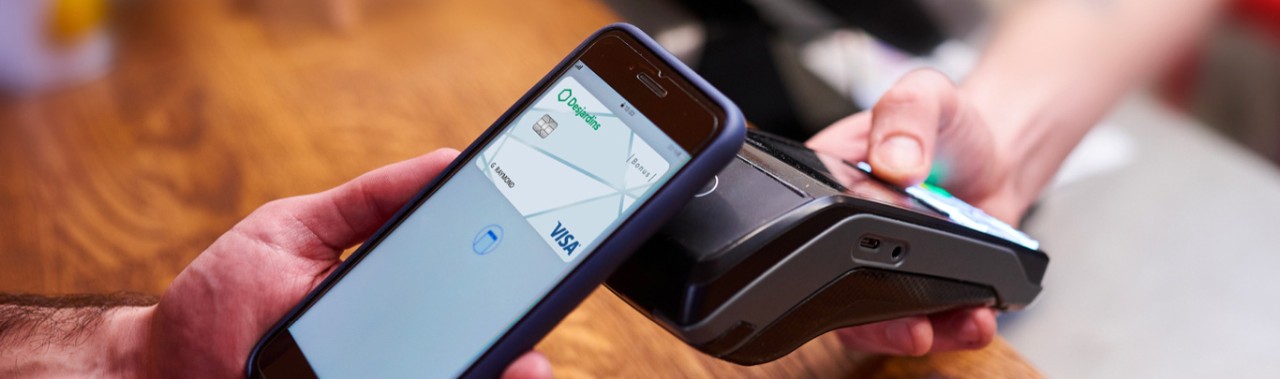
Mobile payment advantages
Practical
Have all your cards in one place.
Pay for purchases of up to $250 wherever contactless payment is available.
Efficient
Pay for your purchases online and in apps more quickly and easily.
Secure
Benefit from your card's Zero Liability protection if fraudulent transactions are made with your mobile device.

FAQ
Is mobile payment secure?
Yes. When you make a purchase, Google Pay and Apple Pay use a device-specific number. Your physical card number is never stored on your device.
To use mobile payment, your device must be passcode-protected (pattern, password or fingerprint).
Your Desjardins card purchases through Google Pay are protected by the Visa* Zero Liability, Mastercard Zero Liability Protection and Interac® Zero Liability policies. With these protections, you won't be held responsible for any fraudulent transactions made with your mobile device.
Can I add the same card on several mobile devices?
Yes. For each mobile device it's added to, the card will have to undergo the same verification process. You can also add several cards to Google Pay or Apple Pay.
Are there fees associated with using mobile payment?
No. There are no additional fees associated with using Google Pay or Apple Pay. For billing purposes, mobile payment transactions are considered to be the same as card transactions.
Do I still get cash back or BONUSDOLLARS rewards when I use mobile payment?
Yes. If the card you're using for mobile payment offers cash back or BONUSDOLLARS® rewards, you'll continue to accumulate them.
Contact us
By phone
Monday to Friday: 7 AM to 9 PM (Eastern Time)
Saturday and Sunday: 8 AM to 6 PM (Eastern Time)