
How to register for online services for your group insurance
Learn how to register for online services so you can submit healthcare claims, manage your account and access your payment card on the go. To register, you need your group and certificate numbers.
Instructions
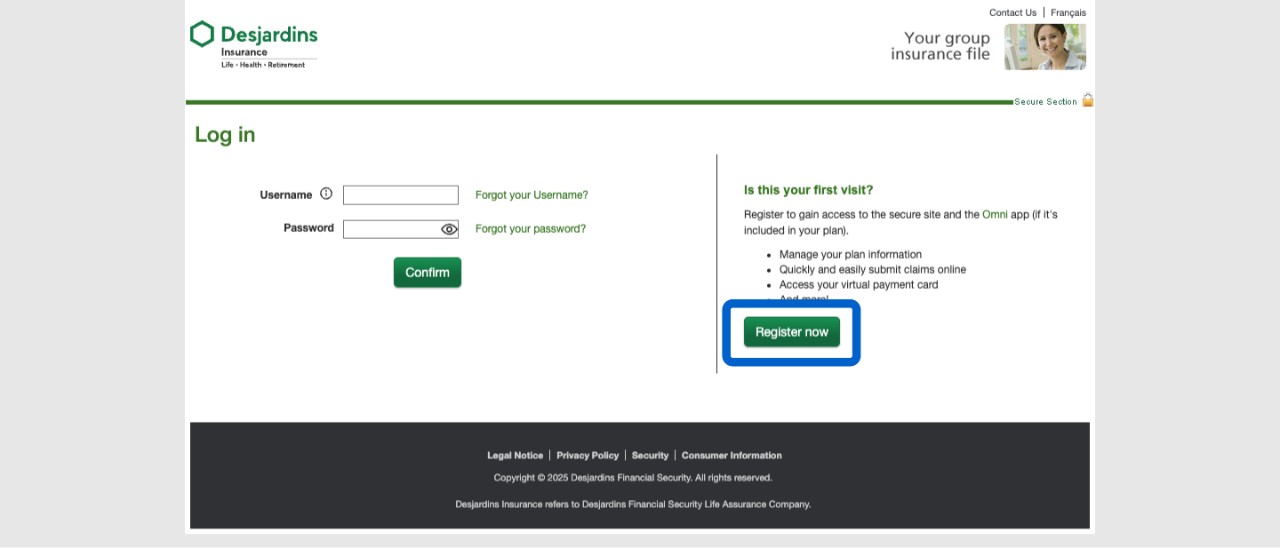
Go to the secure site or Omni app, then select the Register now button.
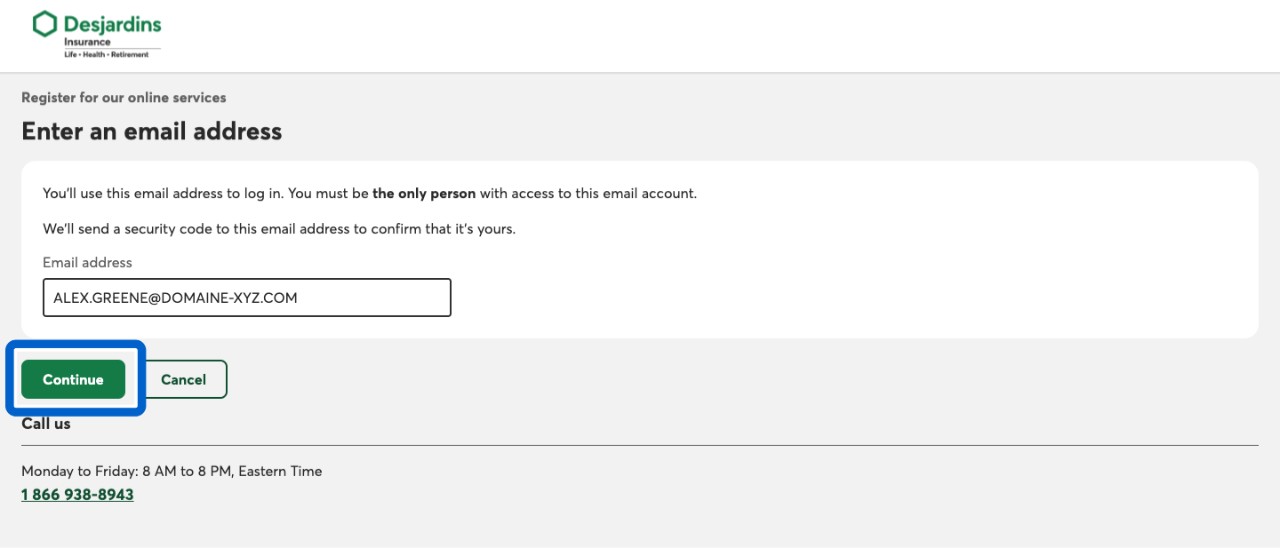
At the Enter an email address step, enter the email address you want to use to log in to your account. Then select the Continue button.
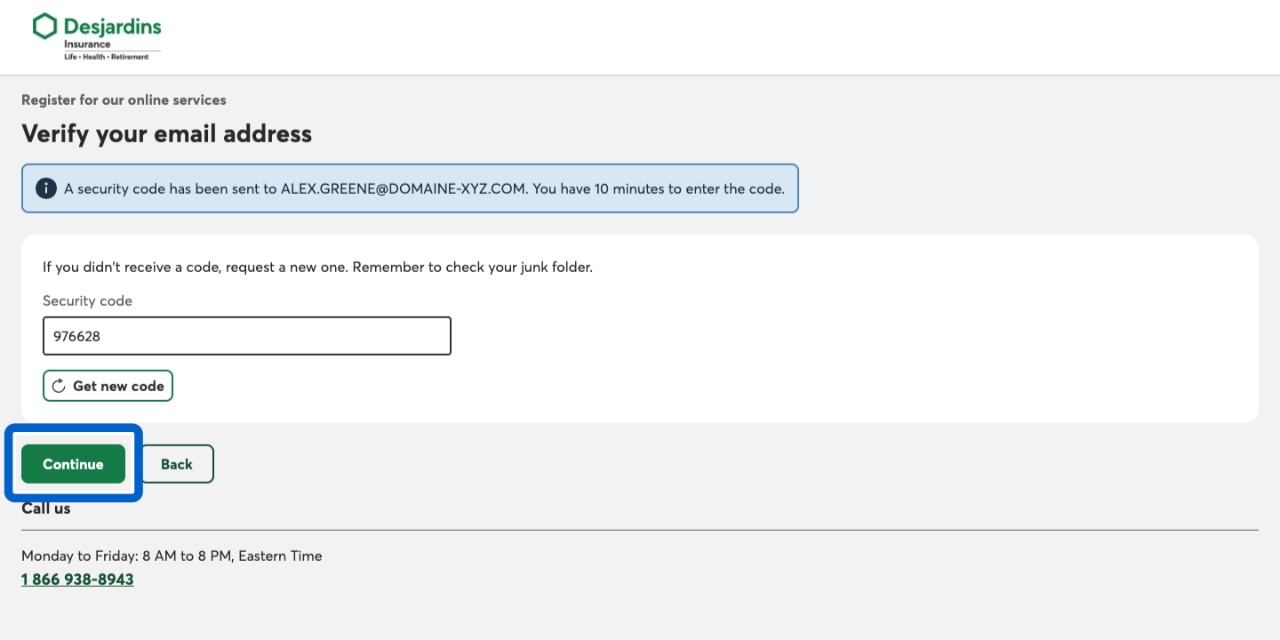
You’ll receive a code by email. At the Verify your email address step, enter the code. Then select the Continue button. Your code expires after 10 minutes. If you don’t enter it in time, you can request a new one.
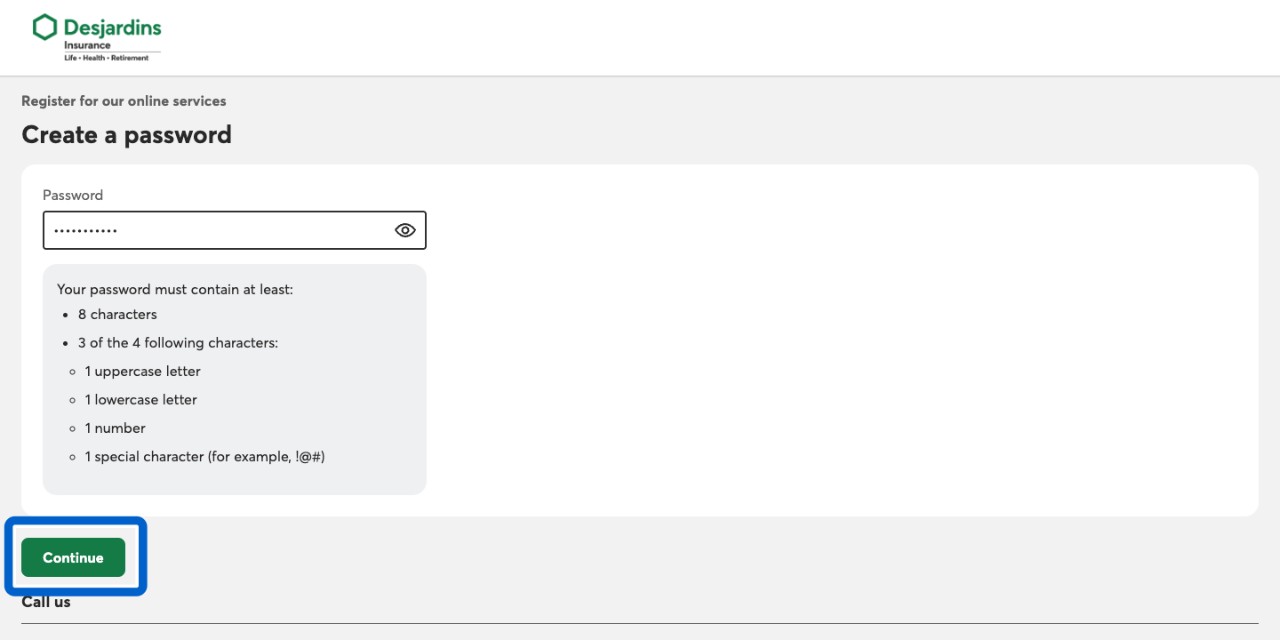
At the Create a password step, enter a password. Then select the Continue button.
At the Plan information step, enter the information required (such as your group and certificate numbers). Then select the Next button.
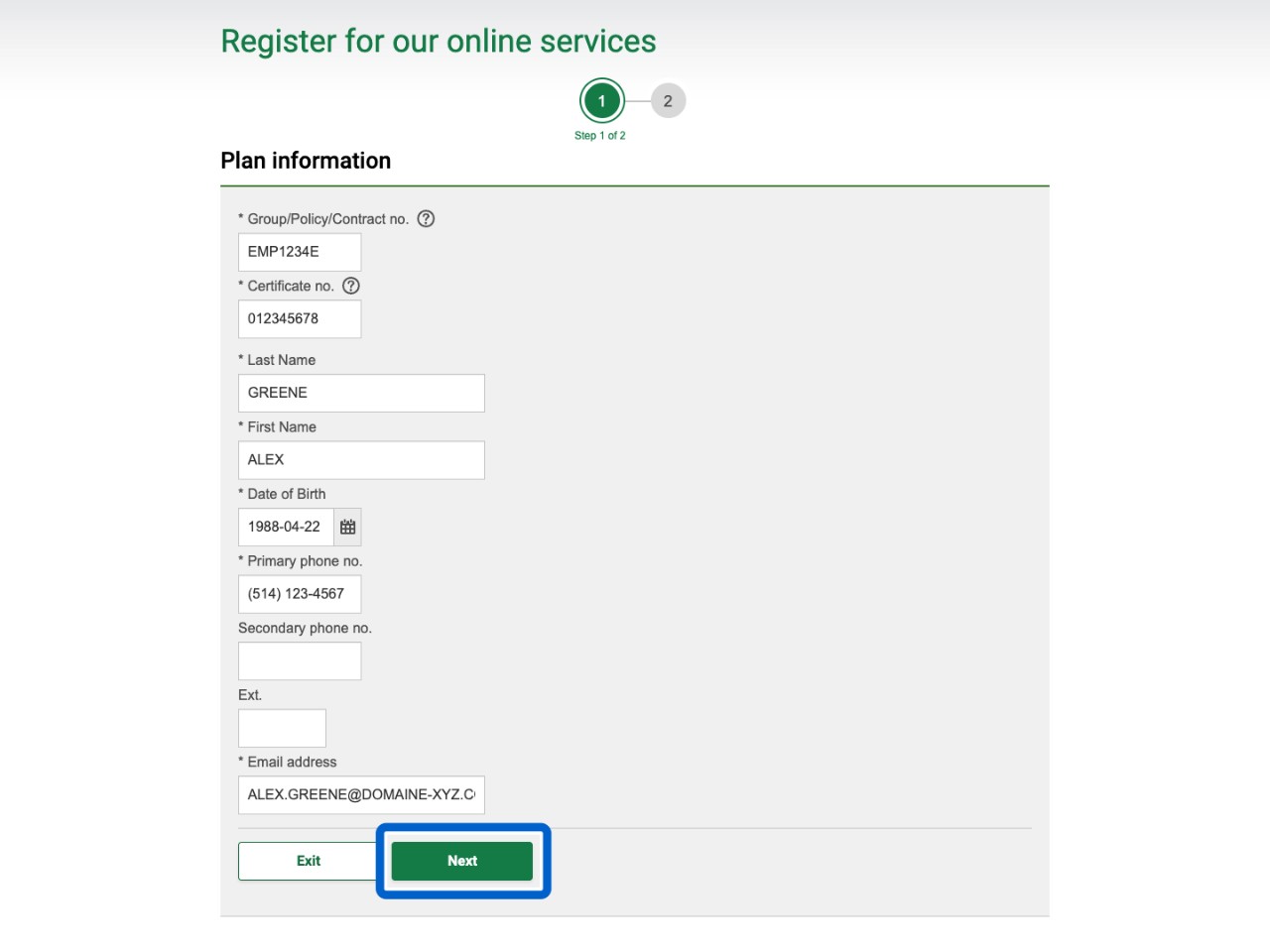
Need Your Group and Certificate Numbers?
You can find your group and certificate numbers in your enrollment email or on your insurance certificate. You can also ask your plan administrator for them.
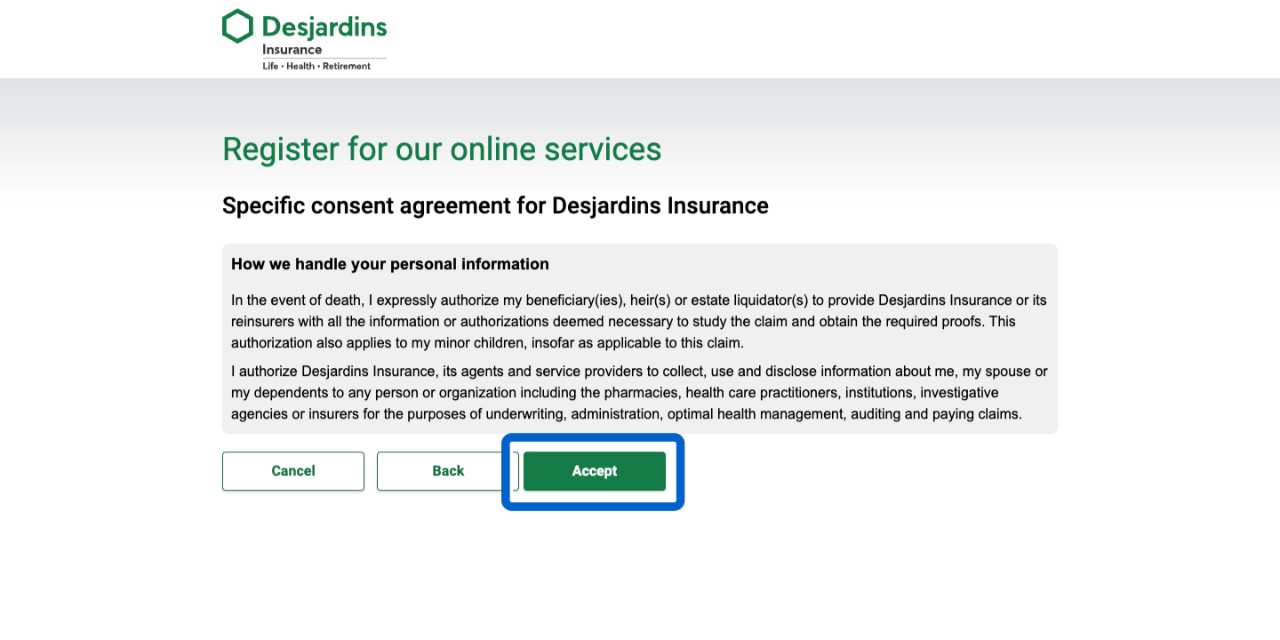
To give us your consent related to how we handle your personal information, select the Accept button.
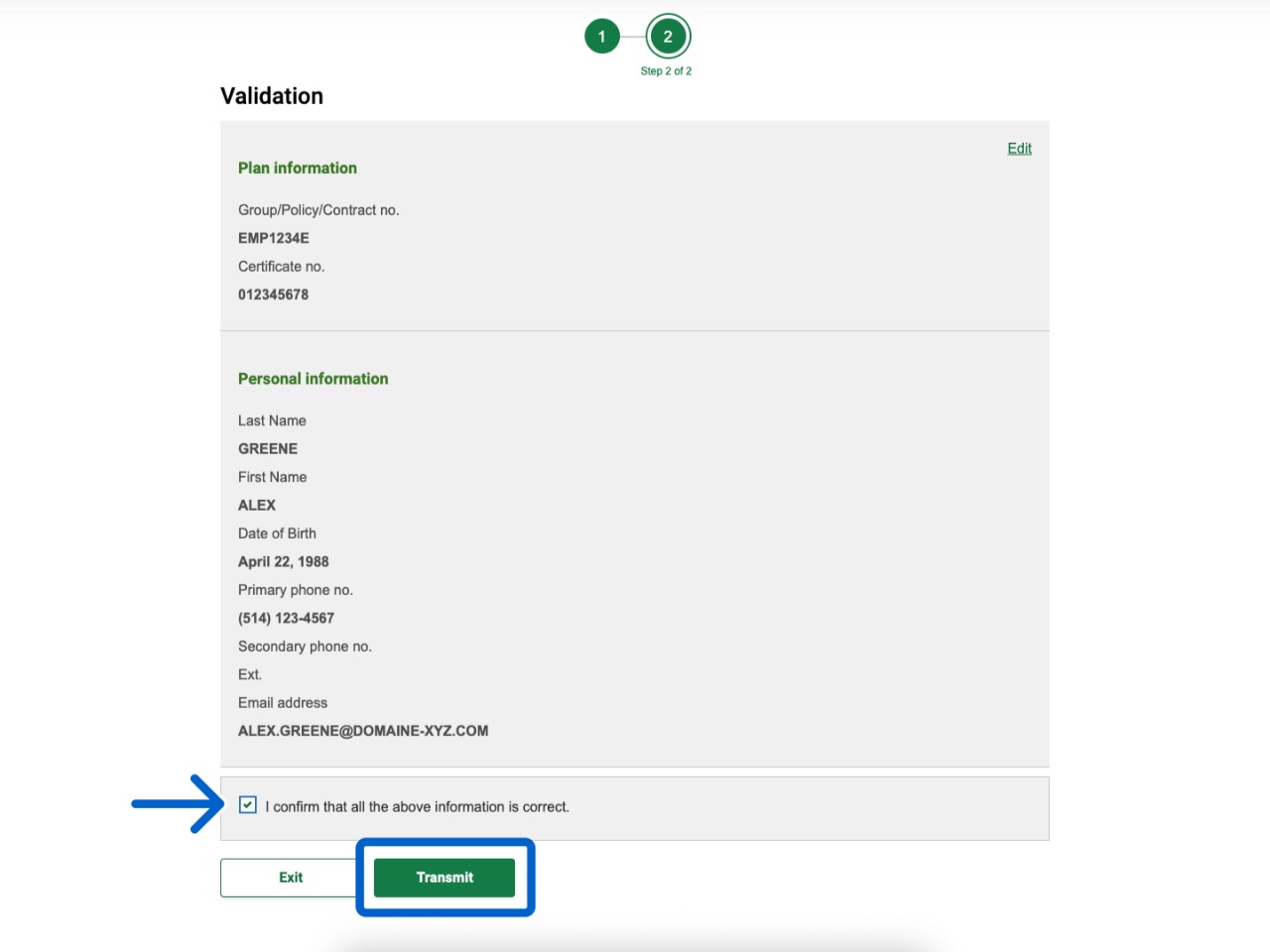
On the Validation page, check the information is correct. Select the checkbox to confirm, then select the Transmit button to complete the process.
Need to Update Your Information?
If you want to make changes to the information you provided for registration, contact us.
Call us
You'll need your group and certificate numbers.
Monday to Friday: 8 AM to 8 PM (Eastern Time)
1-800-263-1810 This link opens your phone app.