
How to manage beneficiaries on your group insurance plan
Learn how to add or remove beneficiaries or edit their information online. If you don’t have these options, contact your plan administrator.
Instructions
Information may vary
The information displayed may vary depending on your group insurance plan.
- Secure site
- IntelliFlex®
Secure site
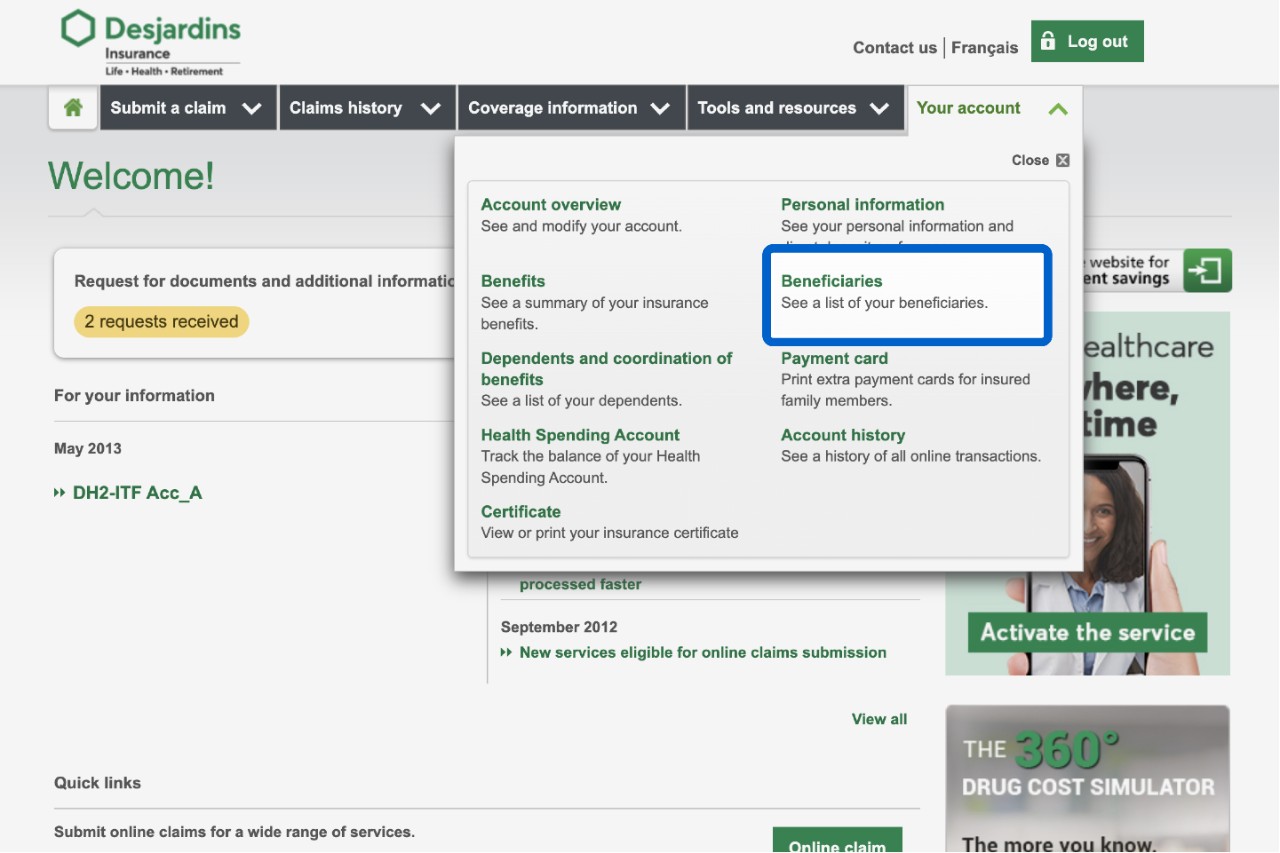
Log in to the secure site. On the home page, select the Your account tab, then the Beneficiaries link. If you don’t have this option, complete the following form and send it to your plan administrator.
If you don’t have any beneficiaries listed, the Beneficiary designation page will open. To add a beneficiary, select the Add a beneficiary button. Then enter that person’s information.

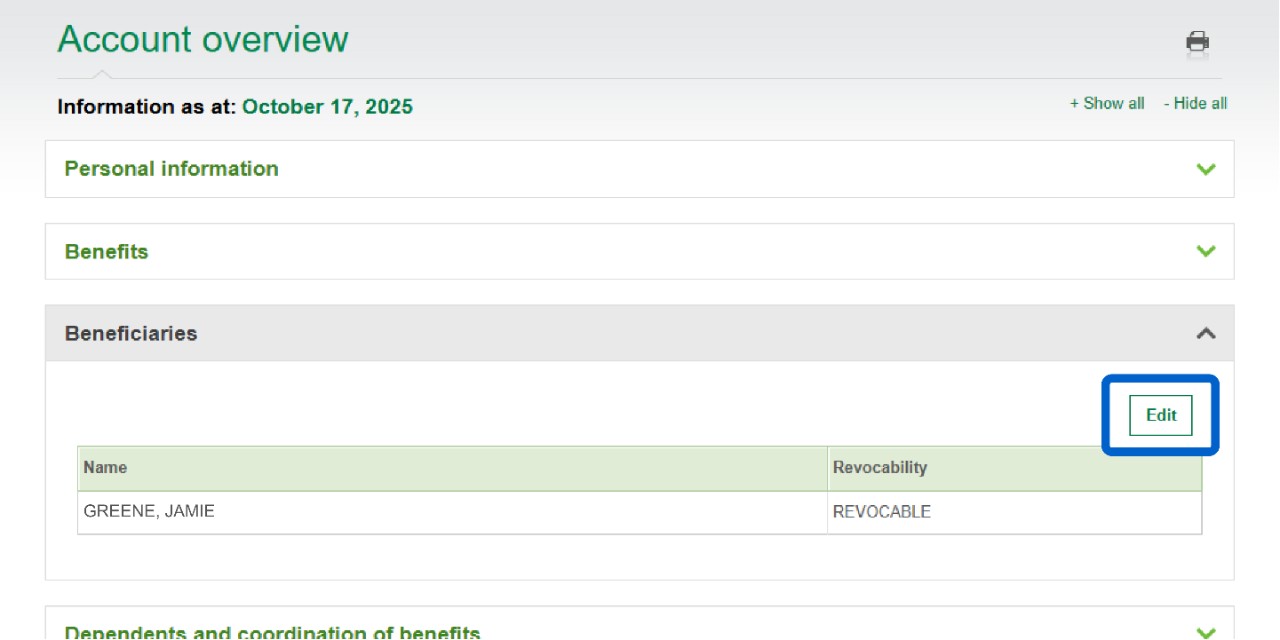
If you do have beneficiaries listed, the Account overview page will open. To update a beneficiary’s information, select the Edit button.
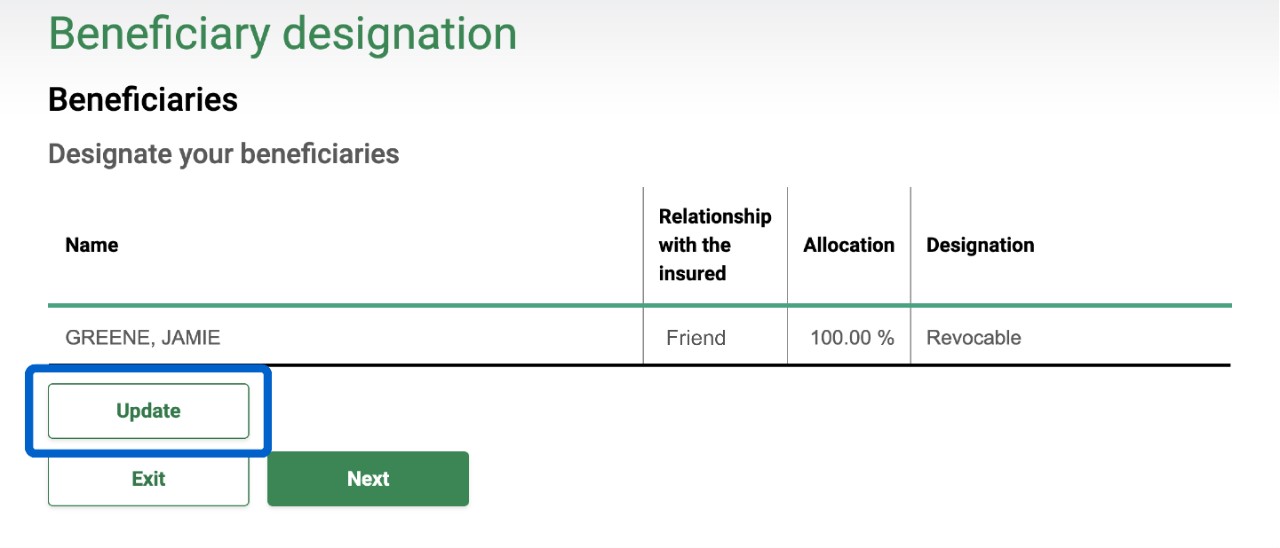
On the Beneficiary designation page, select the Update button.
To remove a beneficiary, select the Delete link. To add another beneficiary, select the Add a beneficiary button.
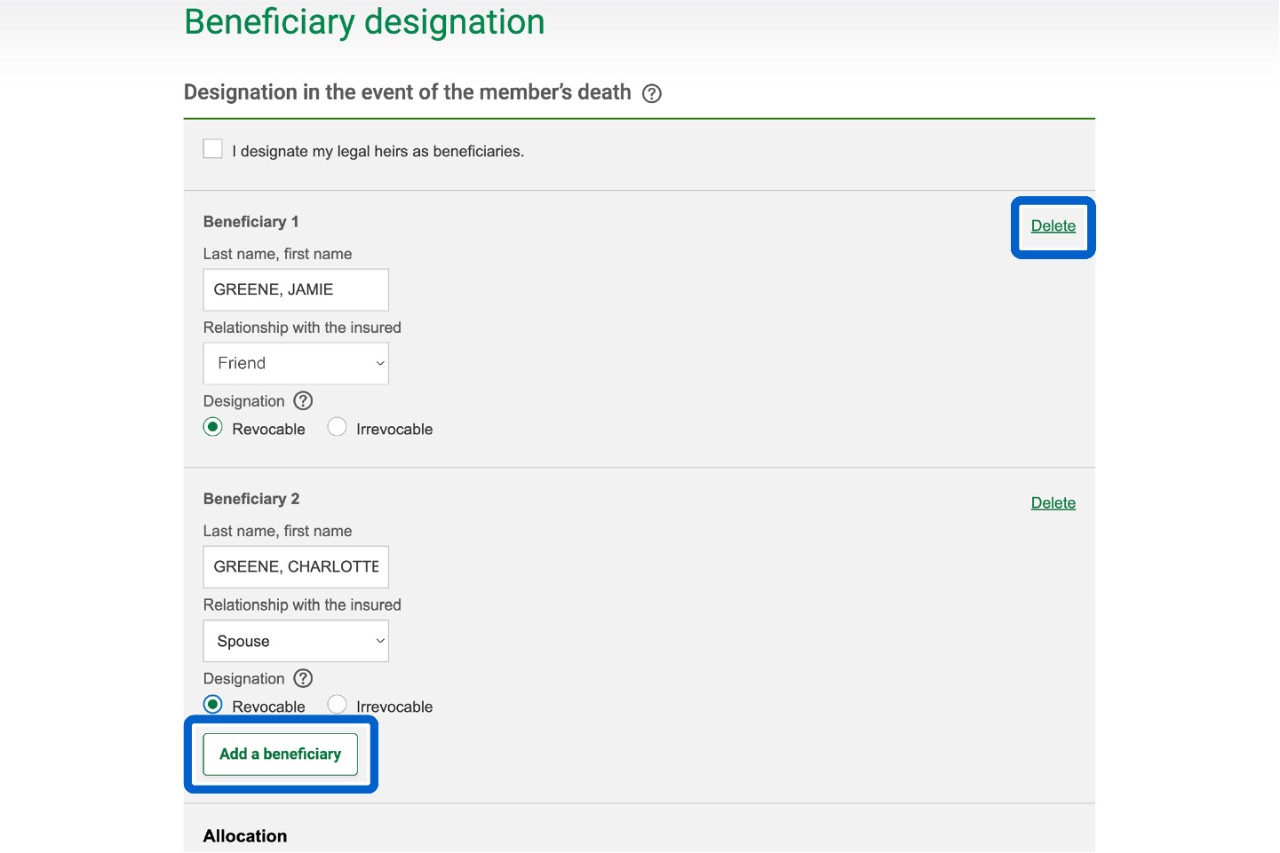
To update a beneficiary’s information, select within the fields you’d like to edit and provide the new information.
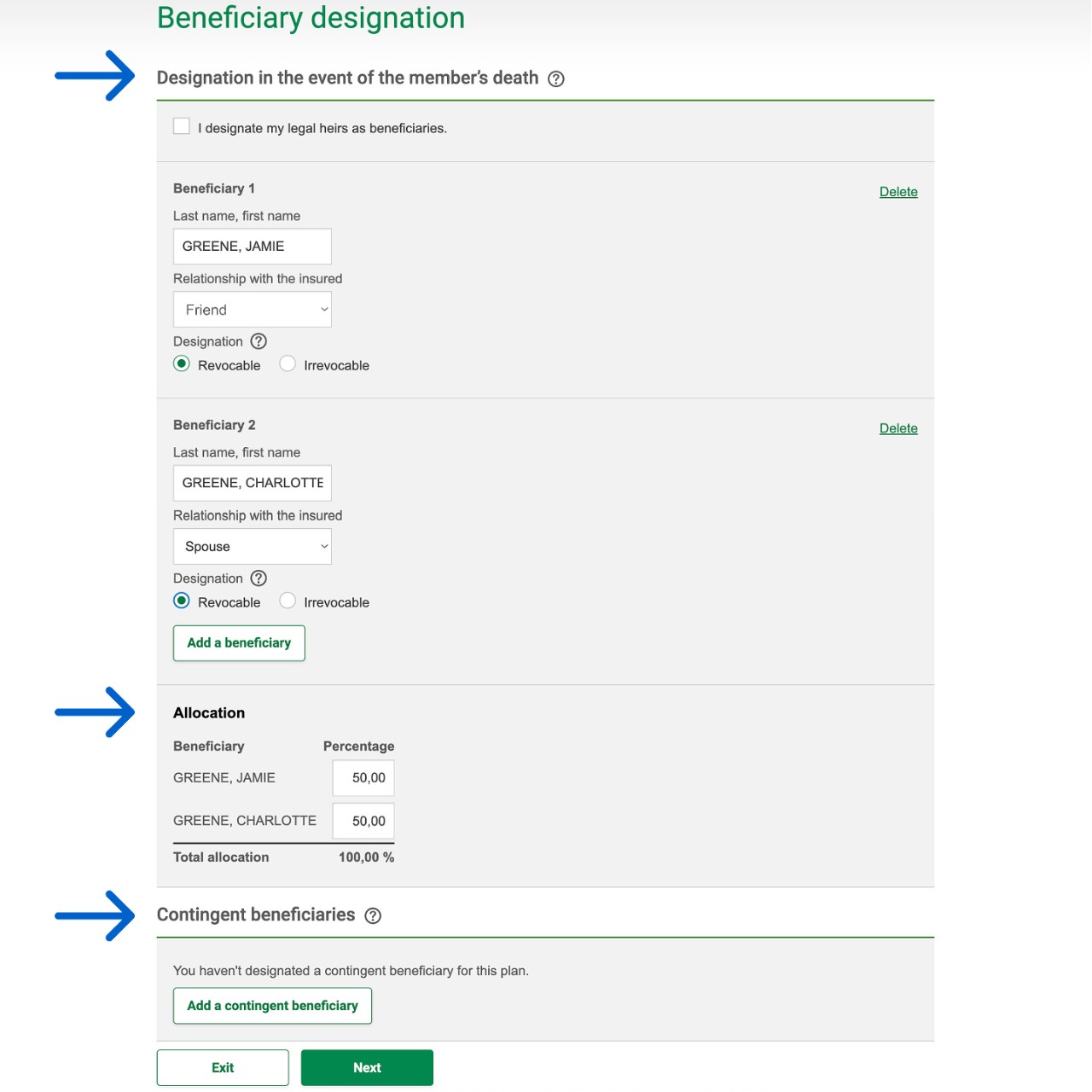
If you have more than one beneficiary, you must enter the insurance benefit percentage for each one in the Allocation section.
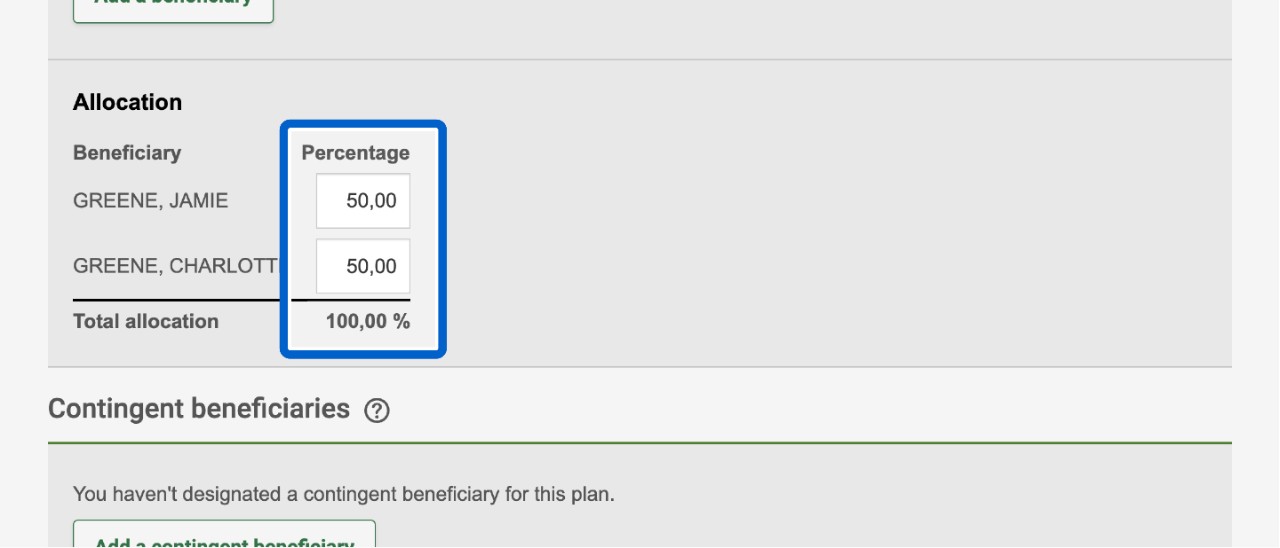
Total
All insurance amounts must, together, add up to 100%.
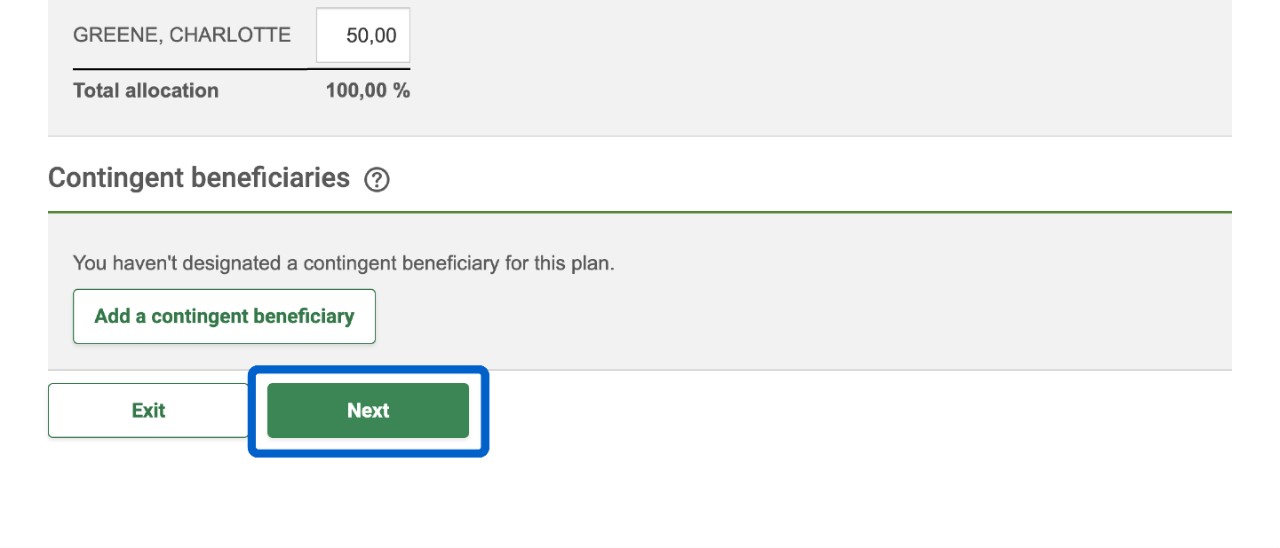
Once you’ve finished updating the information, select the Next button.
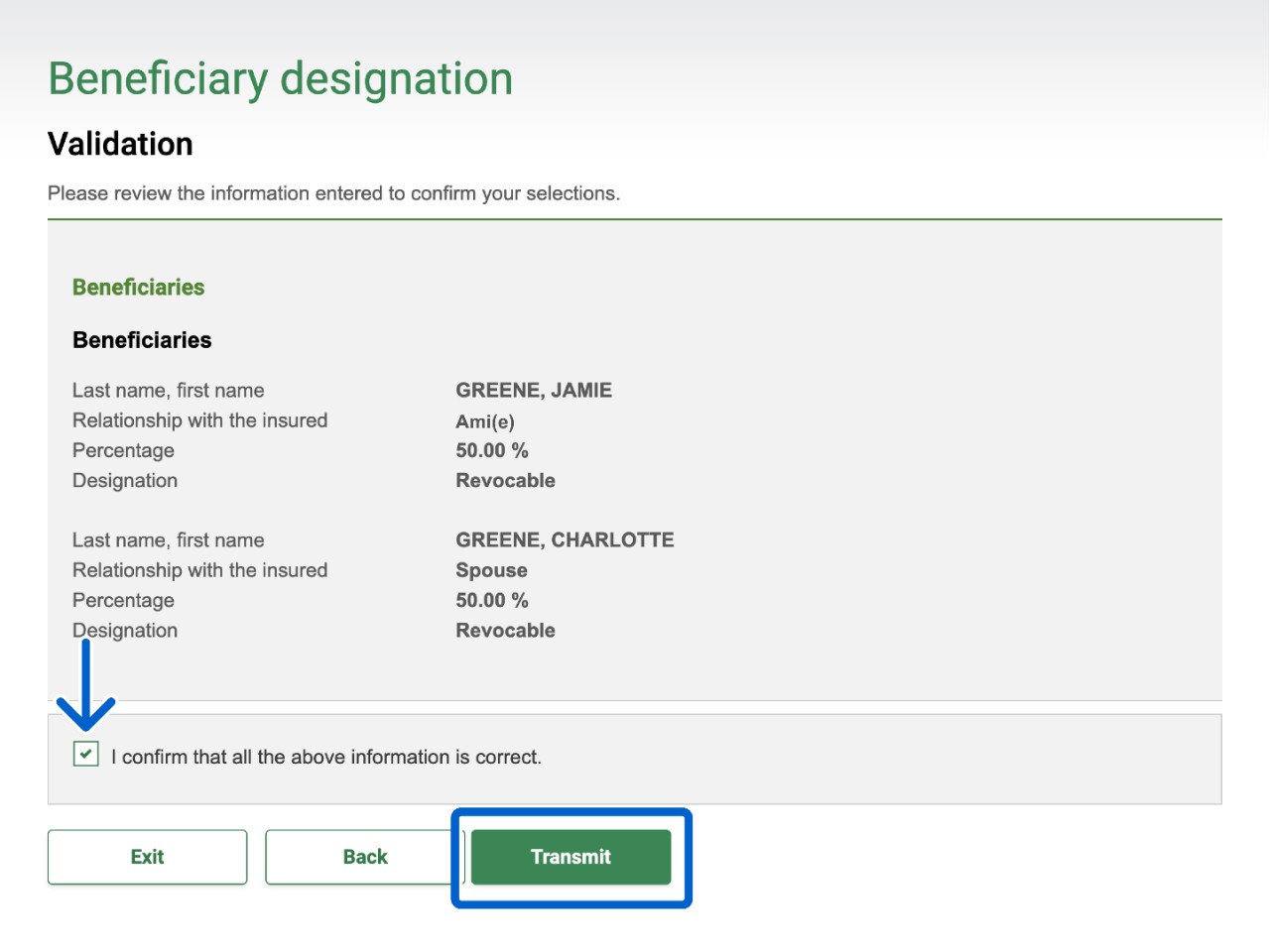
Look over the changes, select the checkbox to confirm the information is correct, then select the Transmit button.
IntelliFlex®
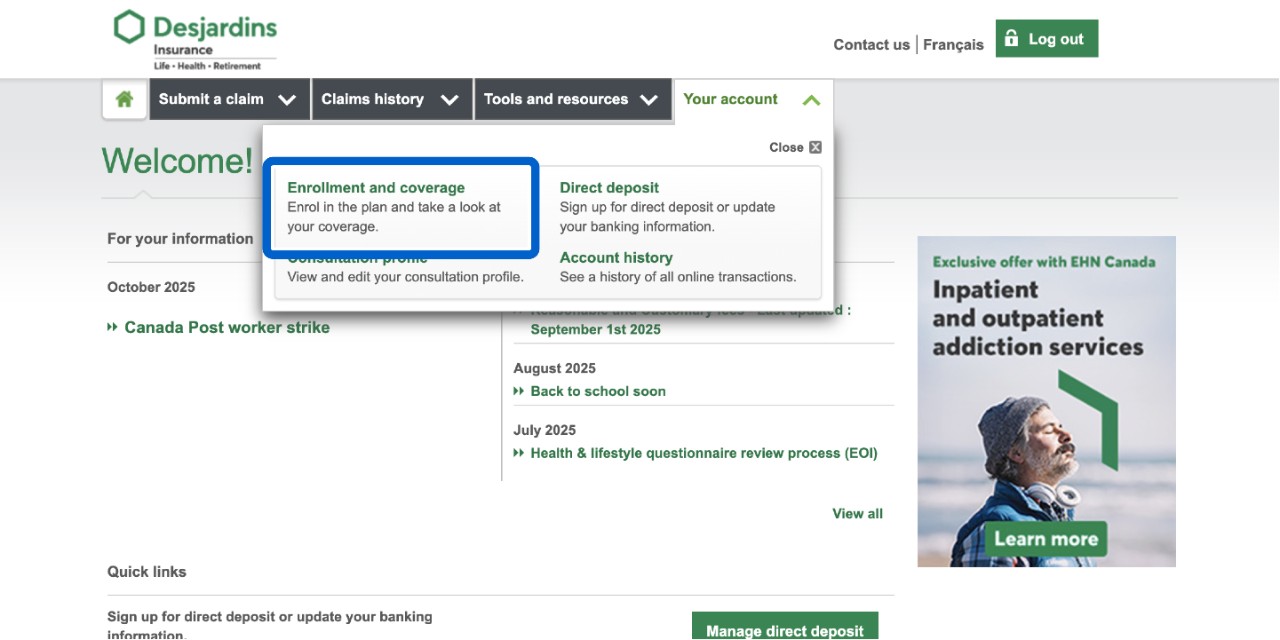
Log in to the secure site. On the home page, select Your account, then the Enrollment and coverage link. If you don’t have this option, complete this form and send it to your plan administrator.
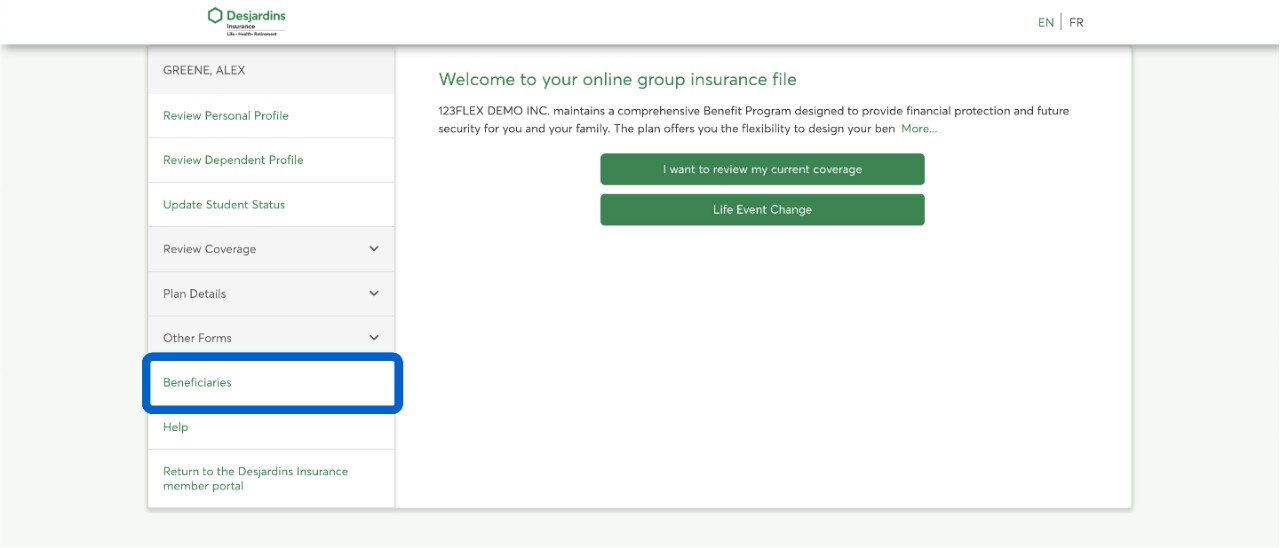
The page that shows your IntelliFlex online file will open. On the Welcome to your online group insurance file page, select the Beneficiaries link.
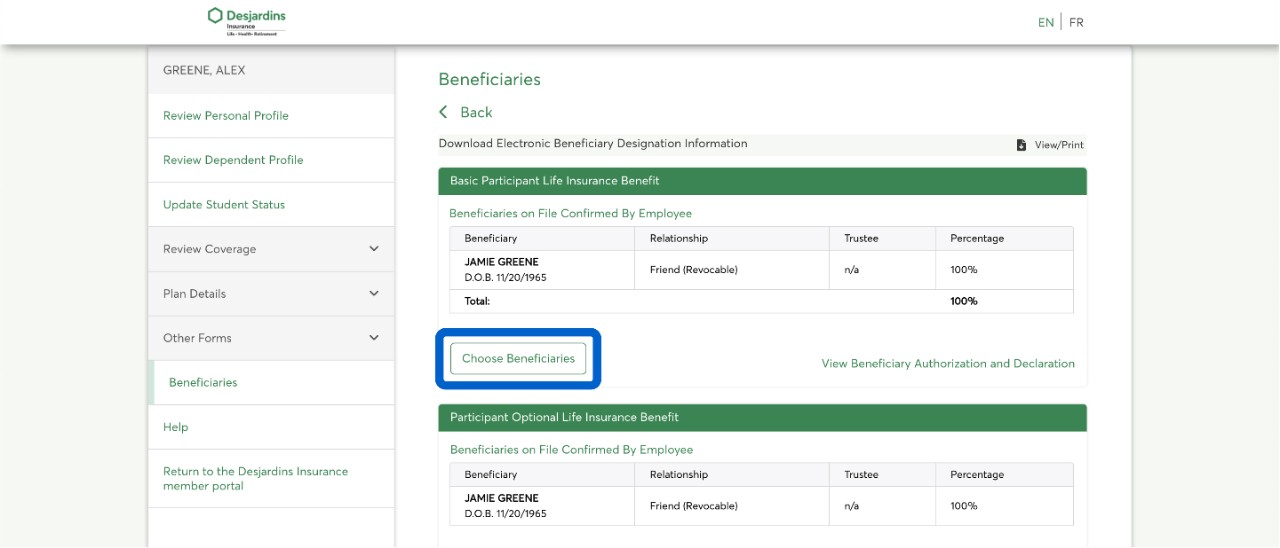
On the Beneficiaries page, find the type of insurance or benefit where you want to add or change beneficiaries, then select the Choose Beneficiaries button.
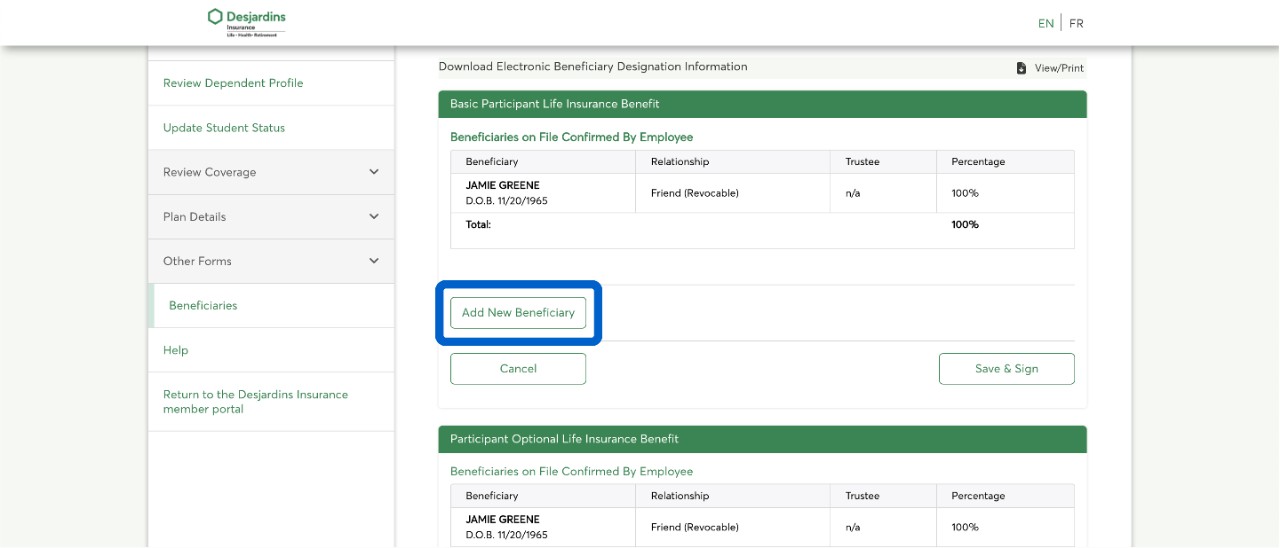
To add a beneficiary to that insurance or benefit, select the Add New Beneficiary button, then enter that person’s information.
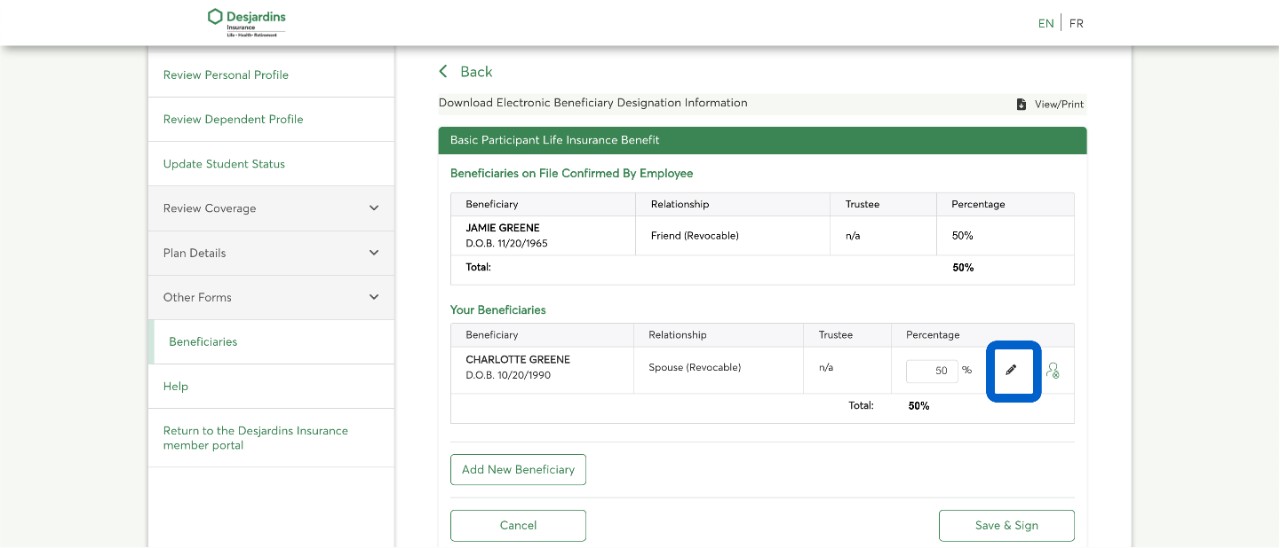
To update the information of an existing beneficiary, select the edit button (pencil icon). The only change possible is from revocable to irrevocable.
Once you’ve added a beneficiary, you must enter the insurance benefit percentage you want them to receive.
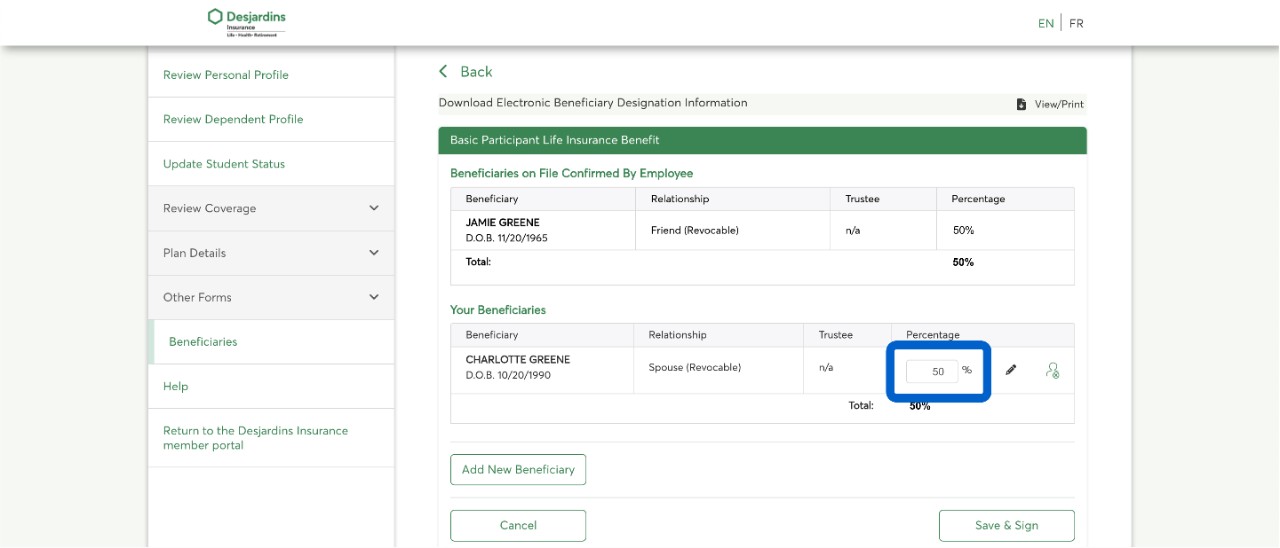
Total
All insurance amounts must, together, add up to 100%.
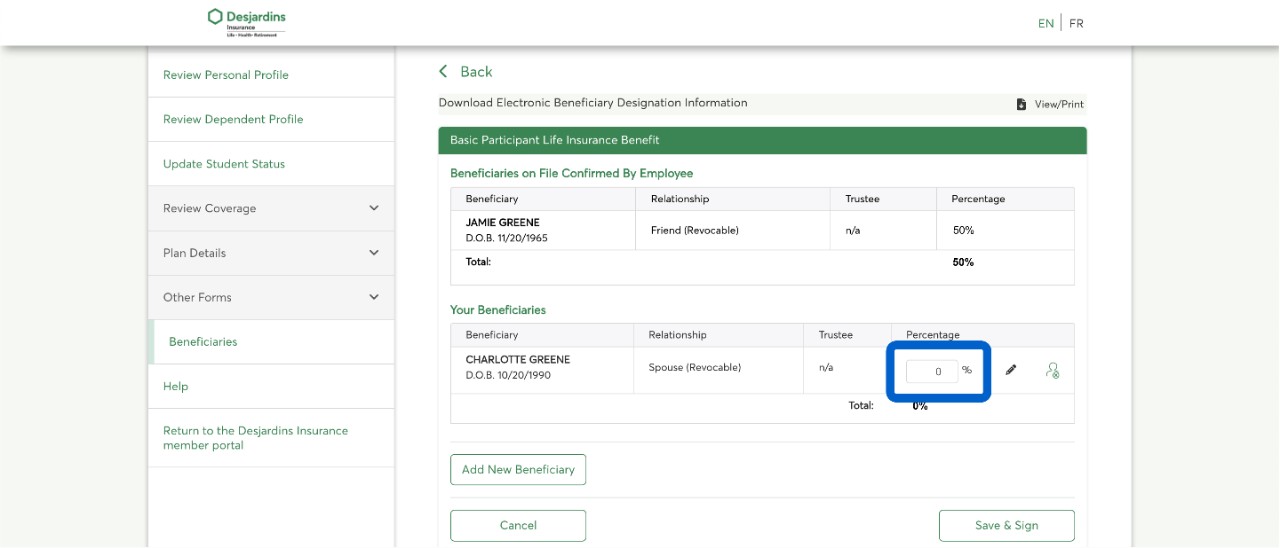
If you want to remove a beneficiary, enter the number 0 in the Percentage field.
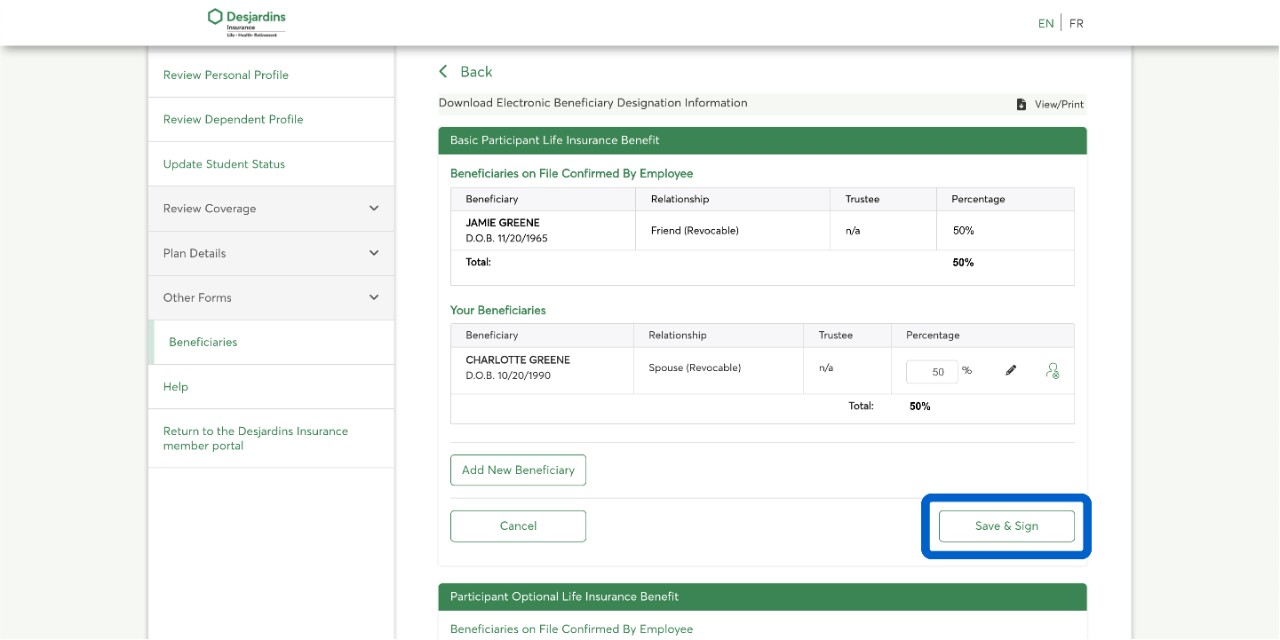
Select the Save & Sign button.
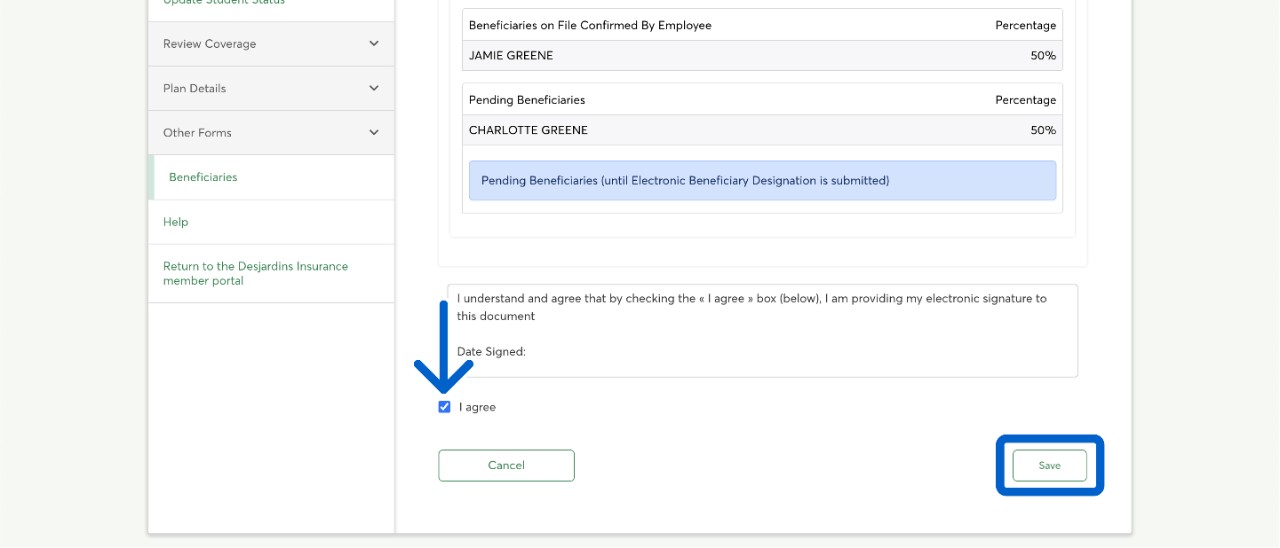
At the Beneficiary Authorization and Declaration step, if you are able to provide an electronic signature, select the I agree checkbox to accept the conditions. Select the Save button to finalize the changes.
Approval
Your plan administrator must approve the changes made to your account before they take effect.
Call us
You'll need your group and certificate numbers.
Monday to Friday: 8 AM to 8 PM (Eastern Time)
1-800-263-1810 This link opens your phone app.