
How to edit a scheduled Interac e-Transfer
Learn how to edit a scheduled Interac e-Transfer® on AccèsD. This feature is not yet available in our mobile app.
Instructions
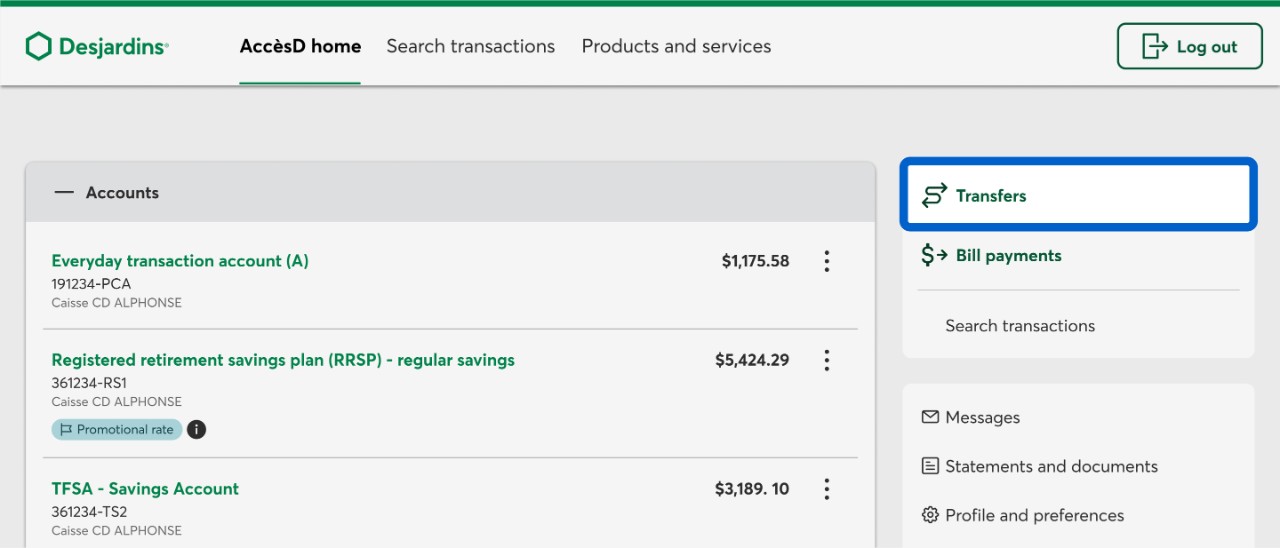
Log in to AccèsD. On the home page, select the Transfers button.
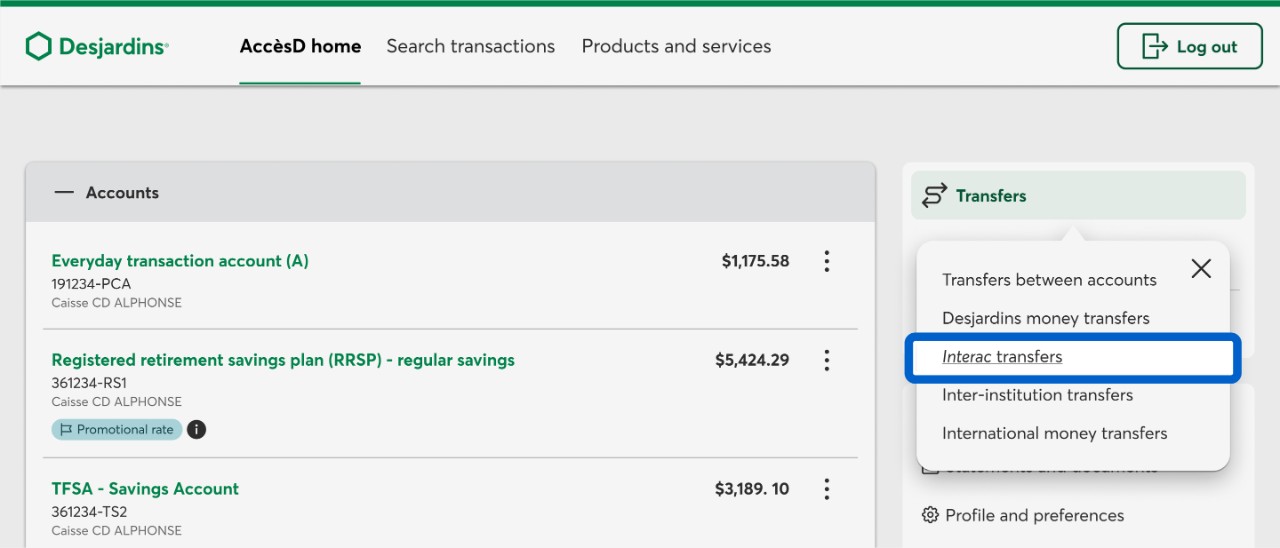
Select the Interac transfers button.
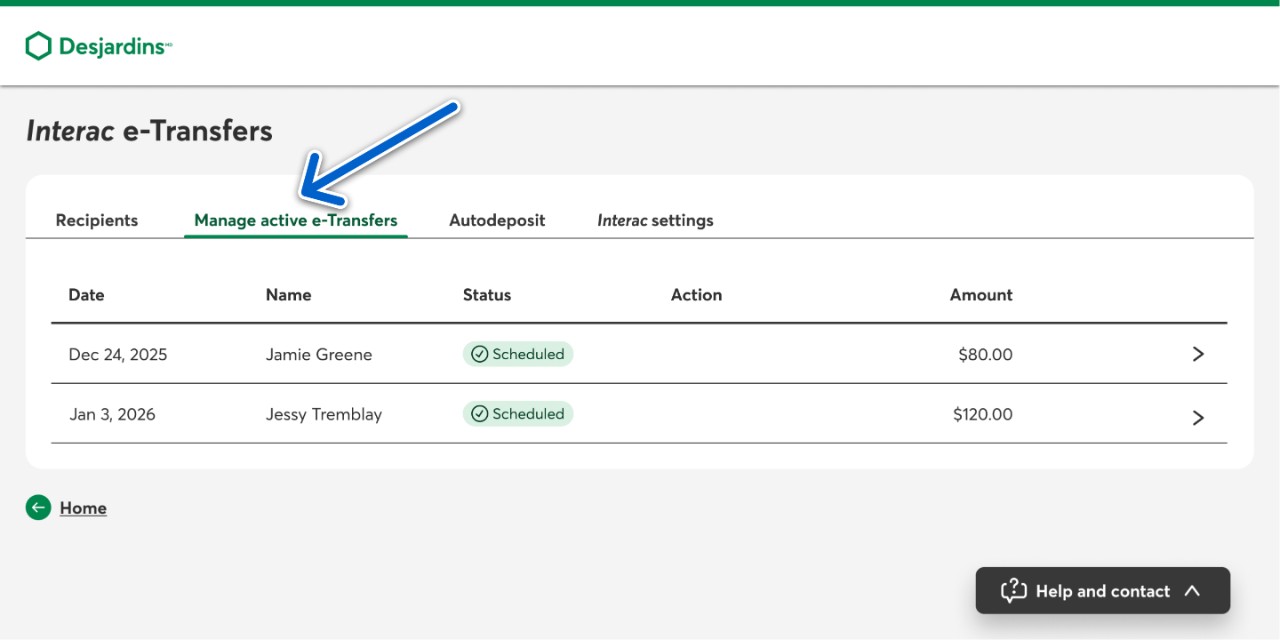
On the Interac e-Transfers page, select the Manage active e-Transfers tab.
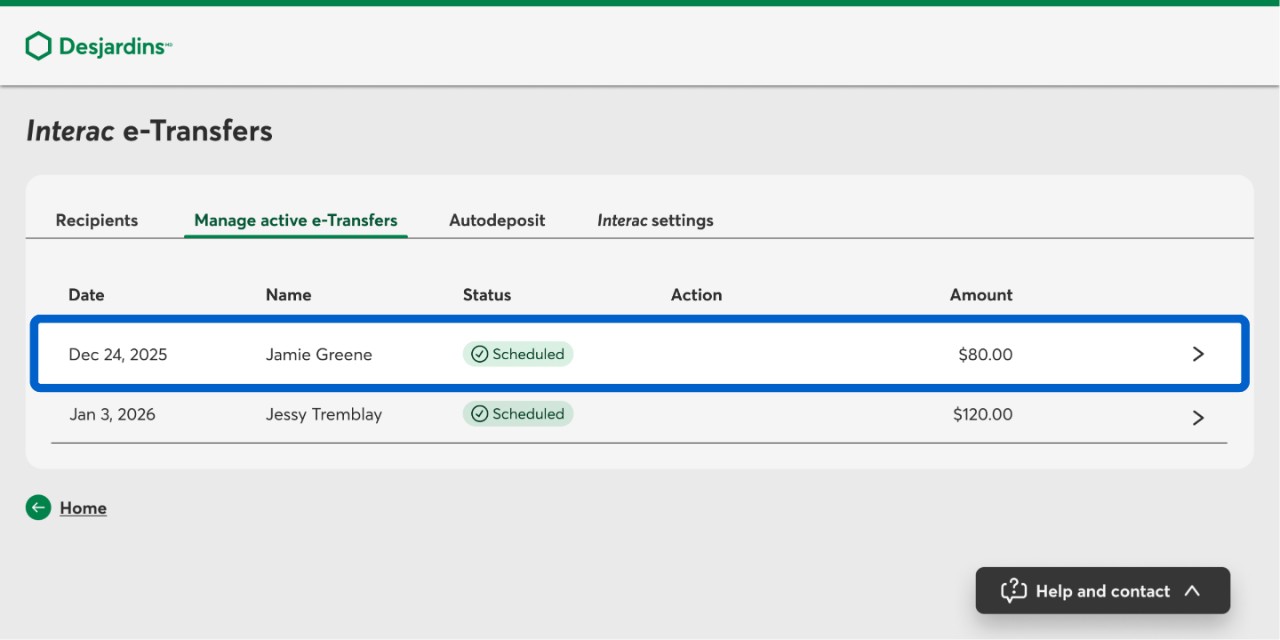
From the list, select the scheduled transfer you want to modify.
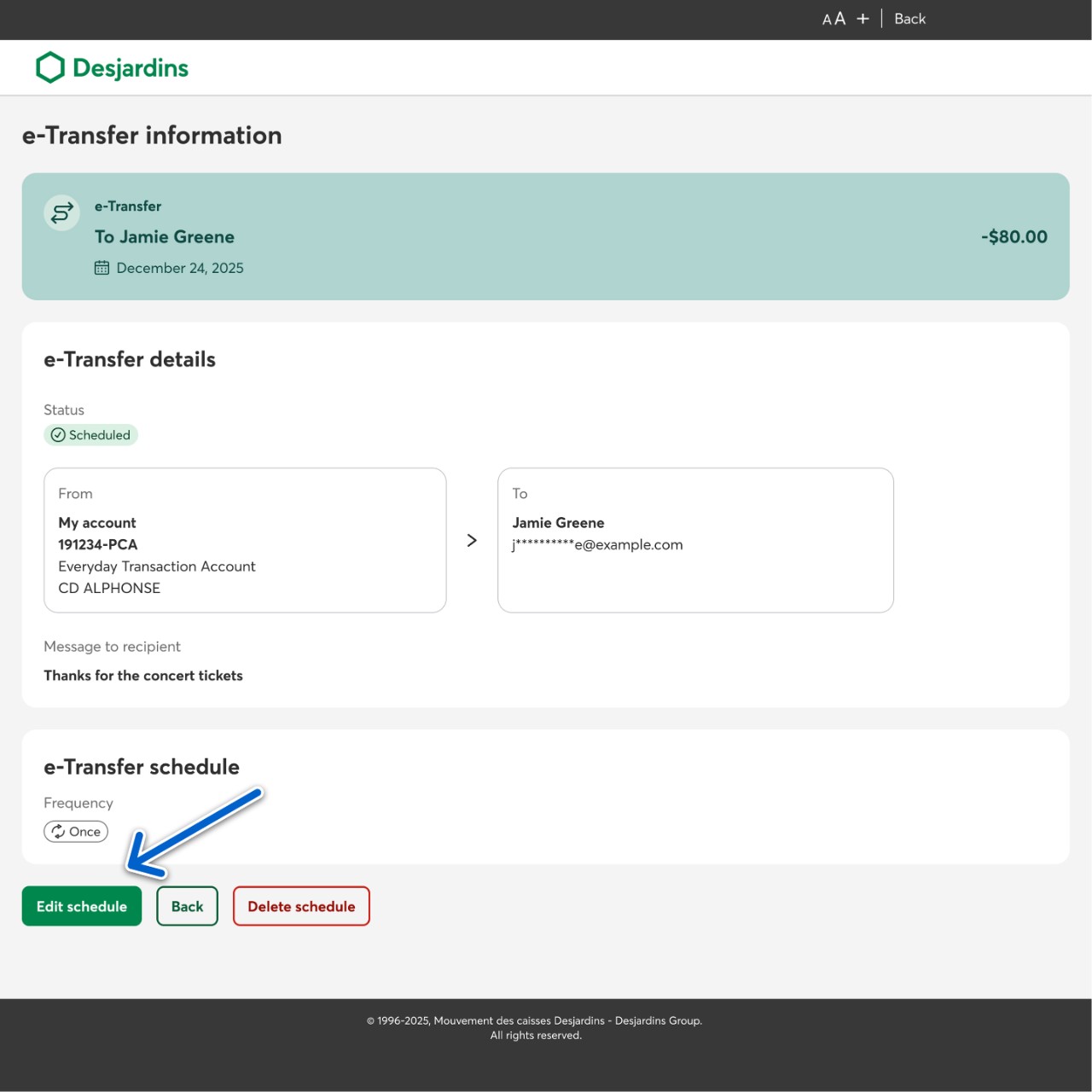
On the e-Transfer information page, select the Edit schedule button.
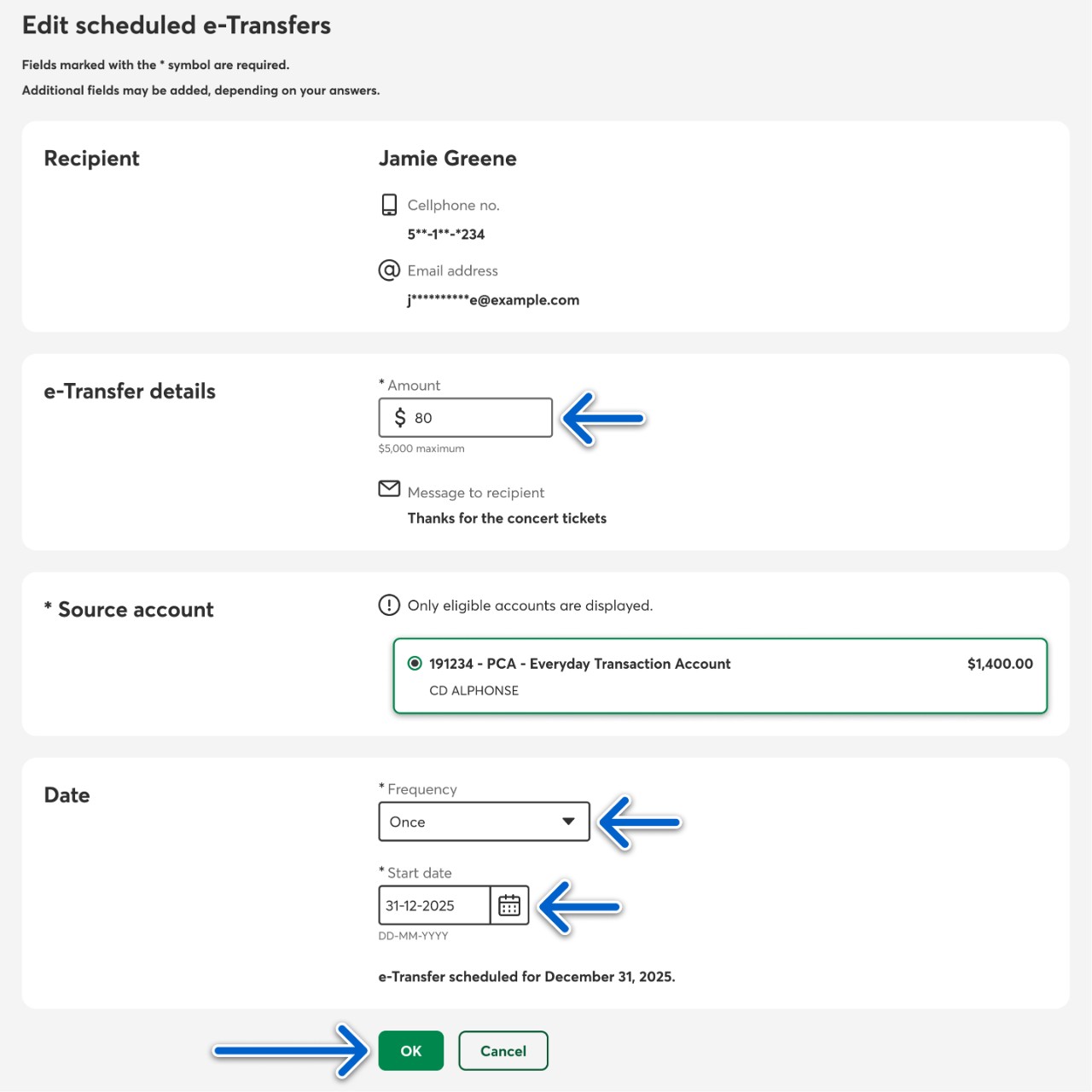
On the Edit scheduled e-Transfers page, edit the information you’d like to change. Then select the OK button.
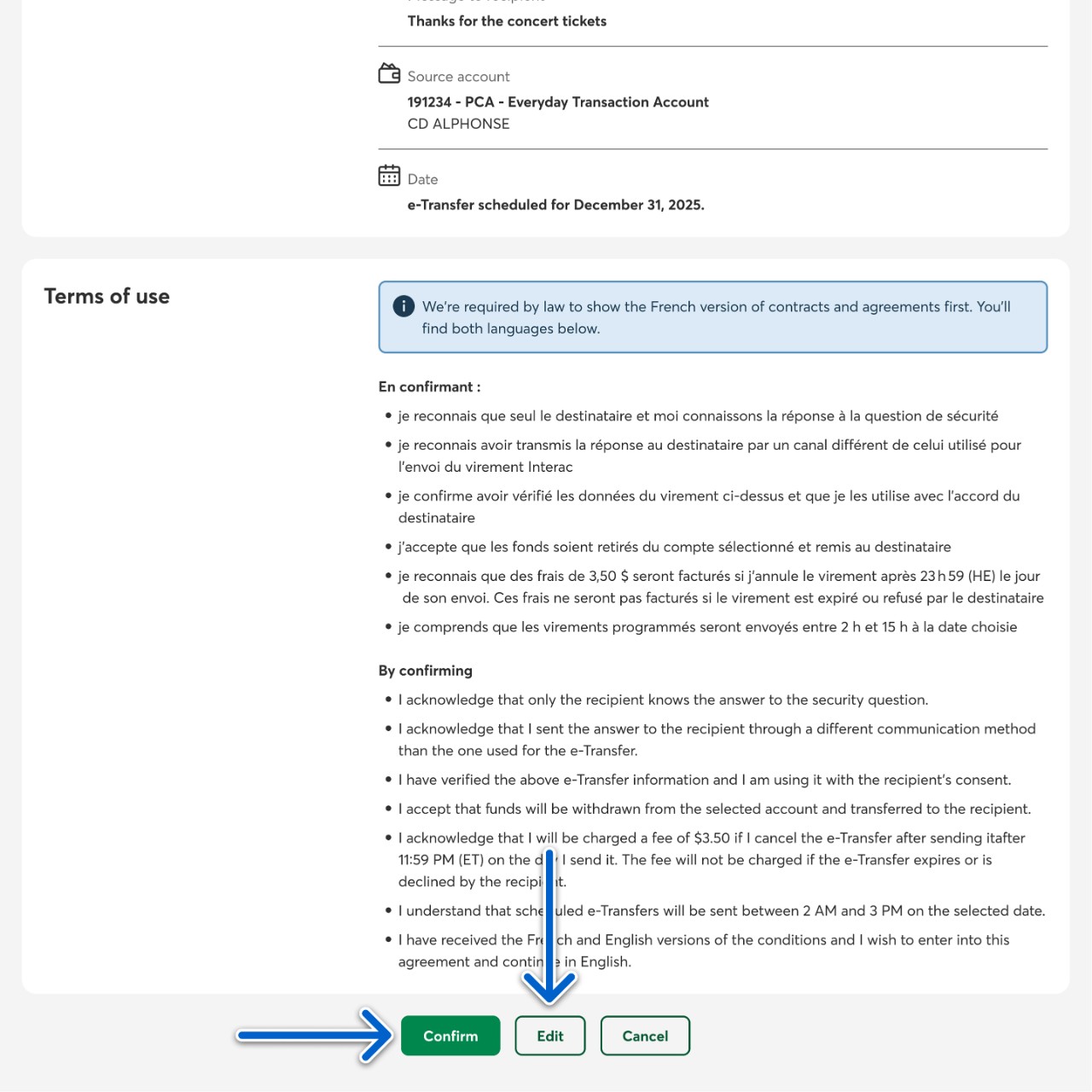
At the validation step, make sure your scheduled e-transfer’s information is correct, then select the Confirm button to apply the changes. Select the Edit button if you wish to make more changes.
Call us
1-800-224-7737 This link opens your phone app. (1-800-CAISSES)
Or we can call you when it's convenient.