
How to purchase a term savings investment
Learn how to invest in term savings using our mobile and online services.
Instructions
- Mobile app
- Web browser
Mobile app
Go to investment options
Log in to the Desjardins mobile services app, then select the Products tab.
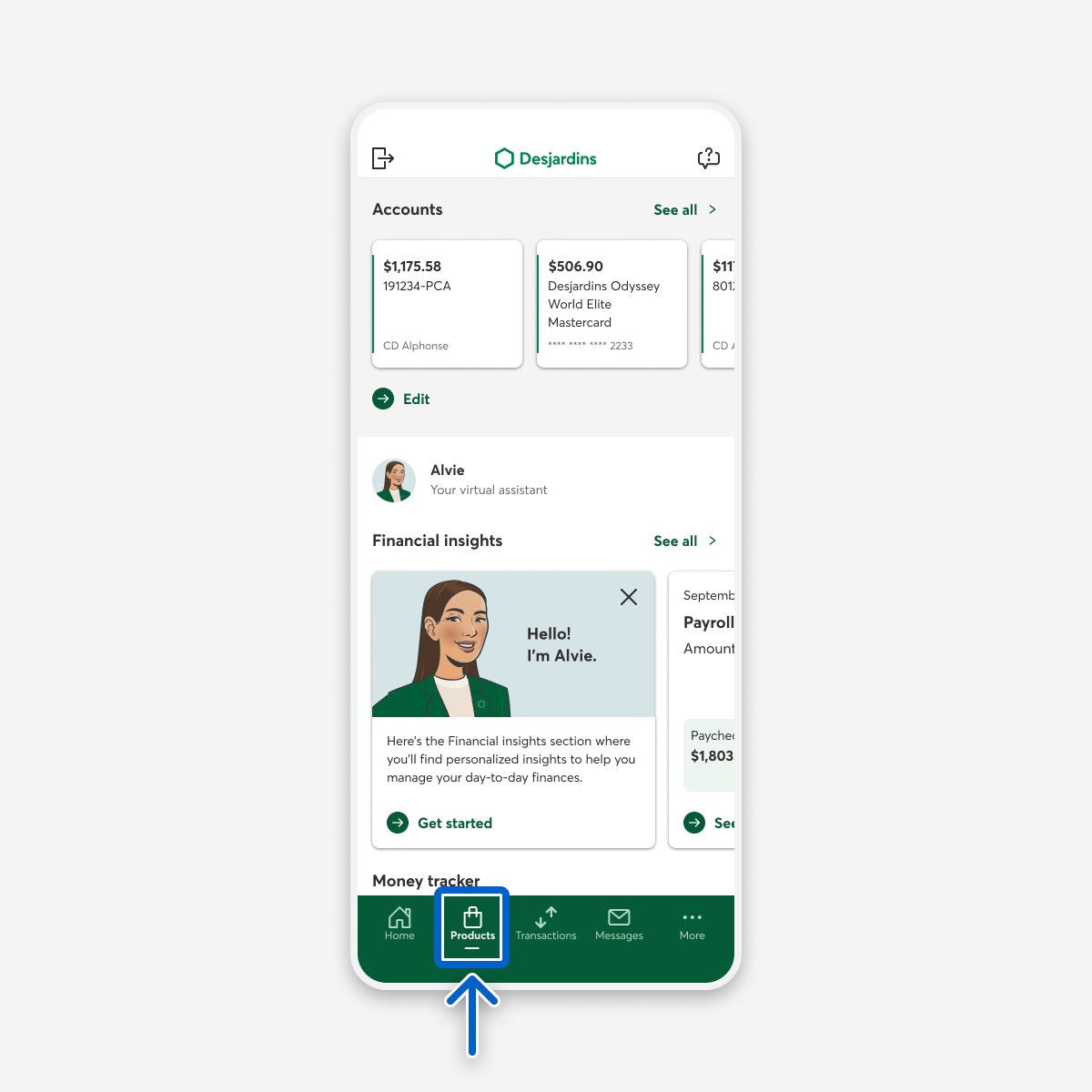
On the Products and services page, select the Savings and investments button.
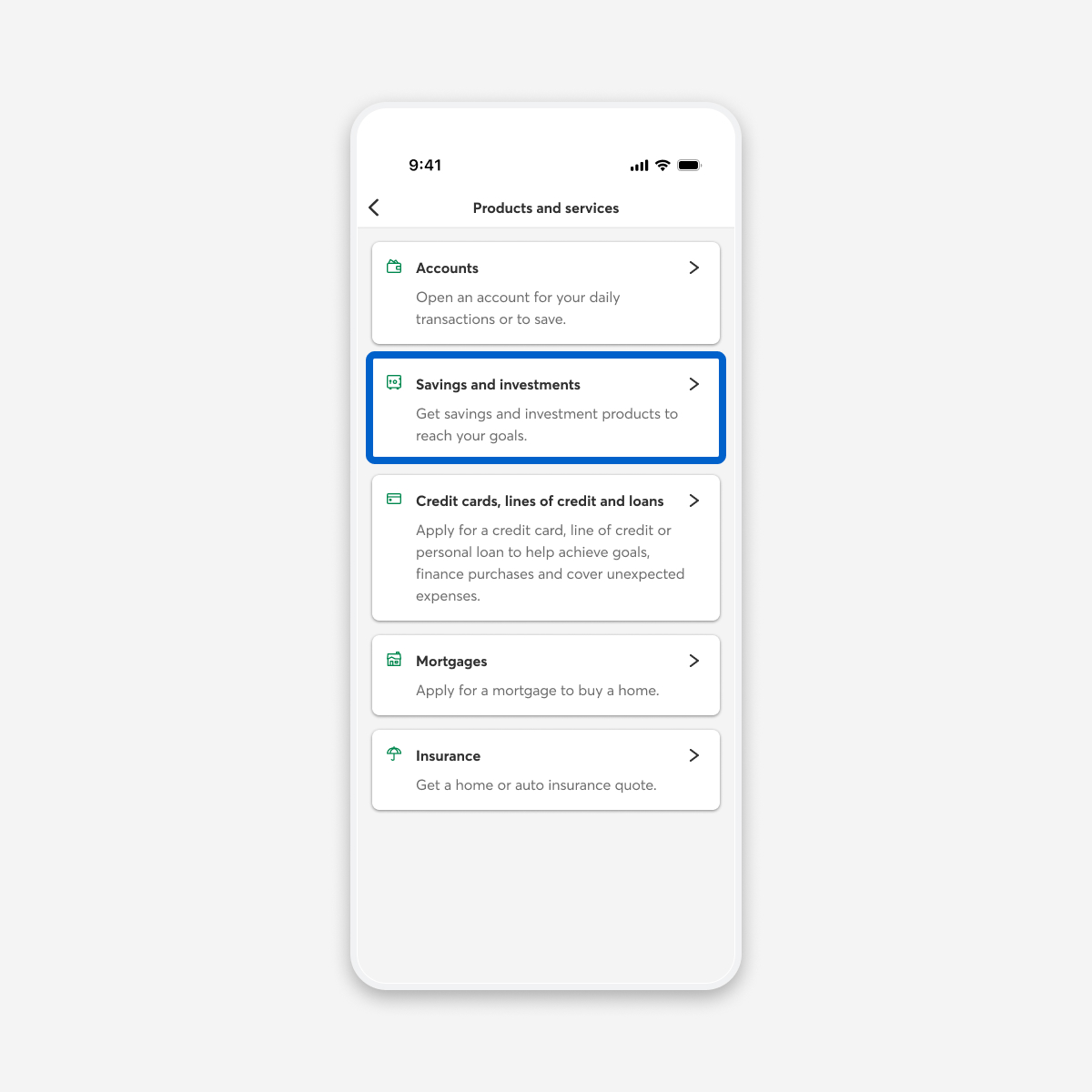
On the Savings and investments page, select the Investments button.
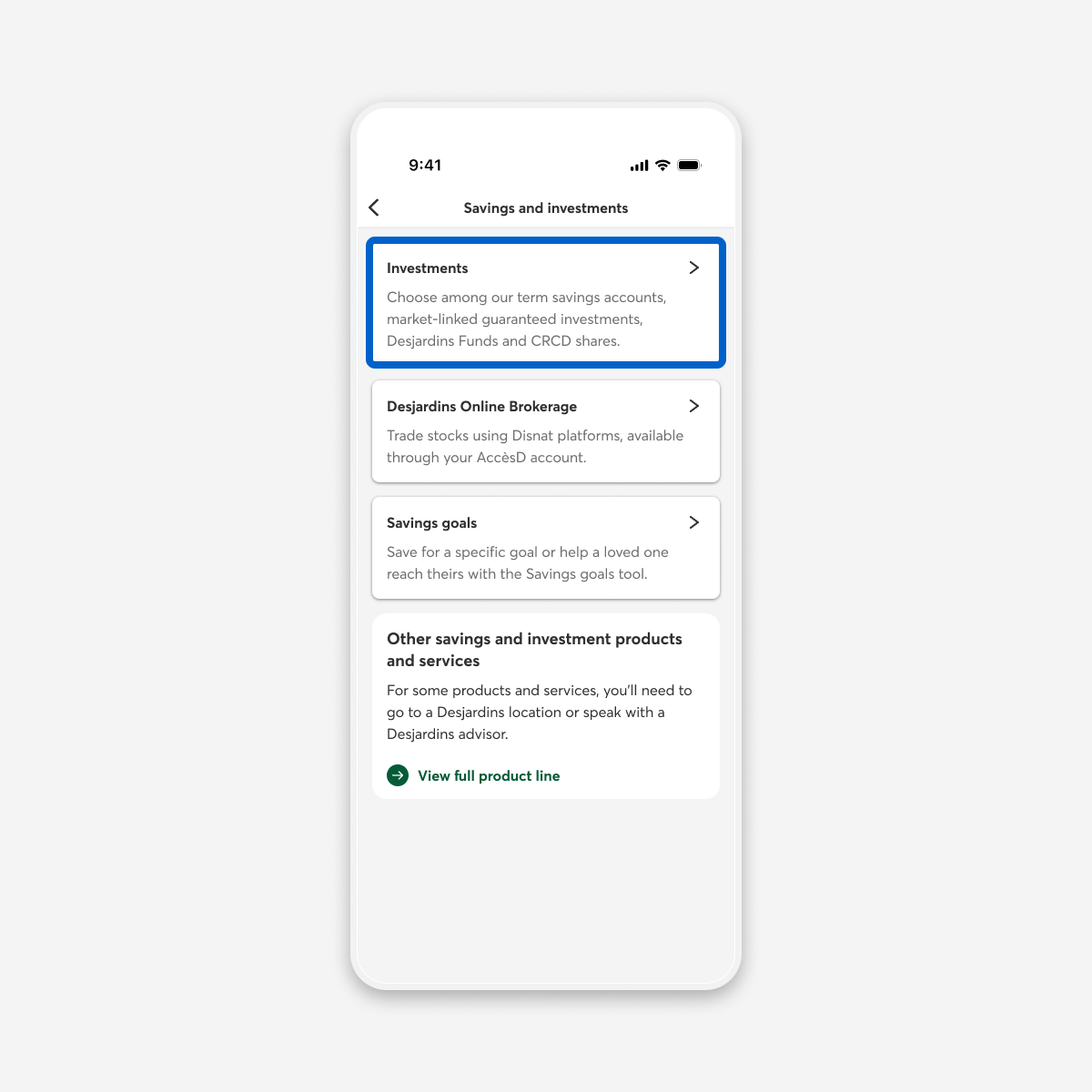
Choose a plan and product type
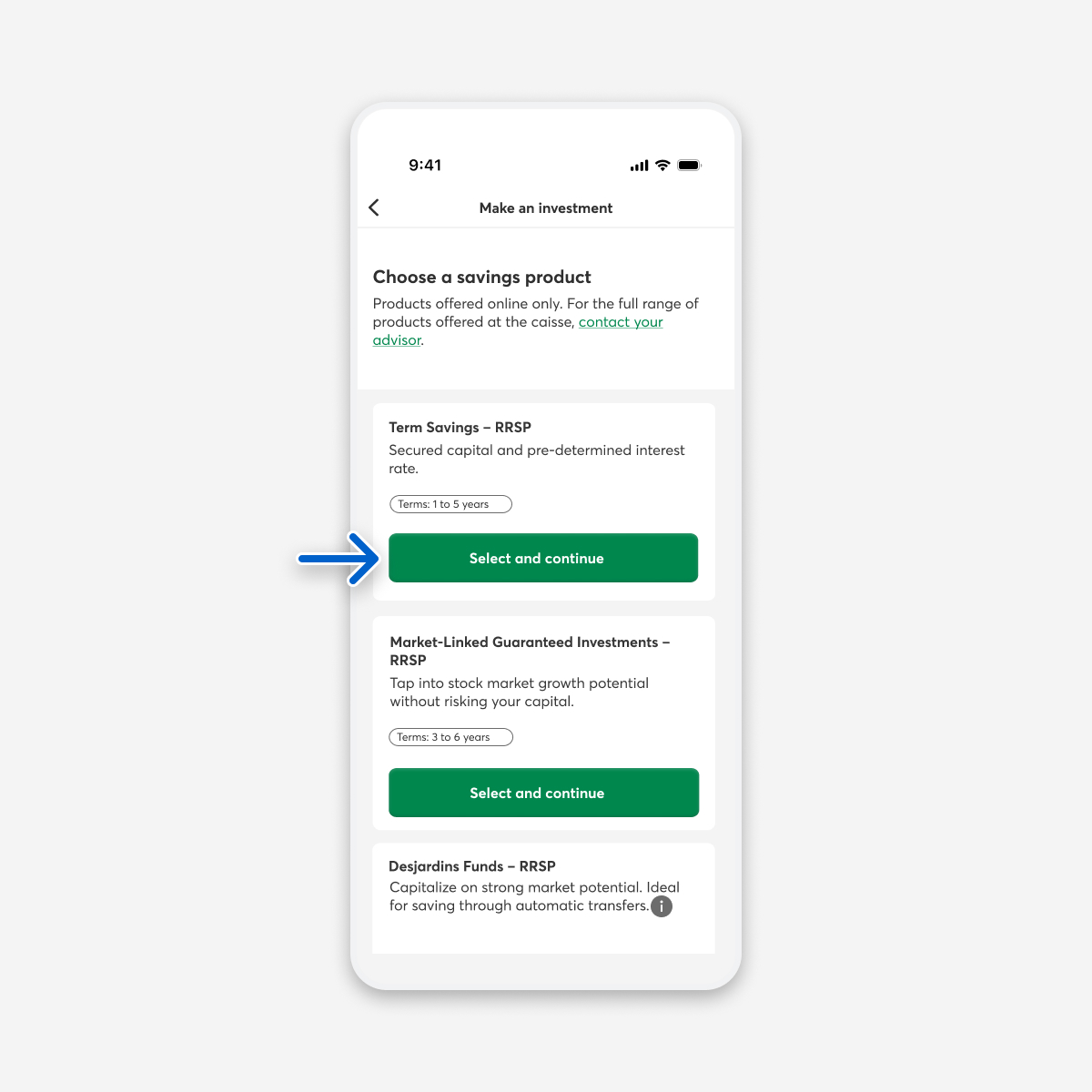
The Make an investment page opens. Under Select a plan, choose the Select and continue button for the type of plan you want.
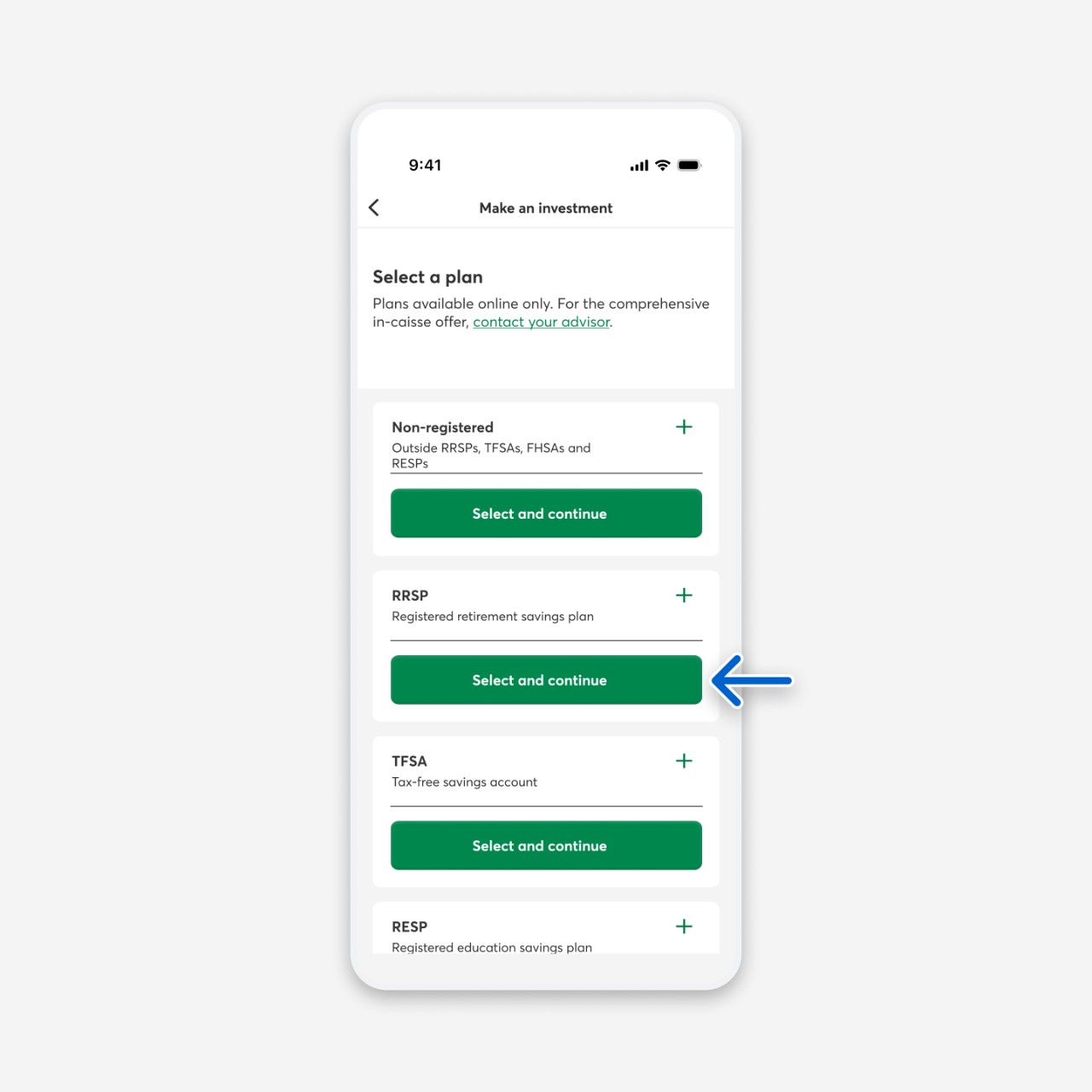
Under Choose a savings product, choose the Select and continue button for Term Savings.
Choose a term savings investment
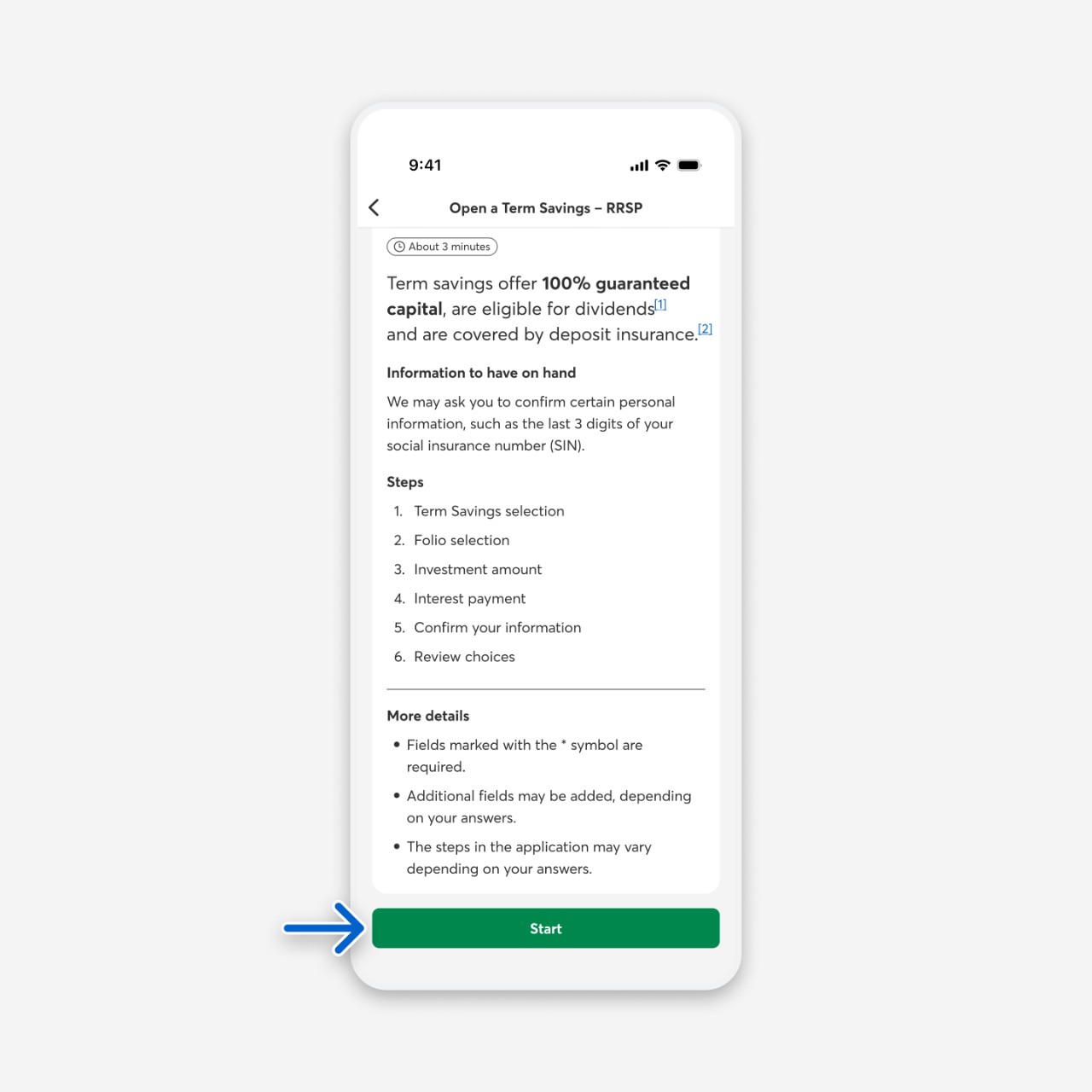
The Open a Term Savings page opens. Select the Start button.
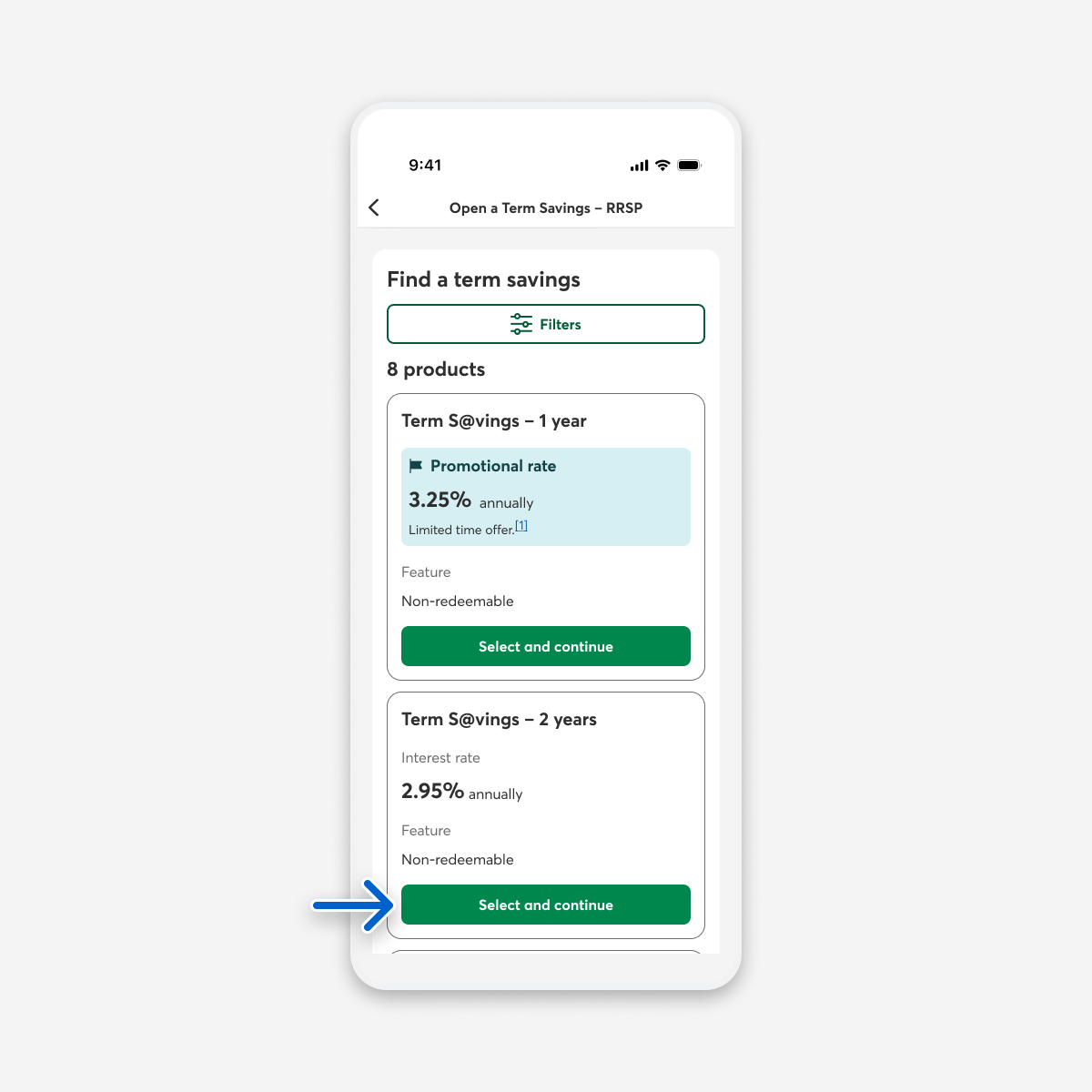
In the Investment selection step, choose the Select and continue button for the term savings product you want.
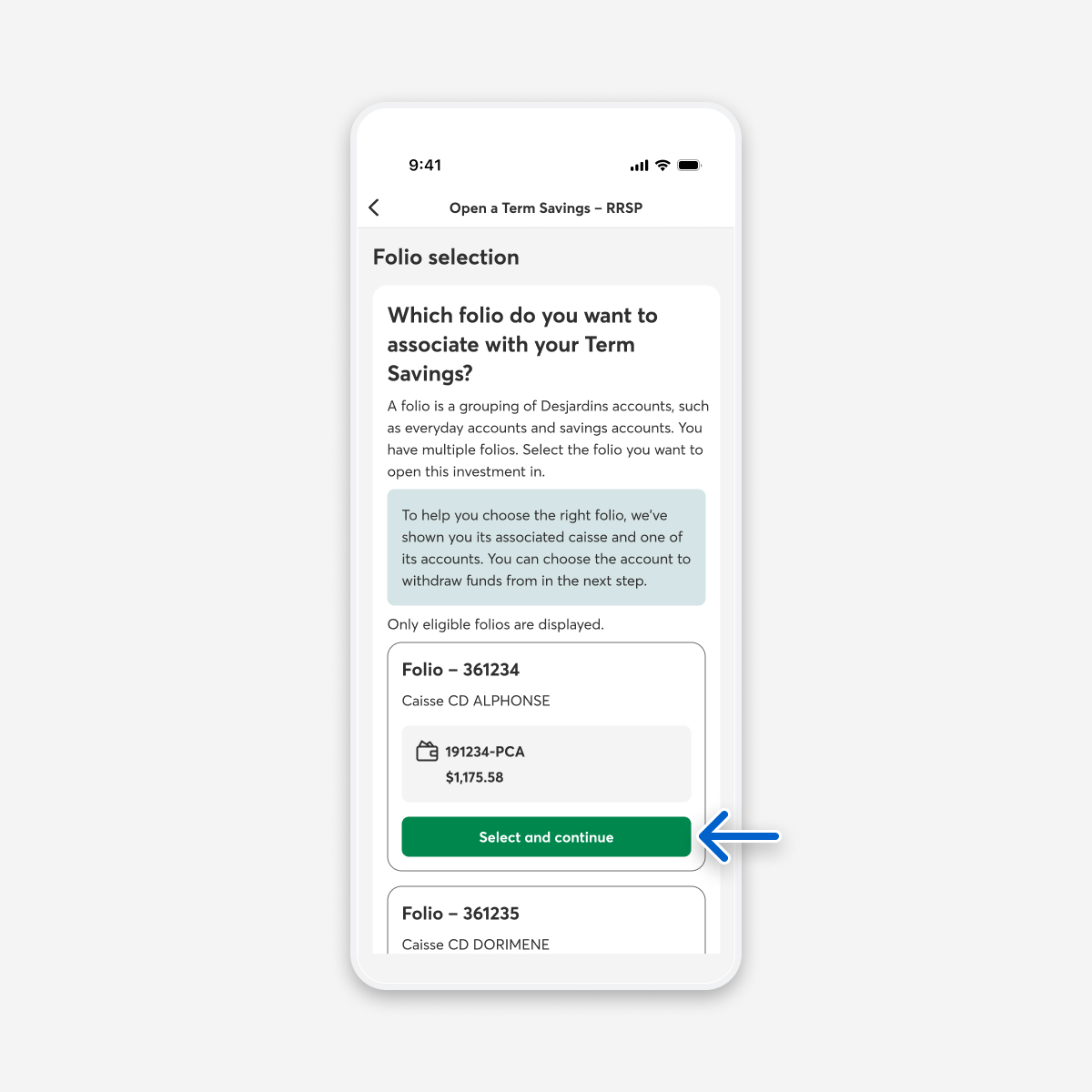
In the Folio selection step, choose the Select and continue button for the folio you want to use to open the investment. If you only have one folio, select the Continue button.
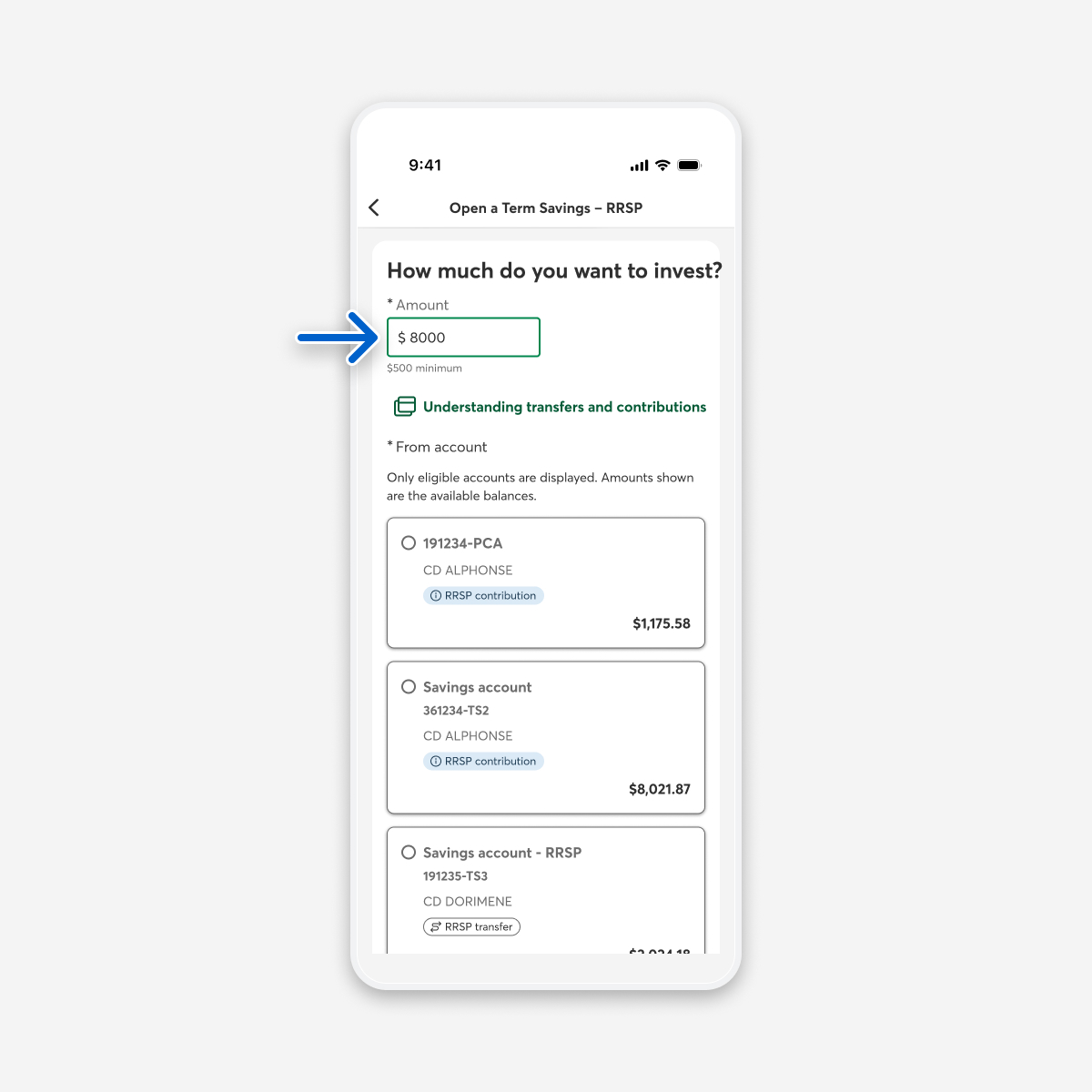
In the Investment amount step, enter the amount you want to invest.
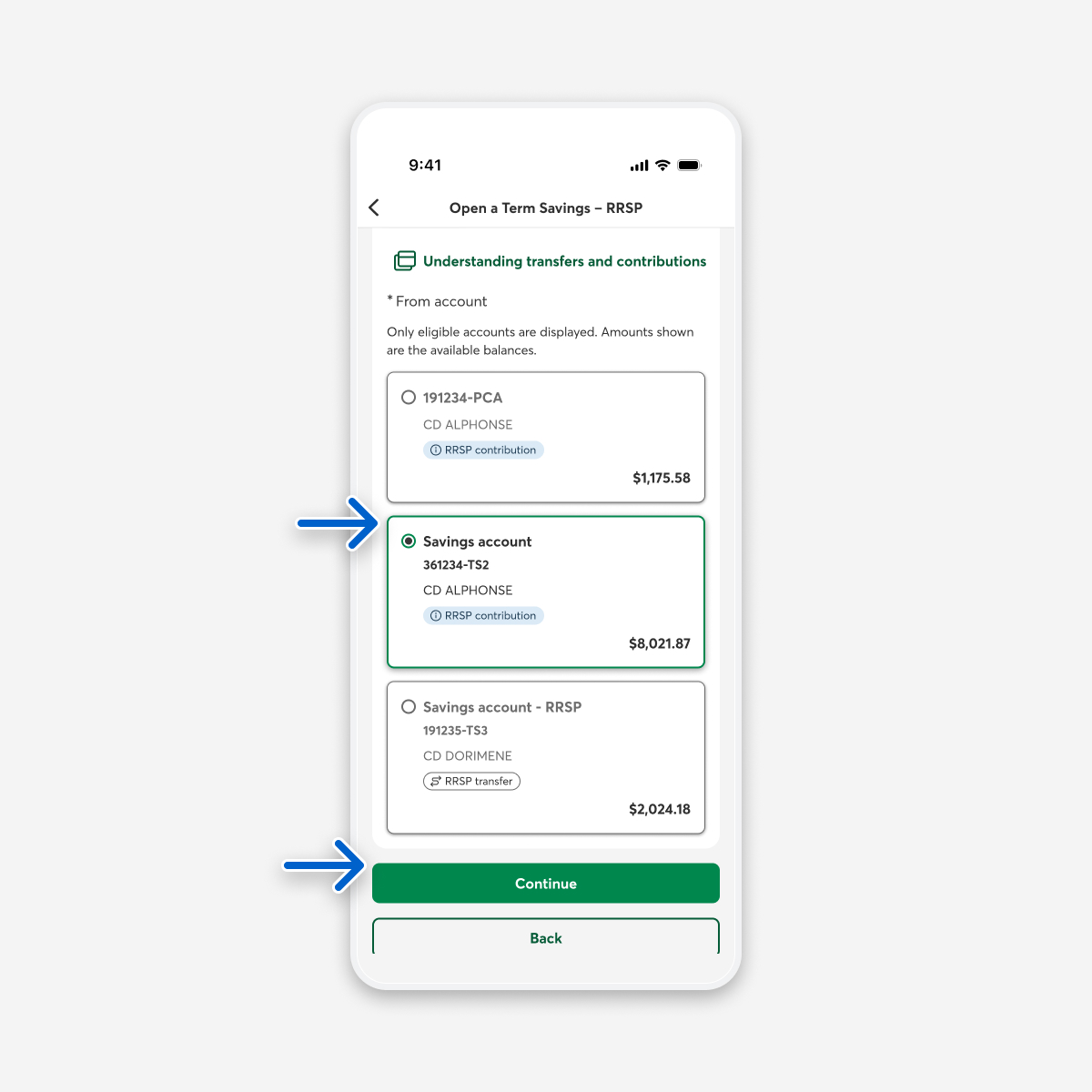
Select the account you want to withdraw from, then select the Continue button.
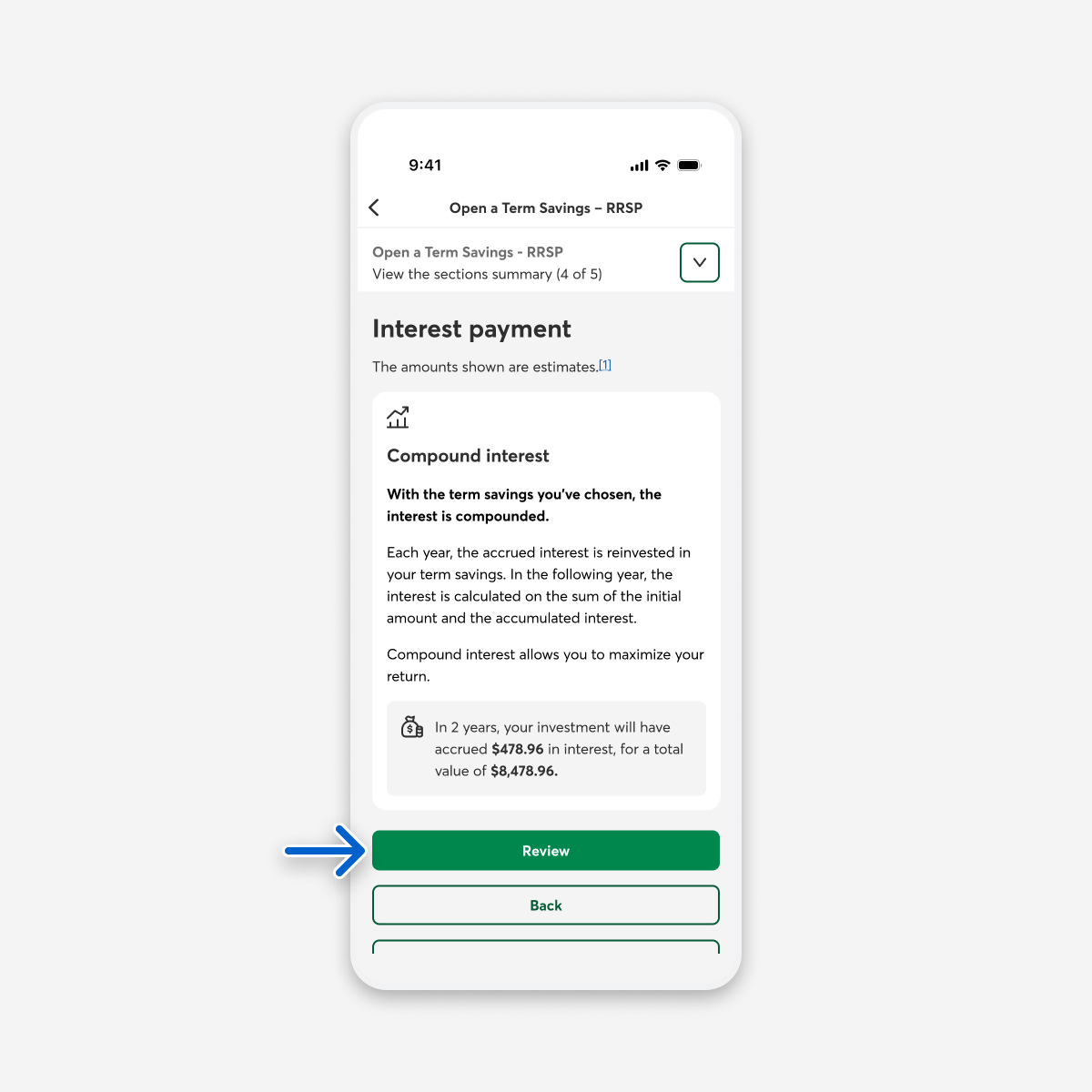
In the Interest payment step, select the Review button. If you chose a non-registered plan, select the type of interest you want and, if applicable, the account where you want to deposit the interest.
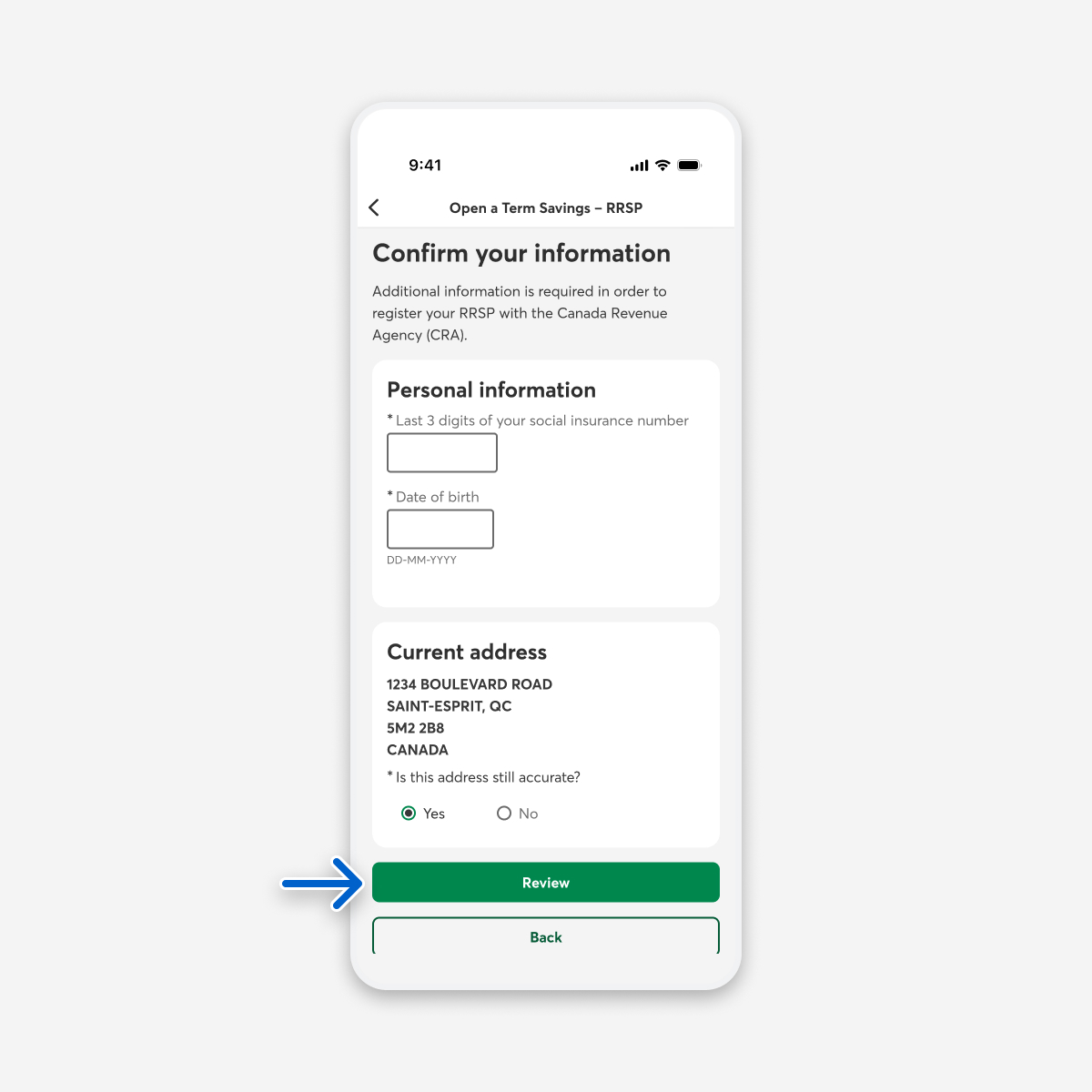
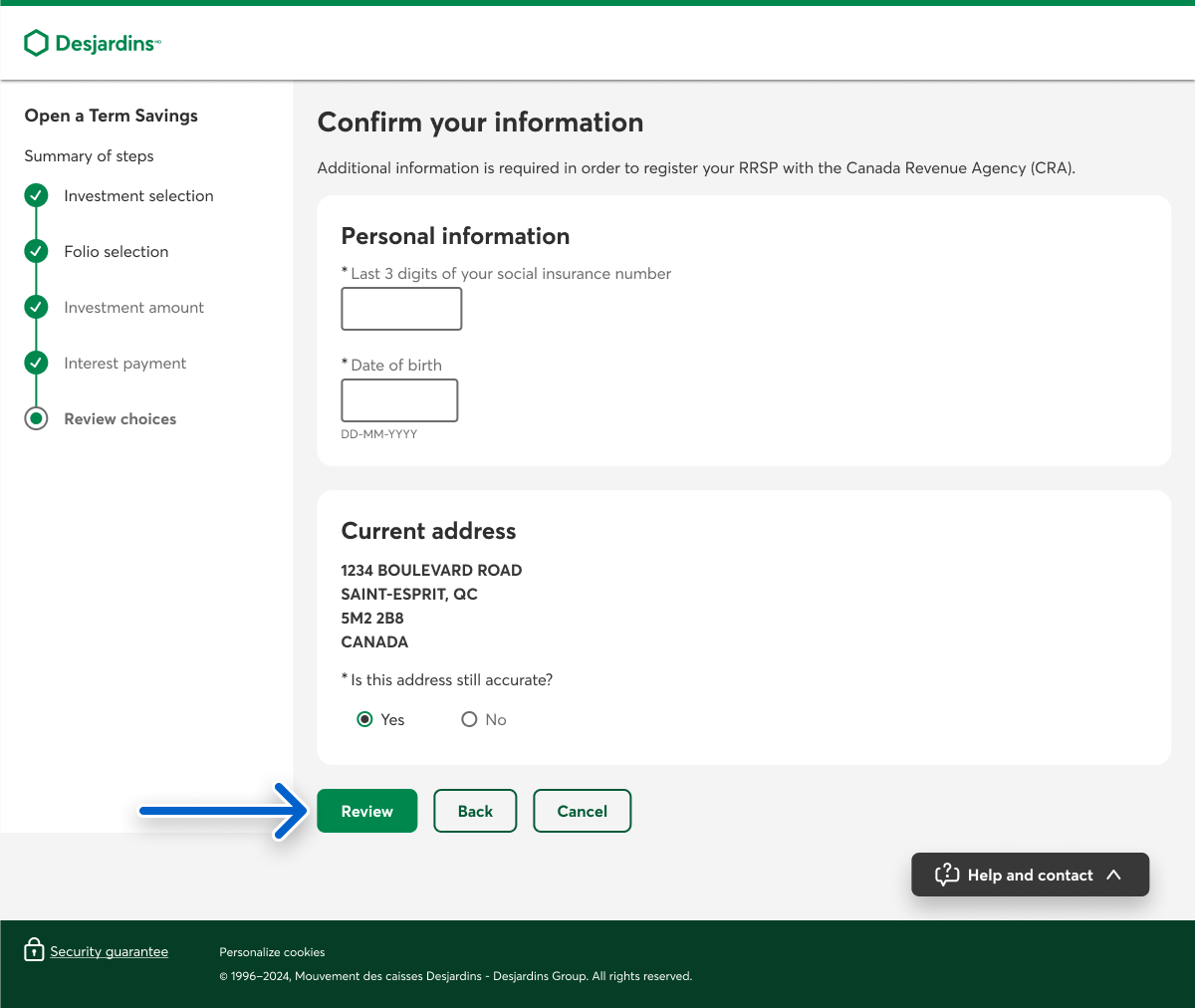
If you need to register your plan with the Canada Revenue Agency (CRA), in the Confirm your information step, complete the Personal information and Current address sections, then select the Review button.
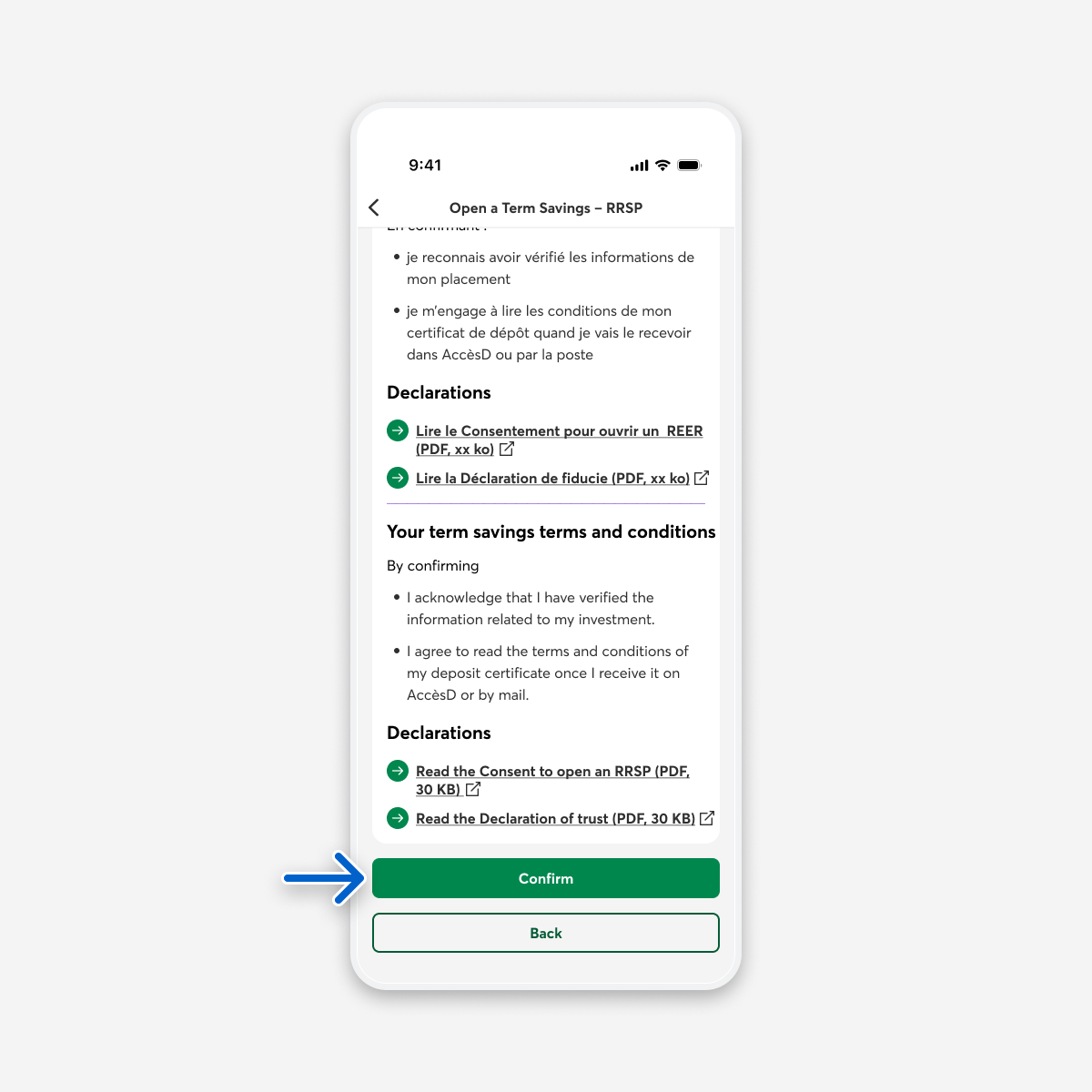
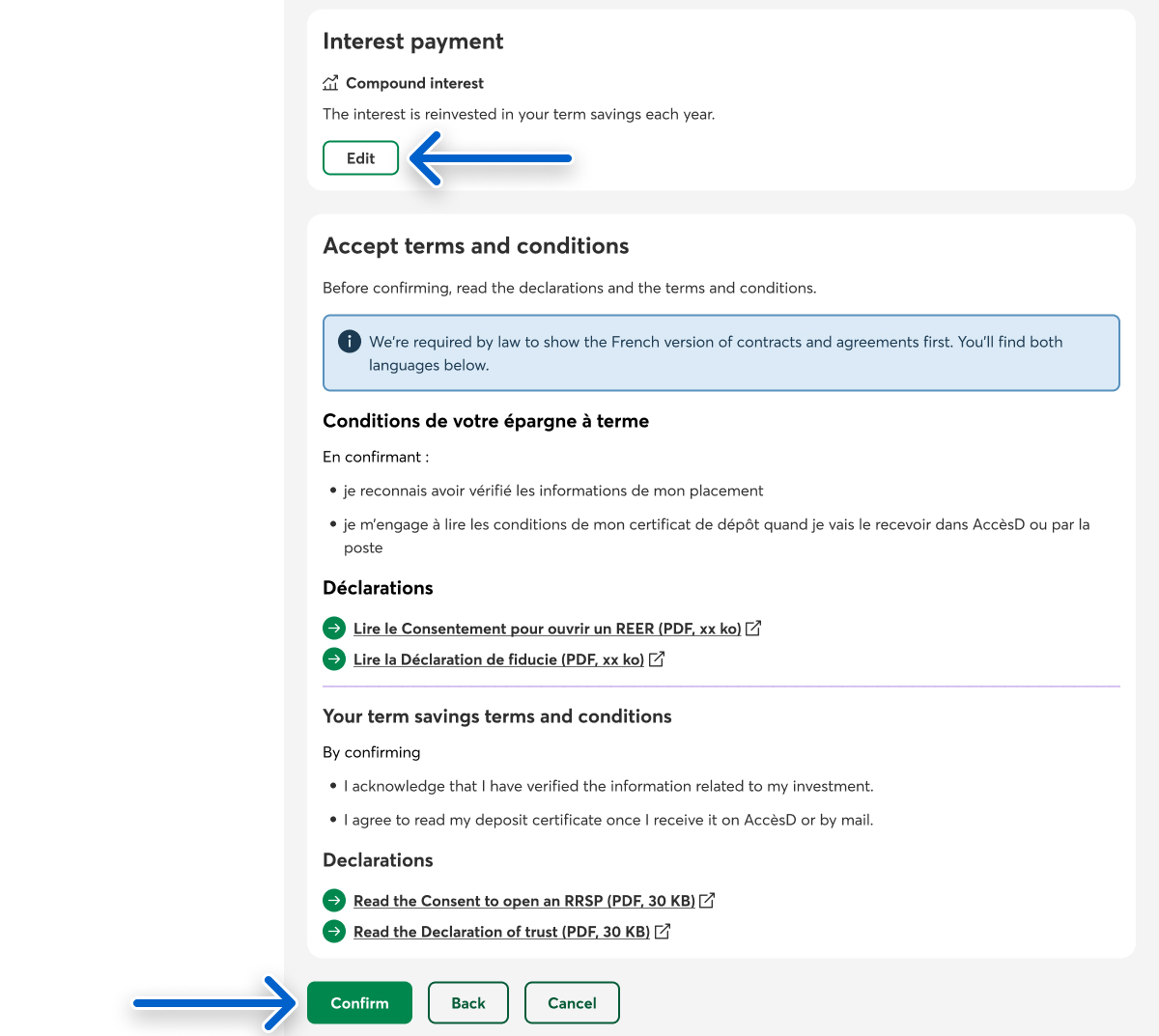
In the Review choices step, make sure the information you entered is accurate, then select the Confirm button to purchase your term savings investment. To change something, select the Edit button.
Web browser
Go to investment options
Log in to AccèsD, then select the Products and services tab.
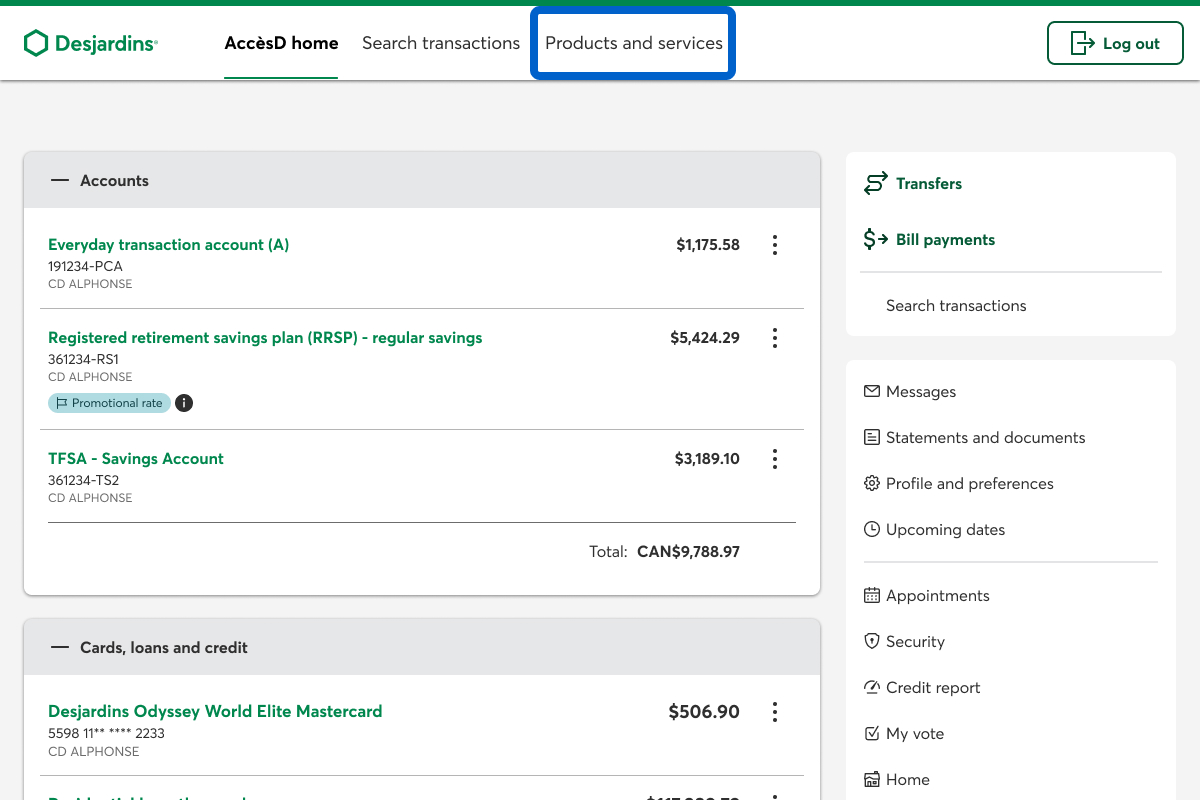
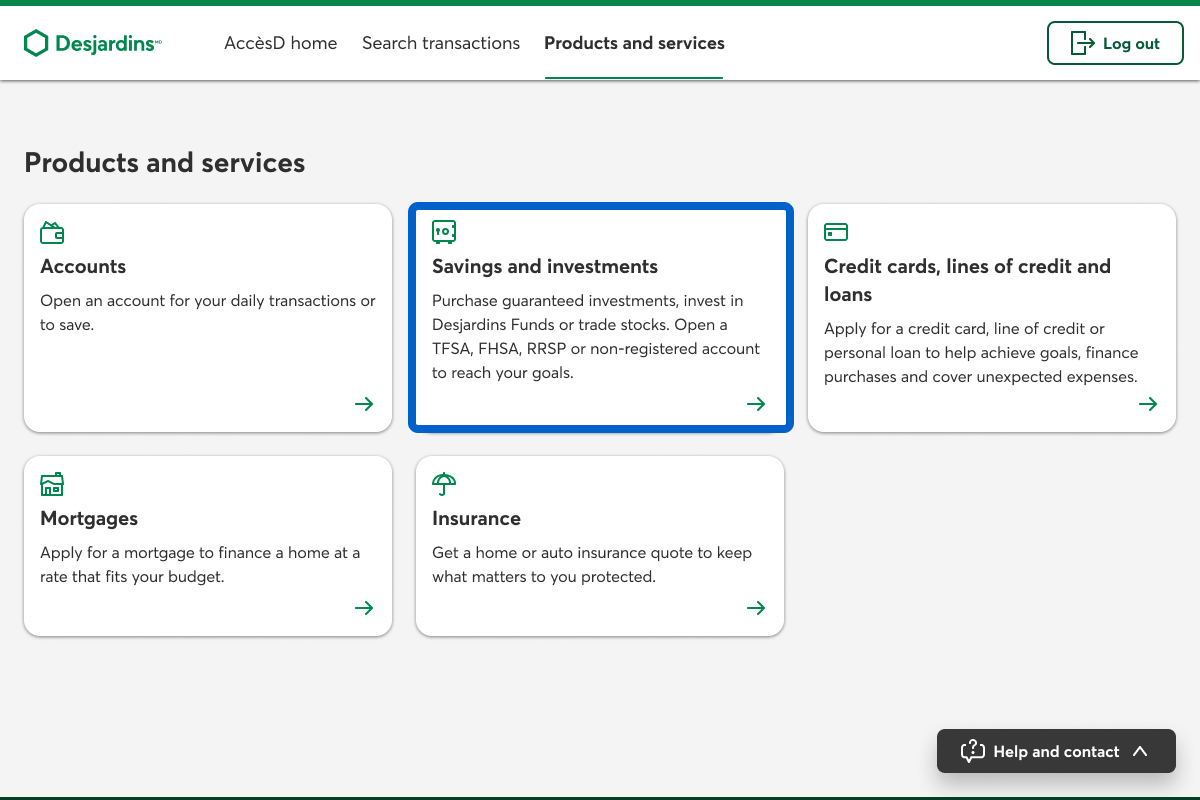
On the Products and services page, select the Savings and investments link.
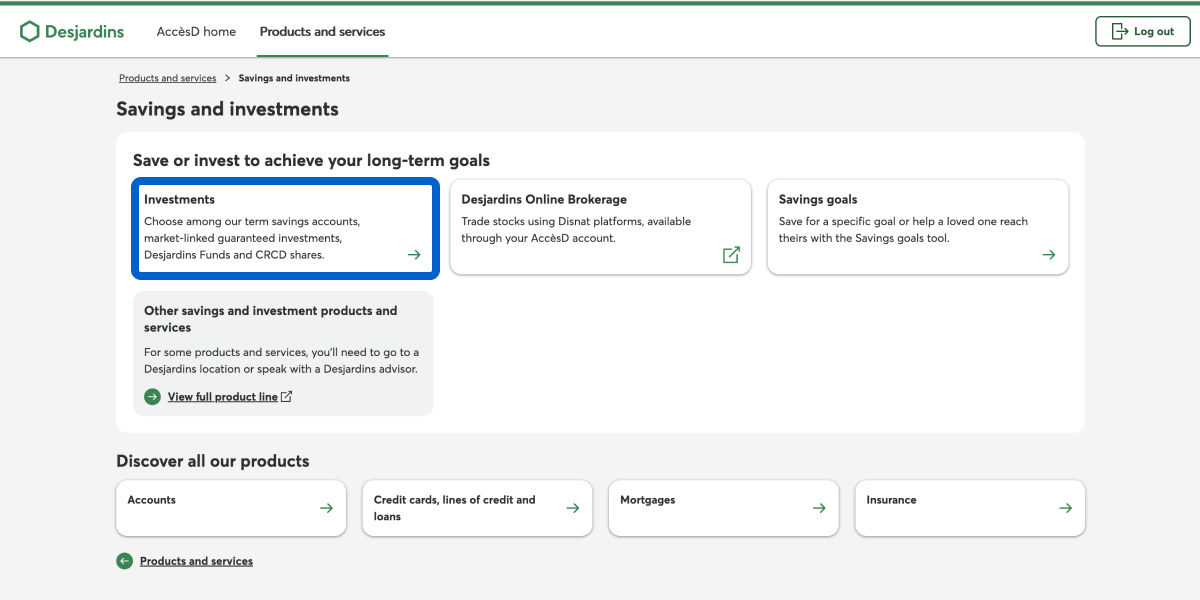
On the Savings and investments page, select the Investments link.
Choose a plan and product type
The Make an investment page opens. Under Select a plan, choose the Select and continue button for the type of plan you want.
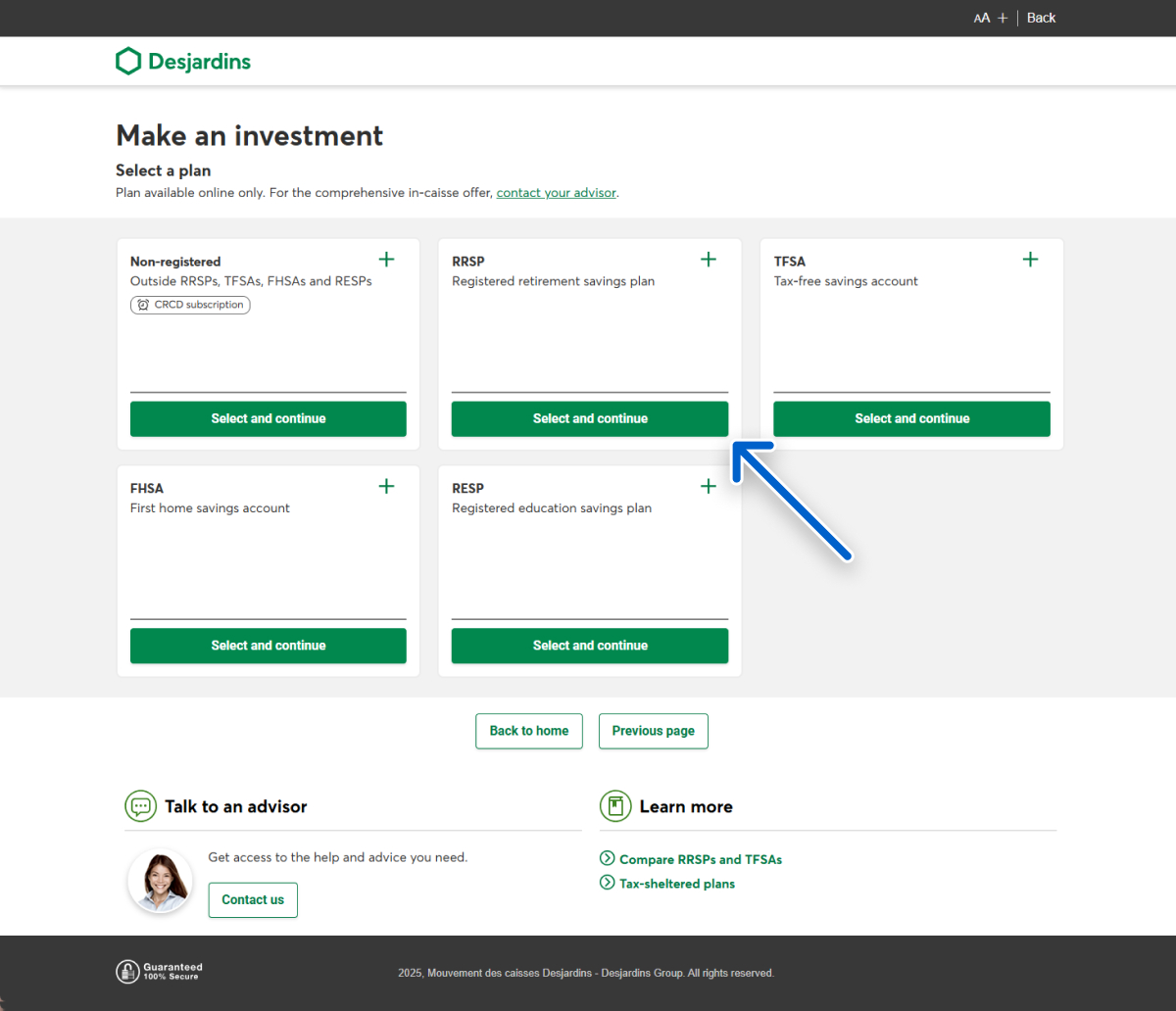
Under Choose a savings product, choose the Select and continue button for Term Savings.
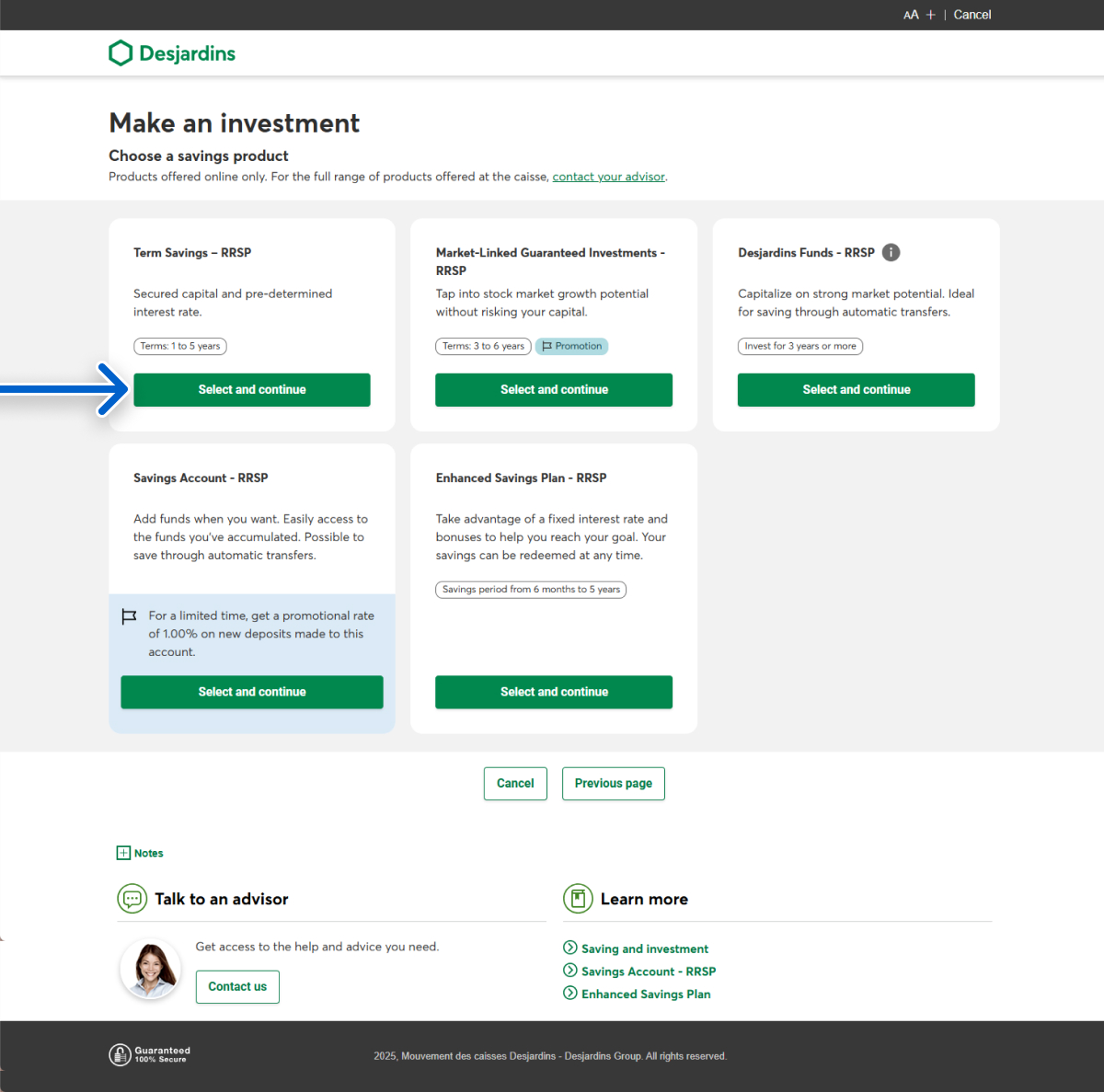
Choose a term savings investment
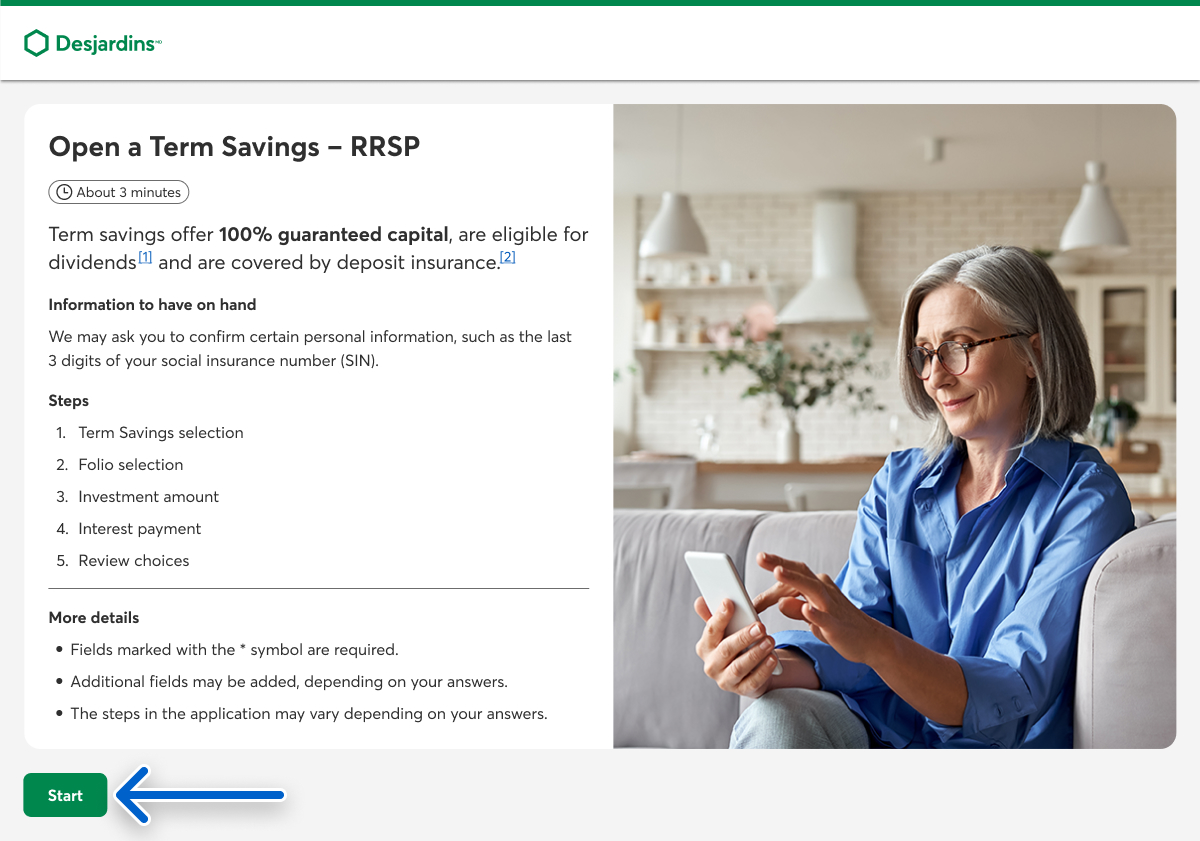
The Open a Term Savings page opens. Select the Start button.
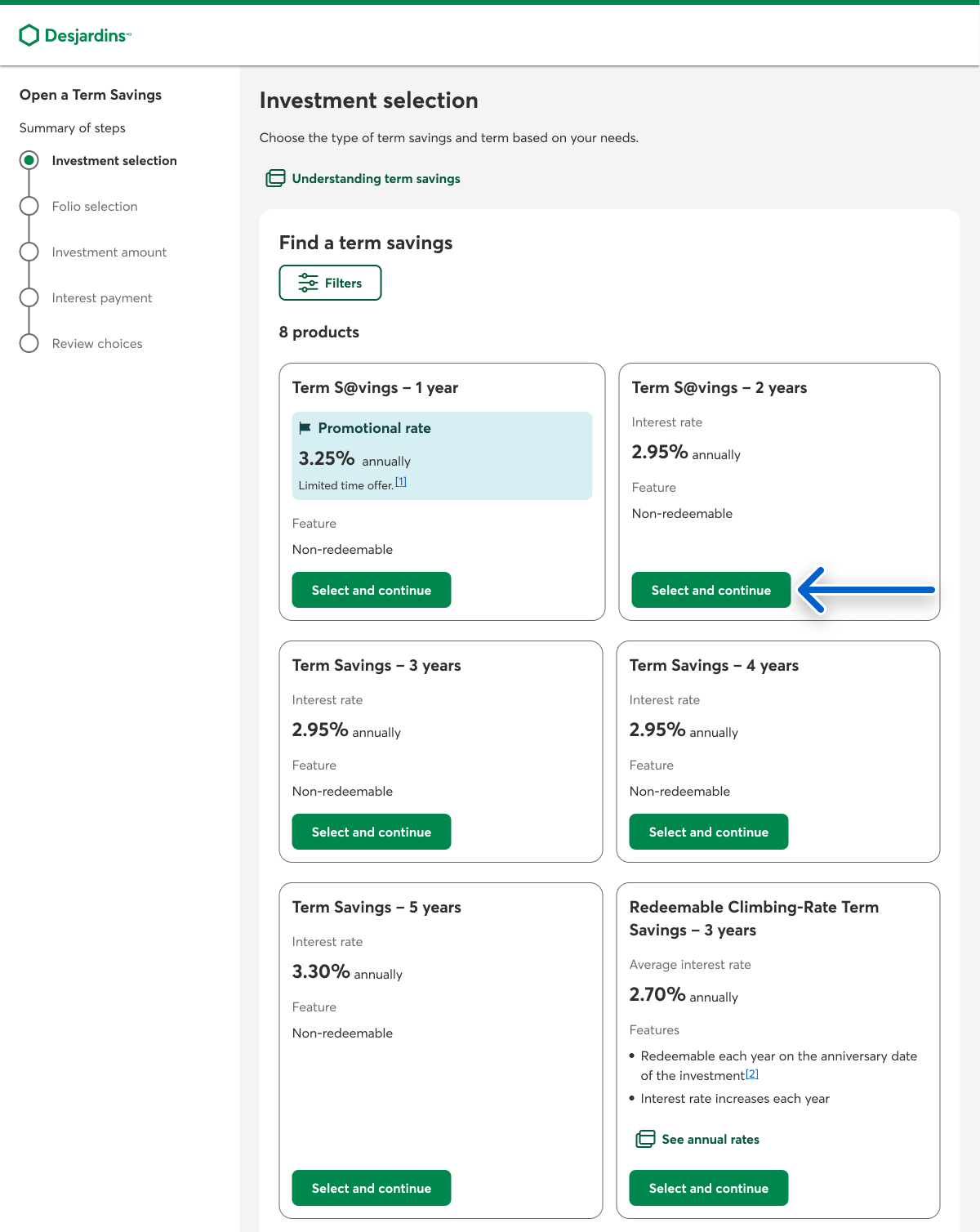
In the Investment selection step, choose the Select and continue button for the term savings product you want.
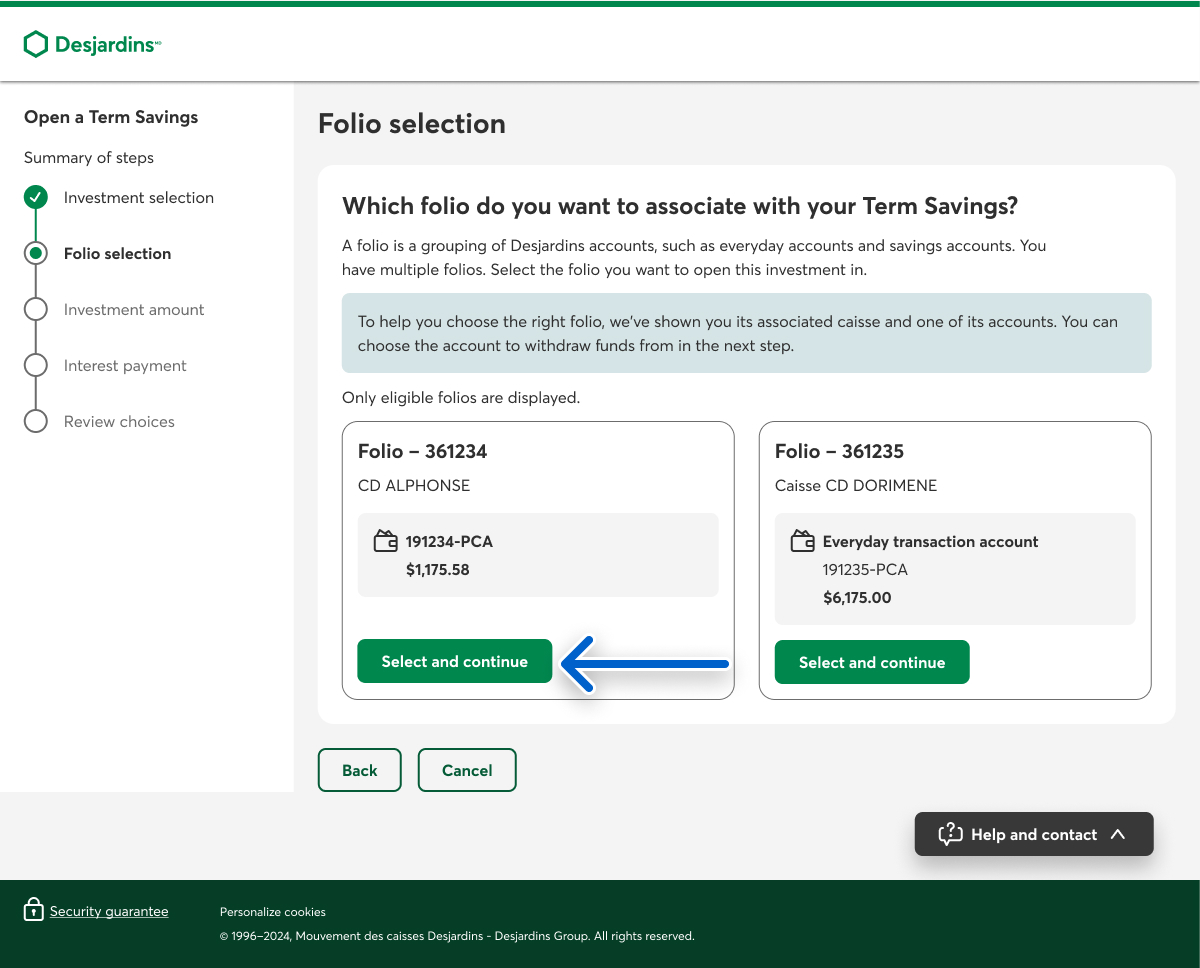
In the Folio selection step, choose the Select and continue button for the folio you want to use to open the investment. If you only have one folio, select the Continue button.
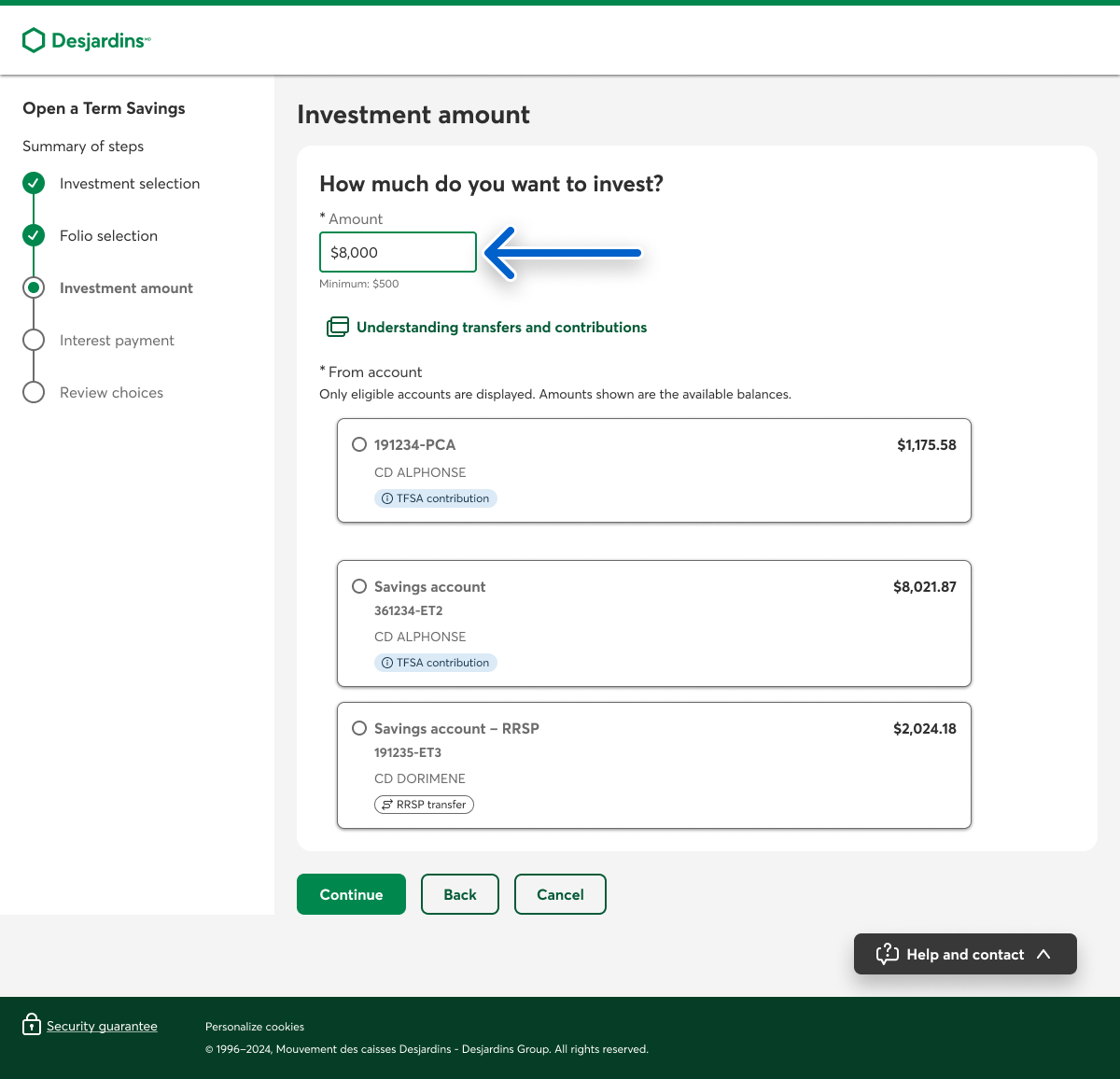
In the Investment amount step, enter the amount you want to invest.
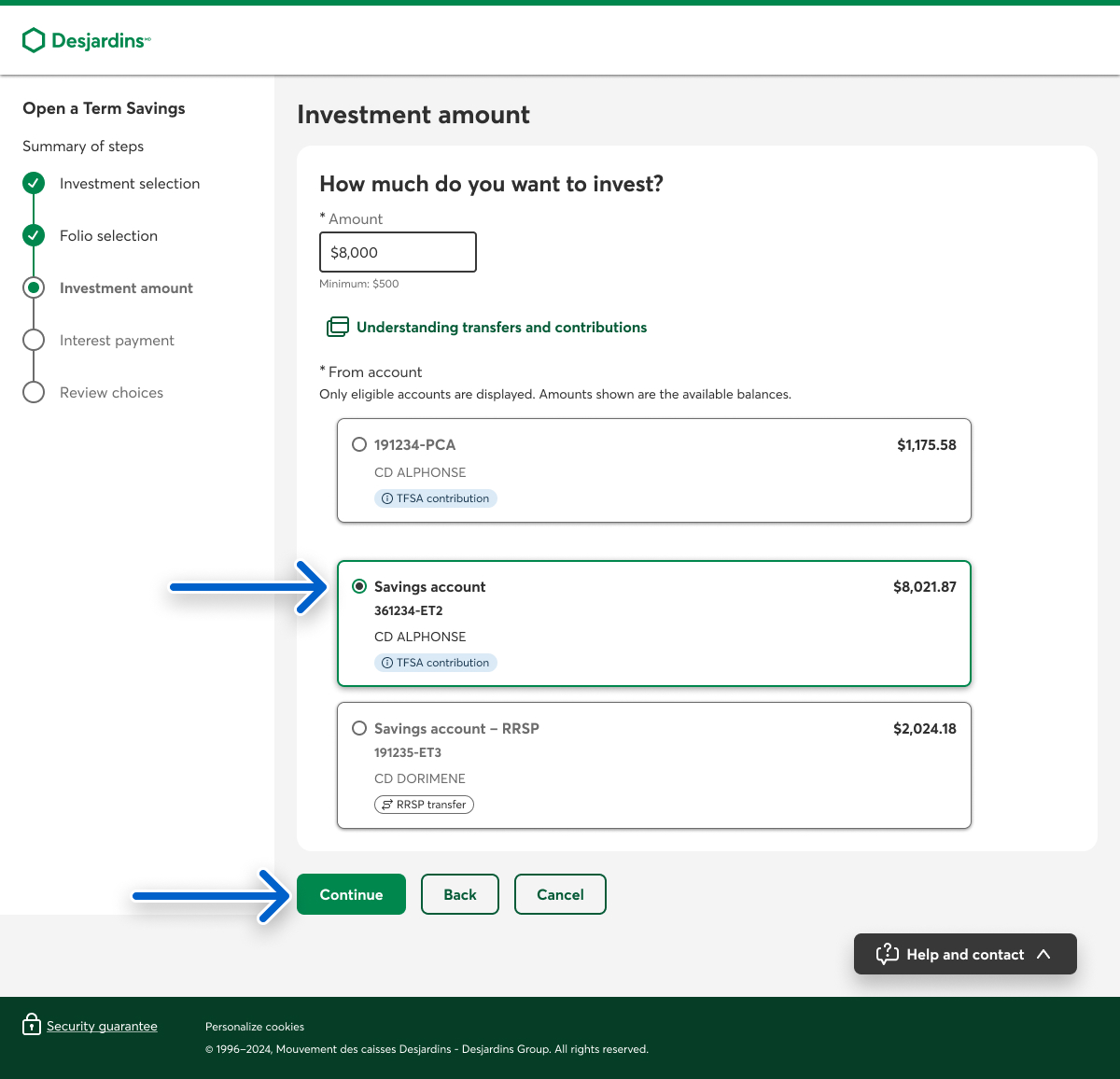
Select the account you want to withdraw from, then select the Continue button.
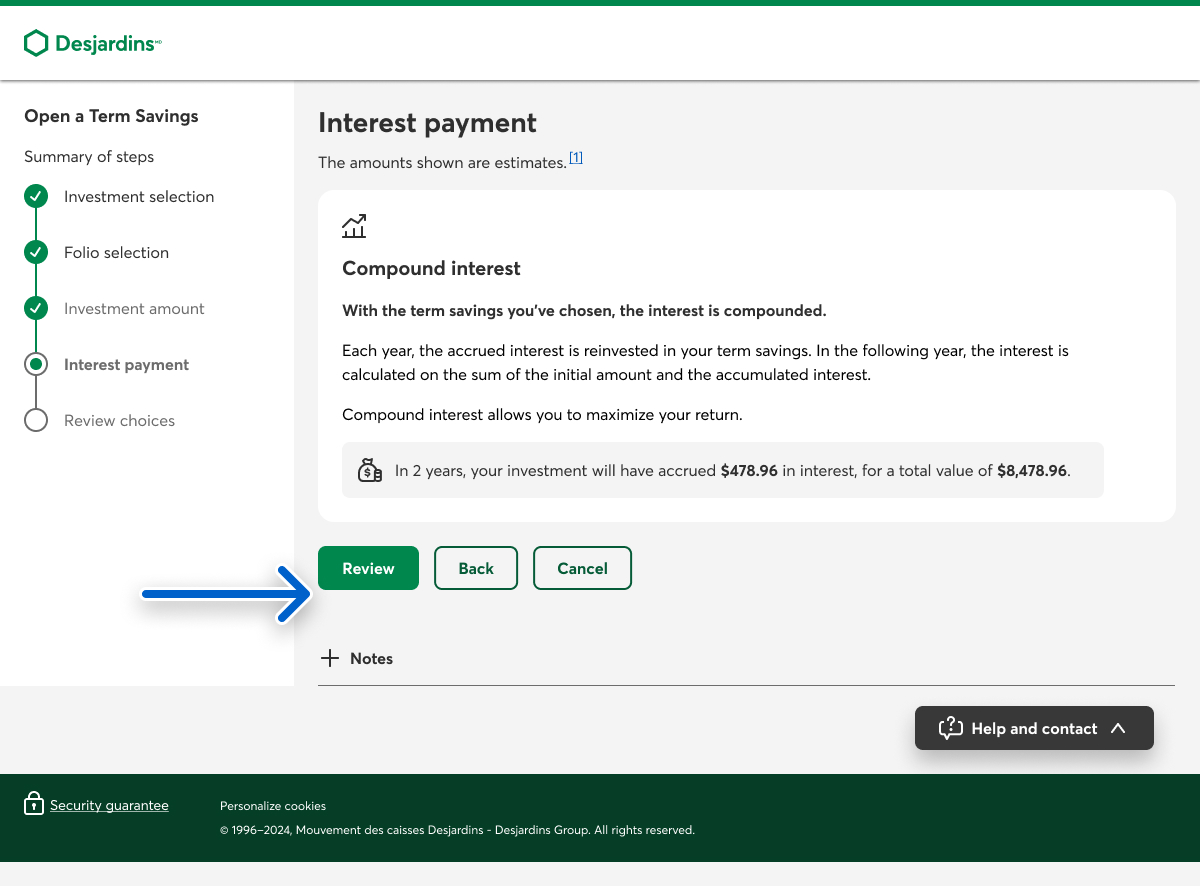
In the Interest payment step, select the Review button. If you chose a non-registered plan, select the type of interest you want and, if applicable, the account where you want to deposit the interest.
If you need to register your plan with the Canada Revenue Agency (CRA), in the Confirm your information step, complete the Personal information and Current address sections, then select the Review button.
In the Review choices step, make sure the information you entered is accurate, then select the Confirm button to purchase your term savings investment. To change something, select the Edit button.
Call us
1-800-224-7737 This link opens your phone app. (1-800-CAISSES)
Or we can call you when it's convenient.