
How to get your ID Assist access code
Get your ID Assist® access code using our mobile and online services. ID Assist will send you alerts if your personal information is detected on the dark web.
Instructions
- Mobile app
- Web browser
Mobile app
Log in to the Desjardins mobile services app, then select the More tab.

Select the Security button.
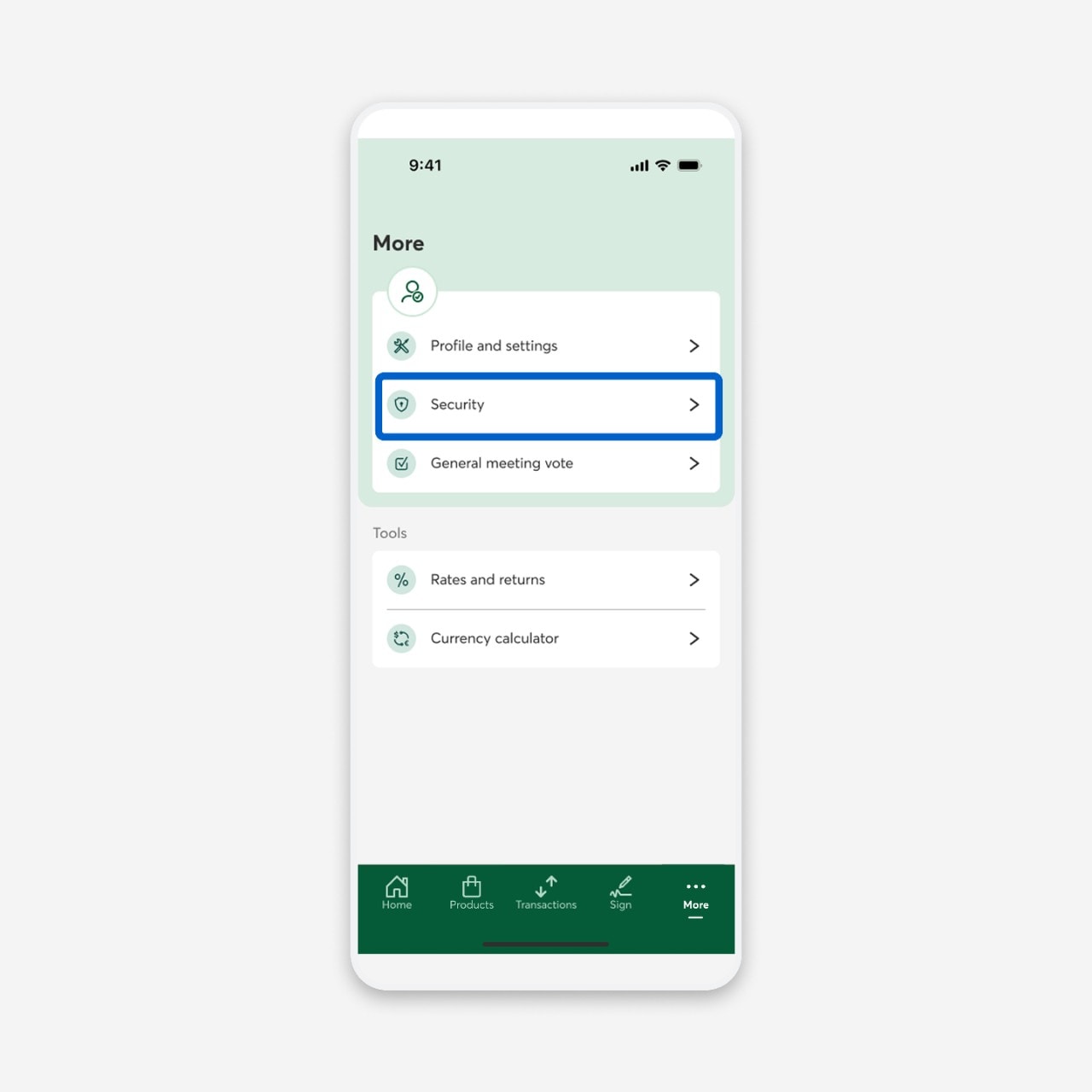
Under Settings, select Dark web monitoring service.

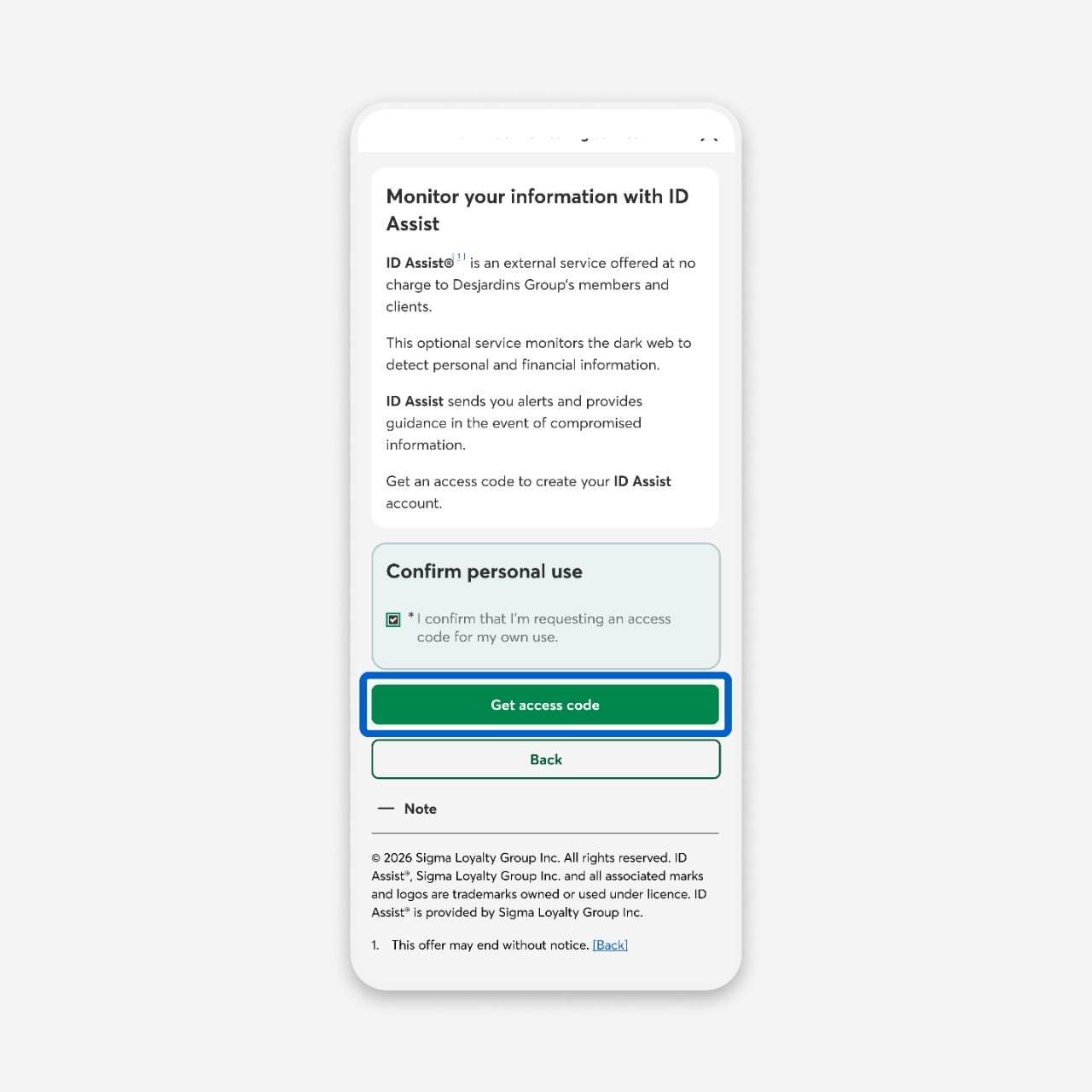
In the Confirm personal use section, check the box I confirm that I’m requesting an access code for my own use.

Select the Get access code button.
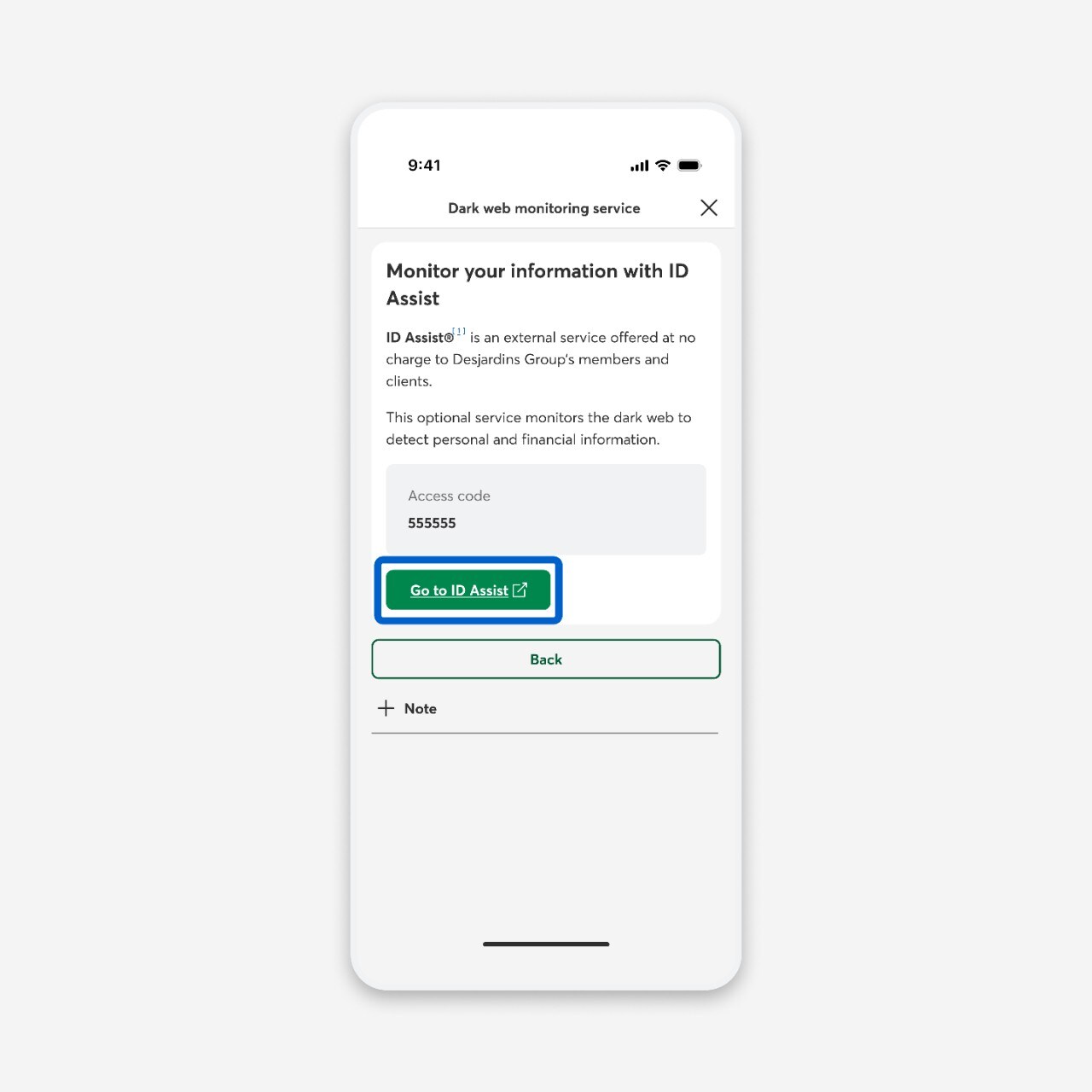
Under Access code, copy the code, then select the Go to ID Assist link.
Select the Open in browser button.

Follow the steps on the ID Assist website to register and turn on notifications.
Web browser
Log in to AccèsD, then select the Profile and settings button.

Select the Security and password link.

Under Settings, select the Dark web monitoring service link.

In the Confirm personal use section, check the box I confirm that I’m requesting an access code for my own use.
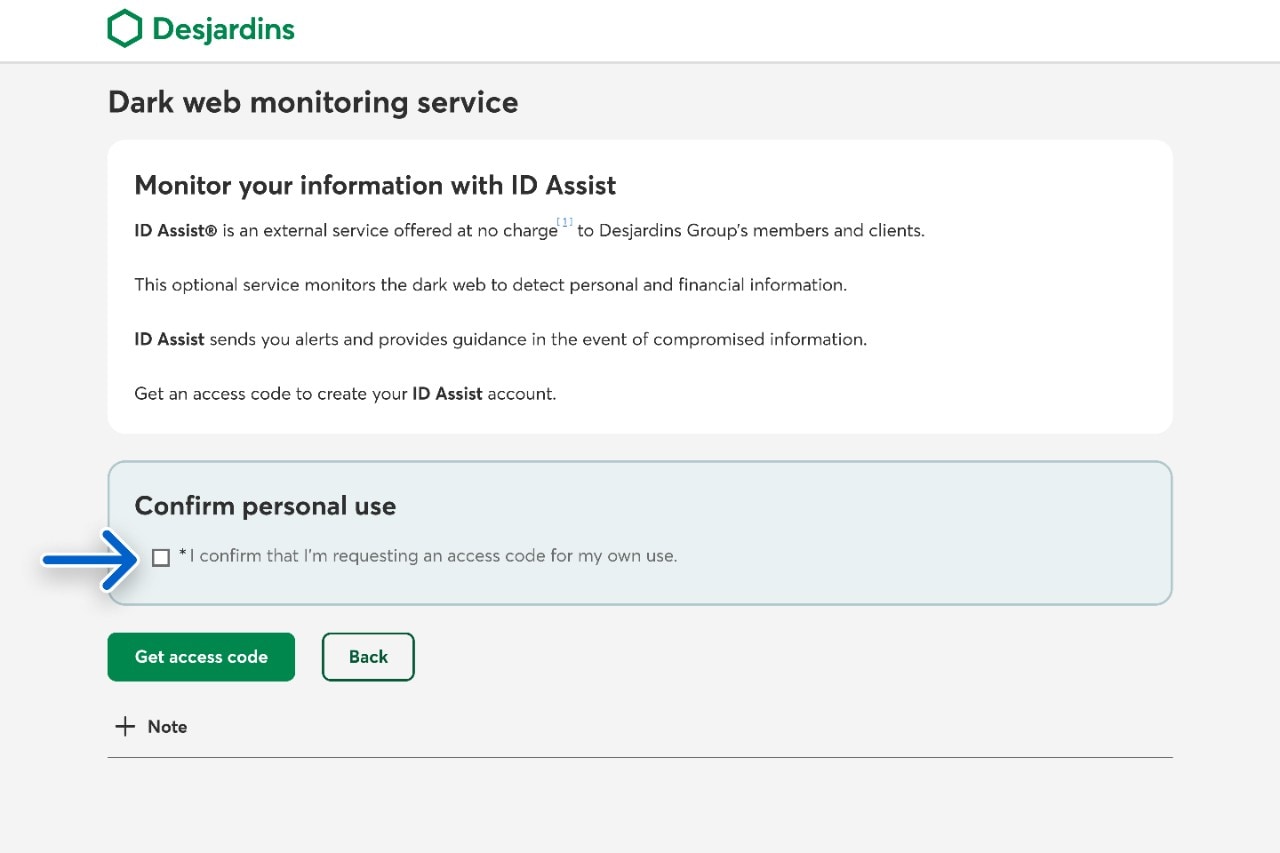
Select the Get access code button.

Under Access code, copy the code, then select the Go to ID Assist button.
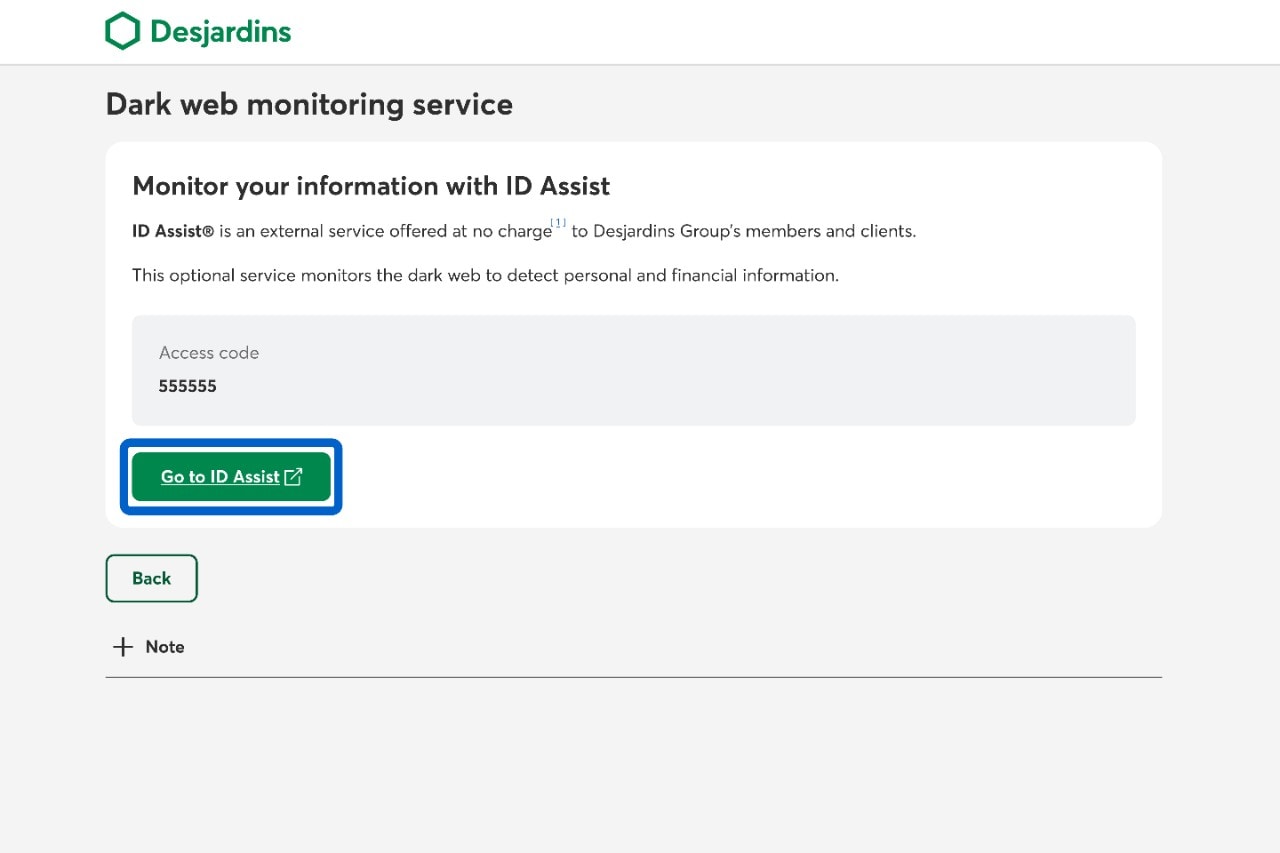
Follow the steps on the ID Assist website to register and turn on notifications.
Call us
1-800-224-7737 This link opens your phone app. (1-800-CAISSES)
Or we can call you when it's convenient.