
How to get your tax slips
Learn how to view your tax slips using our mobile and online services.
Instructions
- Mobile app
- Web browser
Mobile app
Accessing Your Tax Slips Online
To view your tax slips online, you need to be signed up for online statements and documents.
Log in to the Desjardins mobile services app, then select the More tab.
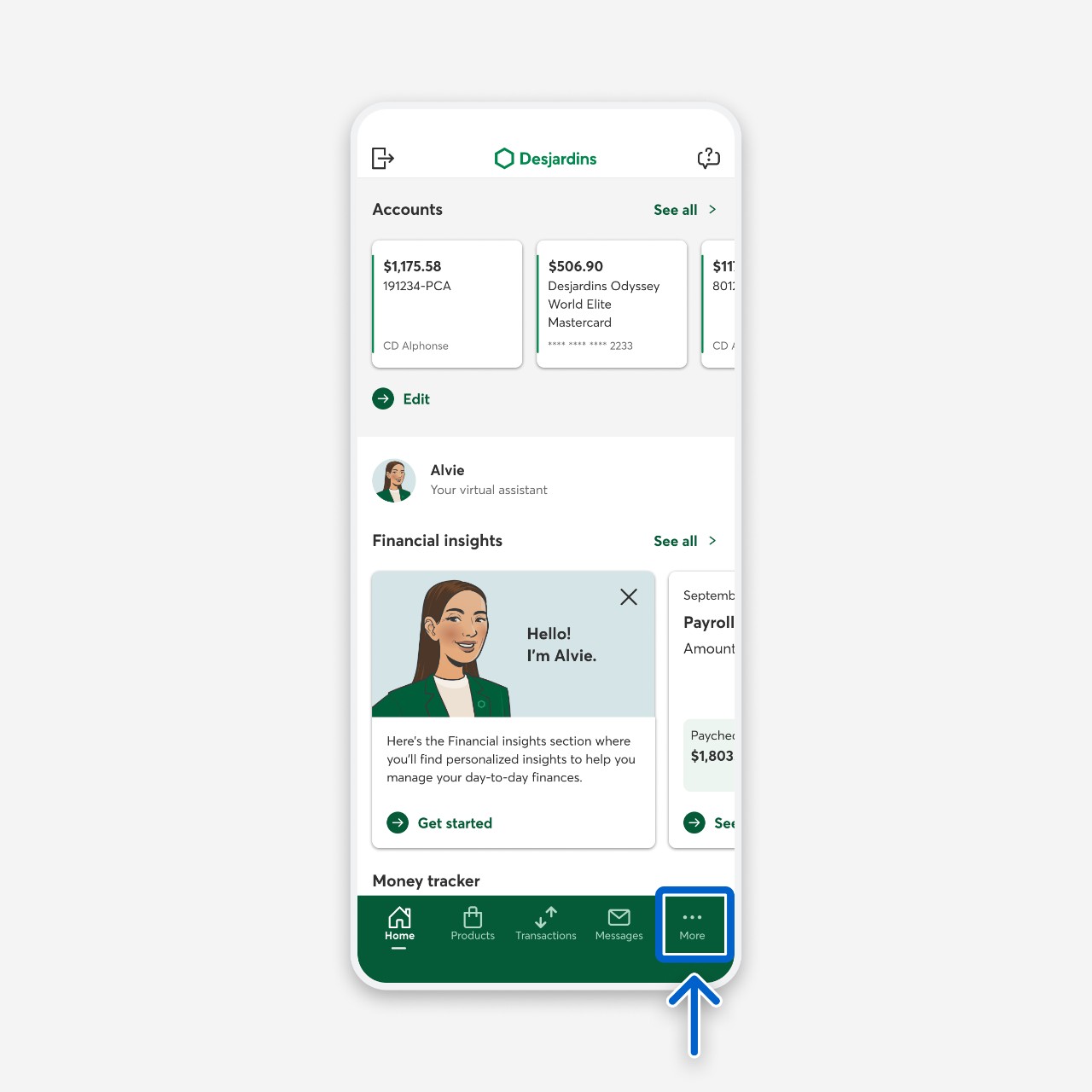
Select the Statements and documents button.
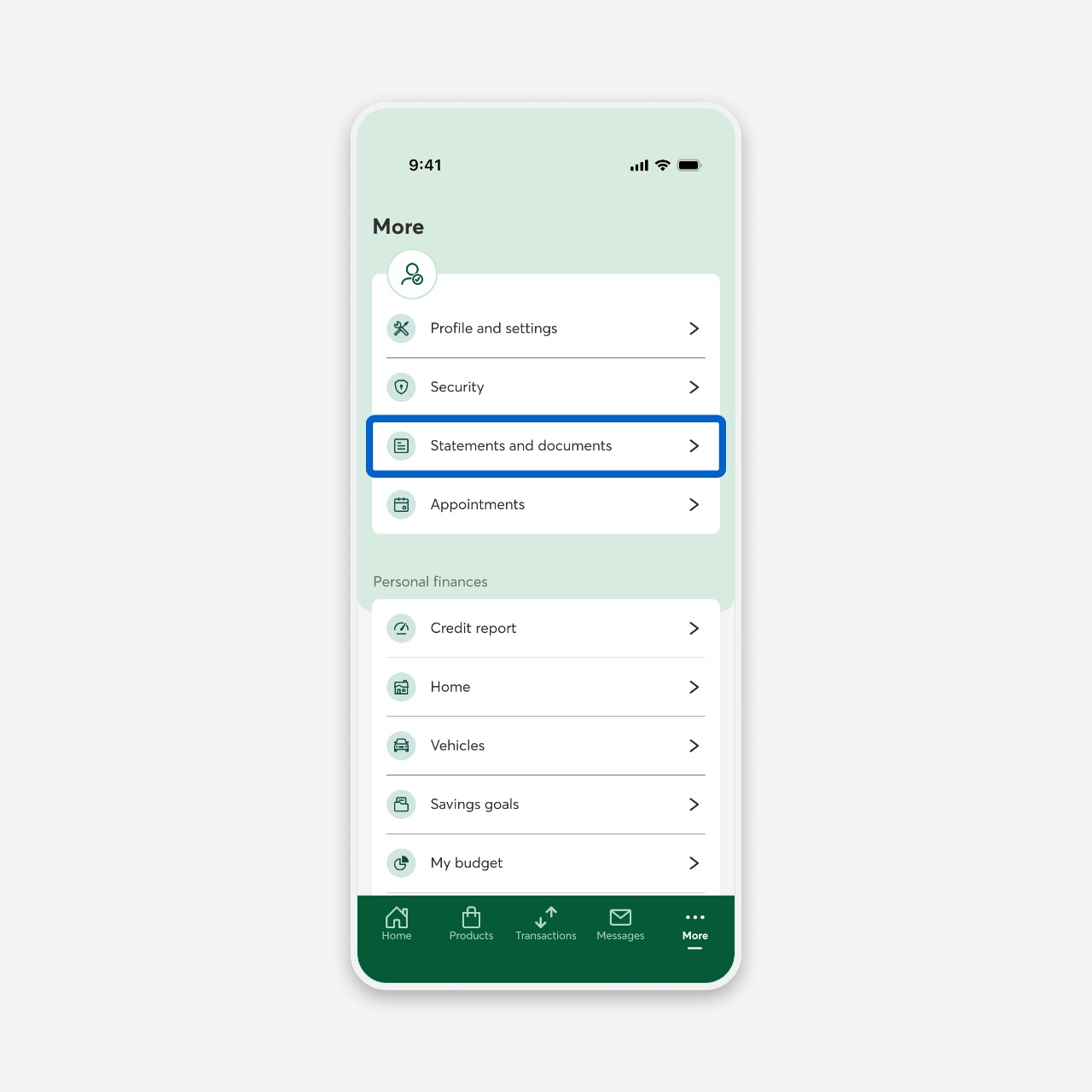
On the Statements and documents page, select the Tax slips button.
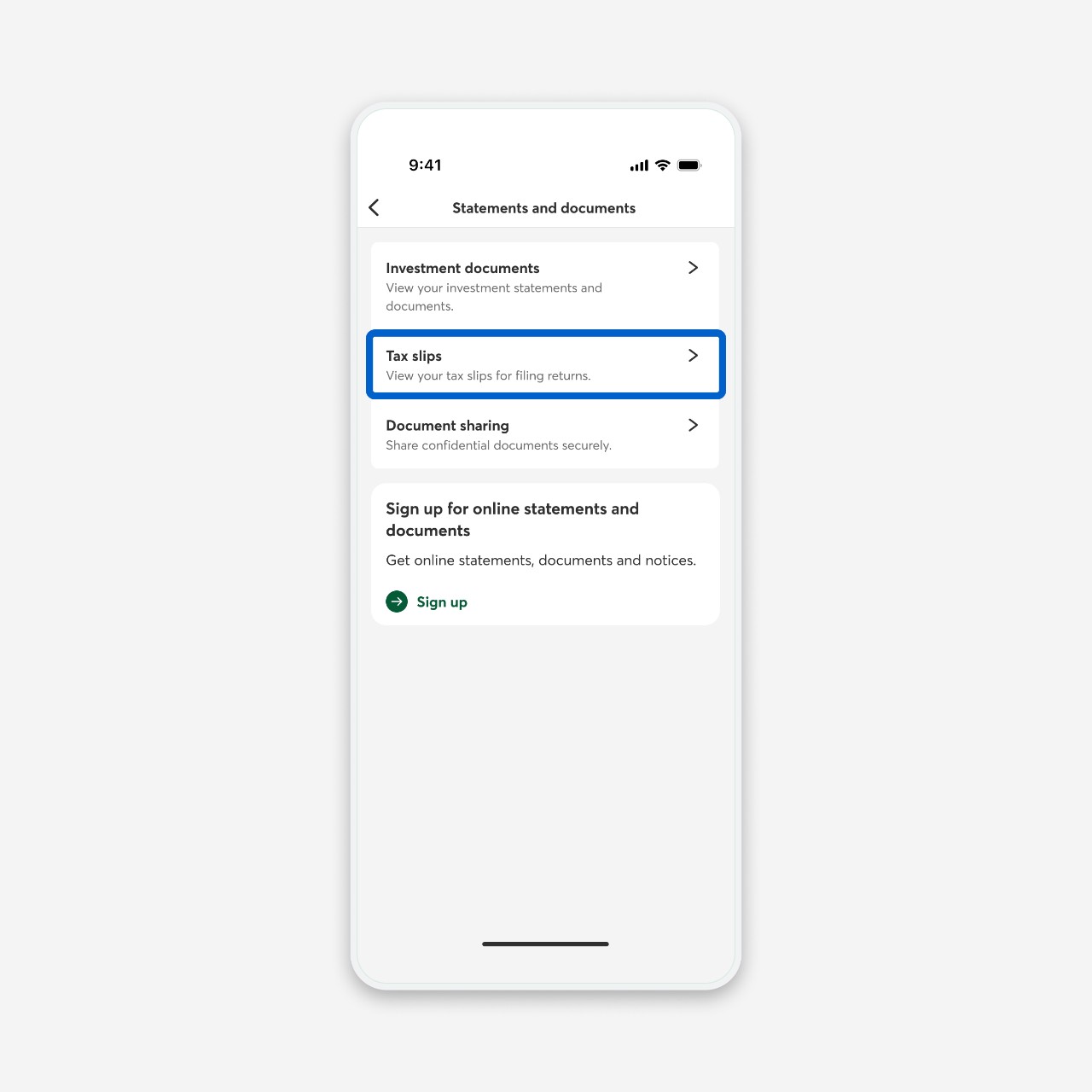
On the Tax slips page, select the PDF link for each tax slip you want to view.
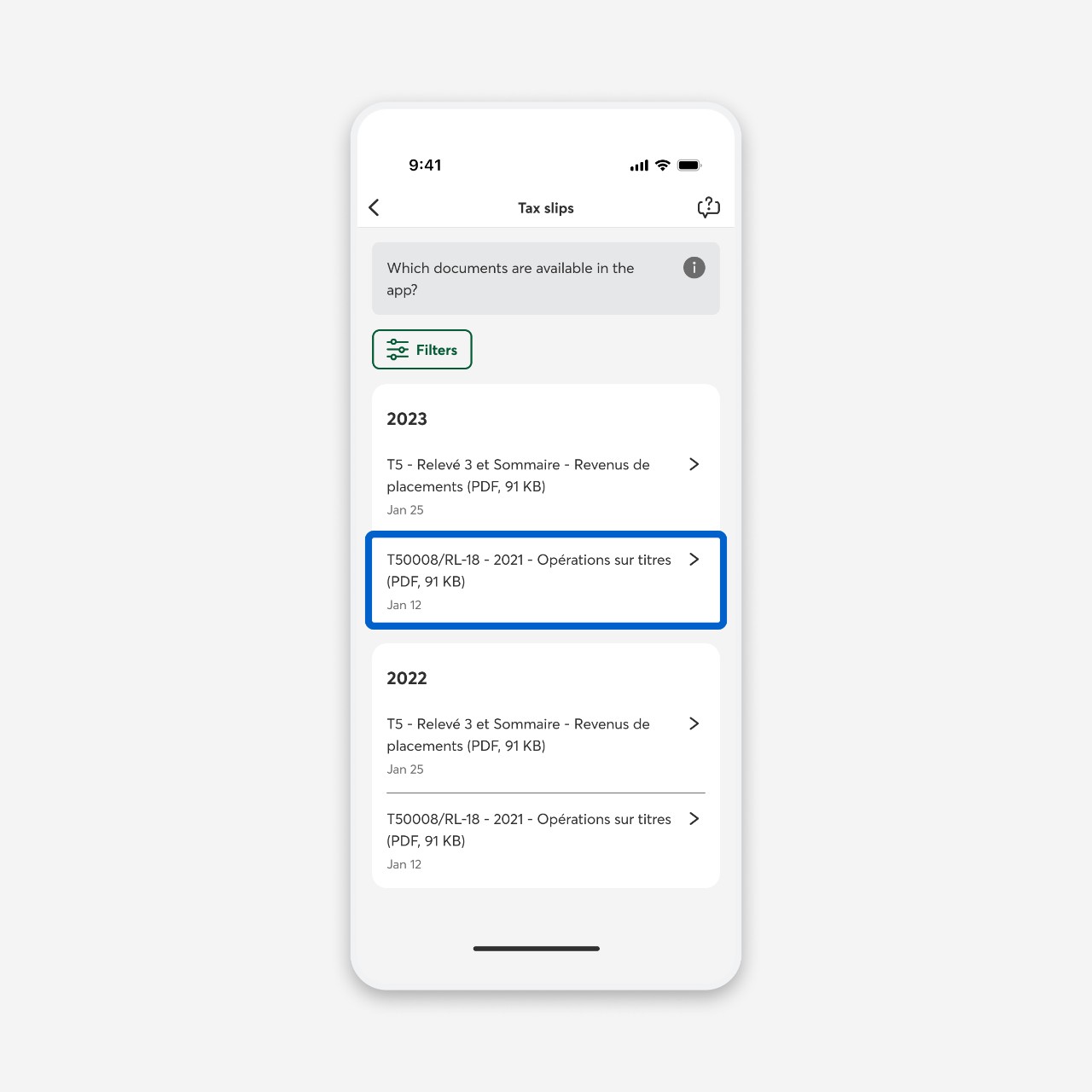
Tax Slip Availability
Some tax slips are not yet available in the app, but you can view them by logging in to AccèsD in a browser.
Web browser
Accessing Your Tax Slips Online
To view your tax slips online, you need to be signed up for online statements and documents.
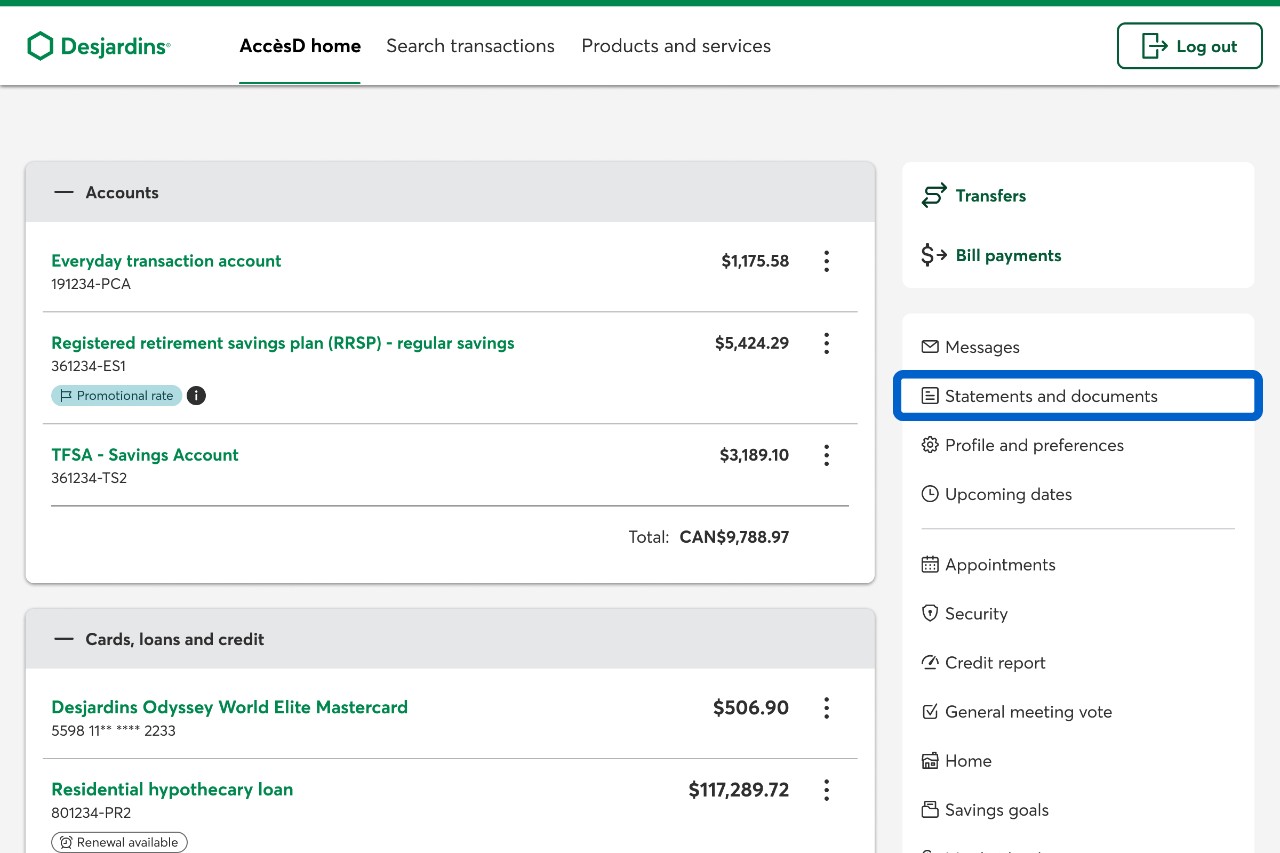
Log in to AccèsD, then select the Statements and documents button.
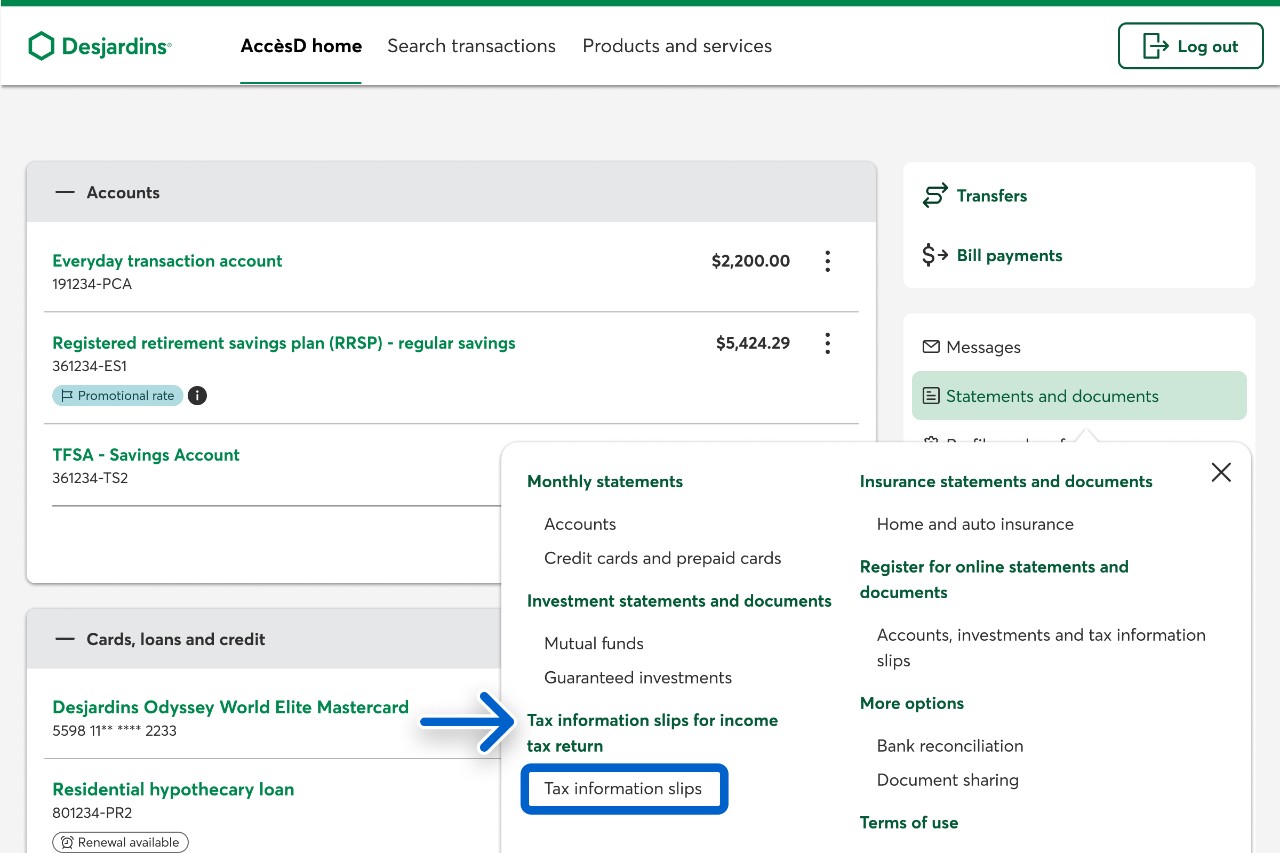
Under Tax information slips for income tax return, select the Tax information slips button.
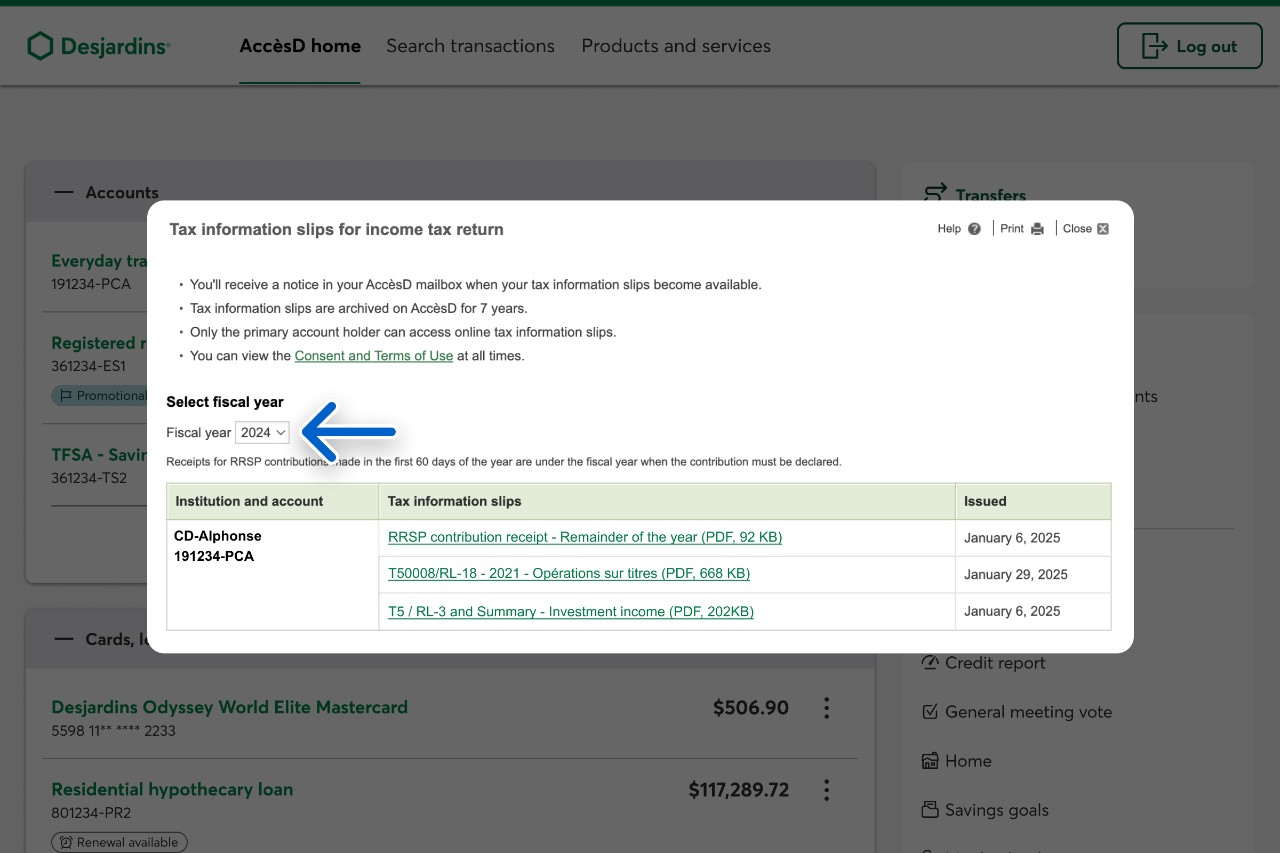
In the Select fiscal year section, select the fiscal year you want tax slips for.
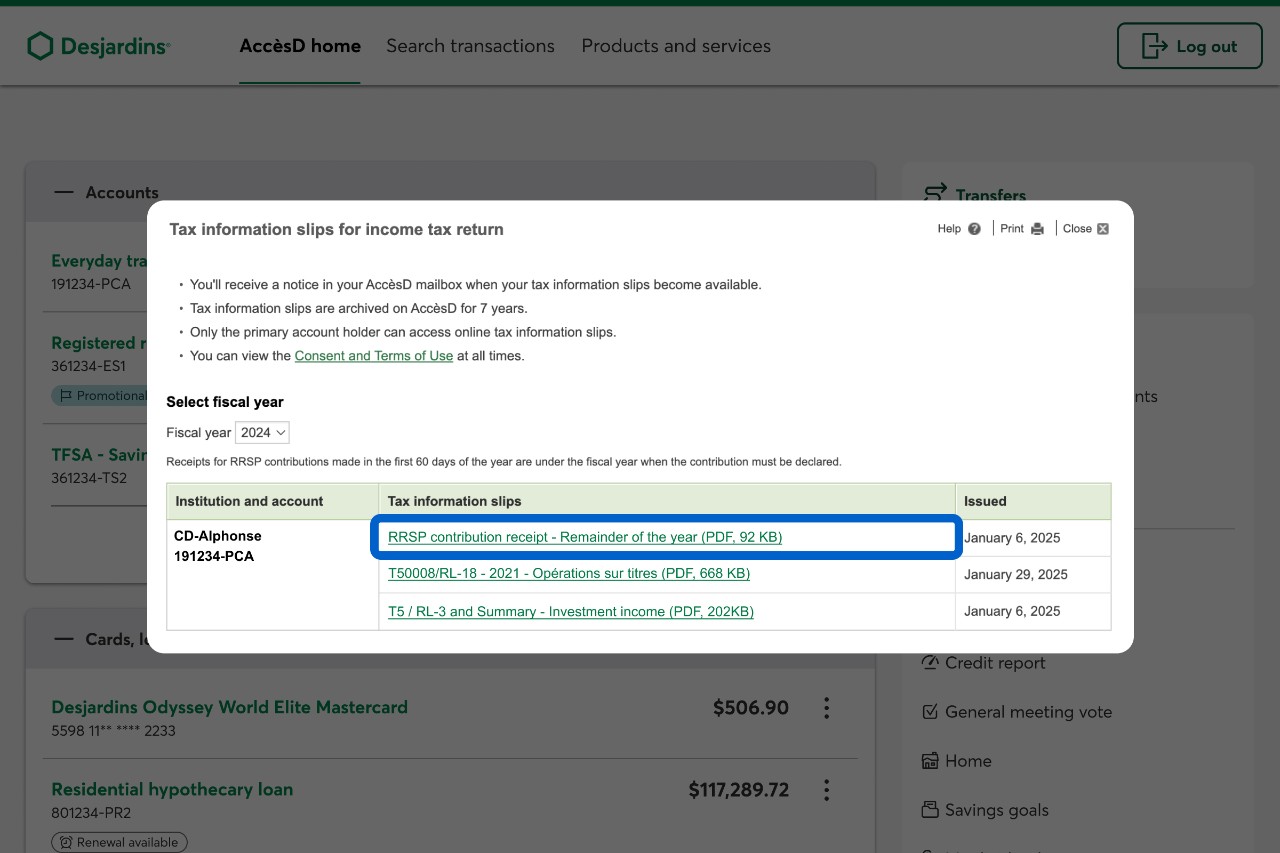
Select the PDF link for each tax slip you want to view.
Call us
1-800-224-7737 This link opens your phone app. (1-800-CAISSES)
Or we can call you when it's convenient.